Hurricane
Well-Known Member
Most reading this will know that I’m very keen on PC navigation software. Anyway, I’ve spent some of the winter evenings re-visiting the software that I use and I thought that I’d share my findings. Some readers may see this as a boring subject but others might find this thread useful if a very low cost chart plotter is required.
On the boat, I make extensive use of the PC but it has always been “in addition” to the boat’s dedicated navigation systems – not “instead of”. During installation of my Raymarine G Series systems, I incorporated PC feeds throughout the boat. This meant that I could run PC based software alongside the professional, more robust equipment. Initially, it was just as an experiment, but over the years, I’ve become more confident. Right from the outset, passage planning and route input was done on the PC. The software systems that I use have a method of “uploading” routes/waypoints to the Raymarine systems which then handle the “in passage” navigation. The PC also has a GPS feed to it so during the passage, it can keep a good “watch” of the boat’s progress and create a graphical historical log. I often show these logs in the chartlets that I post in my little blog reports. My Raymarine kit uses Navionics and the PC uses various raster format charts so I’ve always got a comparison from different chart suppliers. The PC is controlled using a wireless keyboard and an “air mouse” – the range is 30m so one keyboard and one mouse will work throughout the boat – for the mouse and keyboard that I use see here http://www.gyration.com/index.php/us/products/in-air-micekeyboards/go-air-mouse.html#models
So, where is it all going?
PC navigation isn’t a new thing – there are loads of different systems out there. This winter, I’ve spent some time re-evaluating my PC software. At the moment, I use Memory Map which is an excellent Windows software package sold for walkers to use in the mountains. Personally, I believe that the author of the software owns a boat (why else would he incorporate AIS!!). The software is the fastest I’ve ever seen at drawing on the screen. The QCT file format that is native to Memory Map incorporates an interlace technique so it doesn’t need to read all the data when displaying larger scale charts. The result is blisteringly fast scrolling and panning. However, recent versions of Memory Map now require internet connection to register itself and its charts. Cheekily, it even requires you to register charts that you’ve scanned in yourself!! Personally, I will have nothing to do with any software to be used at sea that depends upon an internet connection so I’ve simply not upgraded. At the moment, charts are still available in BSB format and the old software reads them as it did before.
We all like to keep costs down to a minimum so, a few years ago, I looked at an Open Source application called OpenCPN (see www.opencpn.org ). Open source software development is usually carried out by a team of enthusiasts that provide all their work for free. When I looked at OpenCPN a few years ago, it was very crude but over time, it seems to me that it has matured and is now a very useable solution. A very active user community now exists (see this forum http://www.cruisersforum.com/forums/f134/ ) and in fact the latest “beta” test version was released only a few days ago – full of bugs but this shows its continual development. No software is absolutely “bug free” but there is a stable version available which works very well and is suitable for active use. OpenCPN now reads several different chart formats including the older BSB raster charts and CM93 vector charts. In fact it has a really nice feature that “quilts” charts in any format so, for example, you can seamlessly display an Admiralty raster chart alongside a vector chart on the screen at the same time.
Another great feature of OpenCPN is that it is available for Windows, most Linux systems and they have just released a version for the MAC. Maybe smart phones (Android etc) could follow – who knows?
So, this winter, I put my mind to running OpenCPN alongside my Memory Map software. My concern is that I can’t (won’t) upgrade to newer versions of Memory Map so I might need something else as technology evolves. Firstly, I needed to get my charts (my own scanned charts) from Memory Map’s QCT format into the OpenCPN format. To cut a long story short, I ended up writing a conversion utility to convert QCT files into BSB format that could then be read directly into OpenCPN. Memory Map incorporates a really neat map calibration tool so my conversion program outputs all the geo-referencing information as well thus keeping the transfer procedure accurate and to a minimum. This now makes OpenCPN a very useful tool.
You may have read a thread that I posted a couple of weeks ago on a delivery trip I did recently with John from Gibraltar to Sant Carles. The boat was new to John, so we weren’t sure how good her navigation systems would be. We both took extra navigation systems with us. I took my Windows Netbook PC fitted with a GPS dongle that I bought from Amazon for about £17 – see here http://www.amazon.co.uk/Bluenext-BN...KZOQ/ref=sr_1_1?ie=UTF8&qid=1300046948&sr=8-1 . Memory Map was installed with a set of raster charts and OpenCPN with raster and vector charts. I was interested to see how well both systems ran from a low cost PC notebook. John took his iPad with the low cost Navionics app installed.
John’s new (to him) boat has a standard ST6000 autopilot control head at the lower helm and a wired hand held controller on the flybridge. I’m sure John will eventually sort everything out but there seemed to be something intermittent with the flybridge unit so we opted to control the pilot from the lower helm. It was also very difficult to read the displays of the old monochrome RL70s so we decided to just press “Auto” and manually steer the boat using the +1 +10 -1 -10 keys rather that let the pilot read a route from the RL70s. I sat at the lower helm and by manually adjusting the autopilot, I got the boat to follow the route that the PC was indicating. In fact, navigating this way was really easy and very accurate.
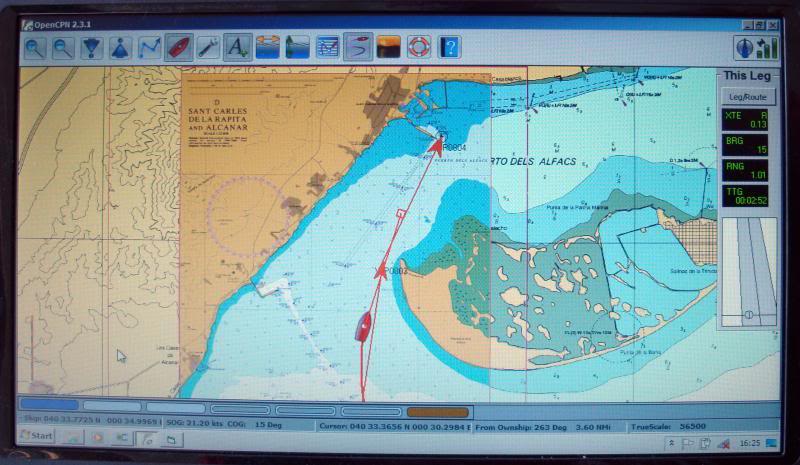
This technique gave me a very good opportunity to test the difference between my “old faithful” Memory Map and OpenCPN software. It became clear quite quickly that OpenCPN is very capable and has been designed specifically to navigate a boat. The next waypoint is identified by flashing a red/yellow circle and the heading by a leading red line terminated with a small red box. Although I haven’t tried it yet, the system can be connected directly to an autopilot and made to follow routes just like any dedicated commercially available plotter. It also accepts input from an AIS receiver. There isn’t much it doesn’t have and remember, it’s free.
So what will I be doing in the longer term?
A link on the OpenCPN website takes you to another free software product called VSPE. This really neat software application for Windows allows multiple applications to access the same serial port (USB or Legacy RS232). It can also act as an IP server for the serial ports so I have installed in on Jennywren’s main computer and shared the NMEA data streams to the onboard WiFi LAN. Sounds a bit complex but this means that I can then pick up all the ships data on my Windows Notepad PC. So OpenCPN and Memory Map navigation software along with my anchor alarms and talking logging systems are available on the Windows Notepad PC. This upgrade to my system is a completely software – no extra hardware required. In fact the concept goes along with everything I’ve done on the boat. Take away the PCs and the boat operates exactly the same as any other.
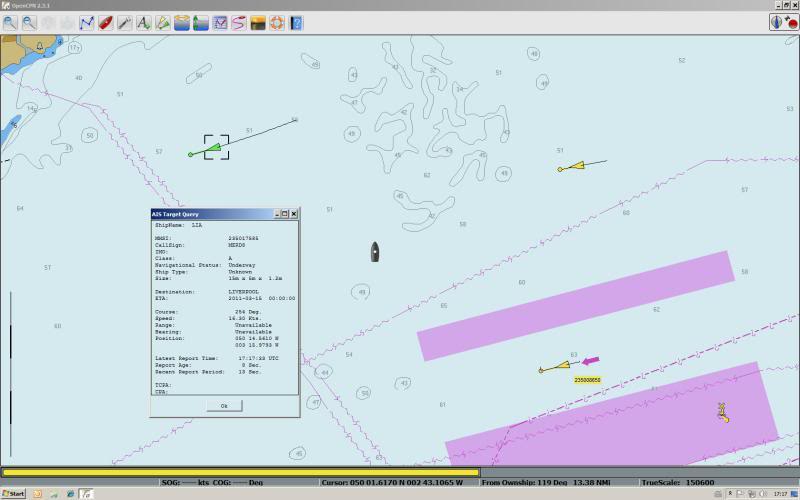
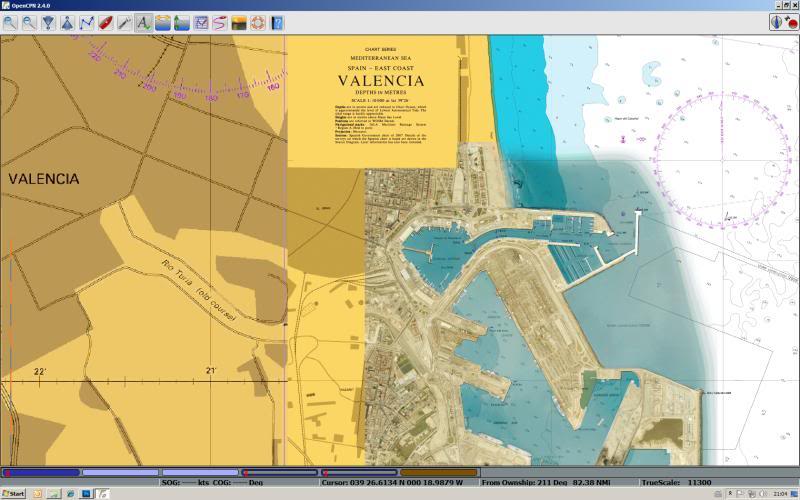
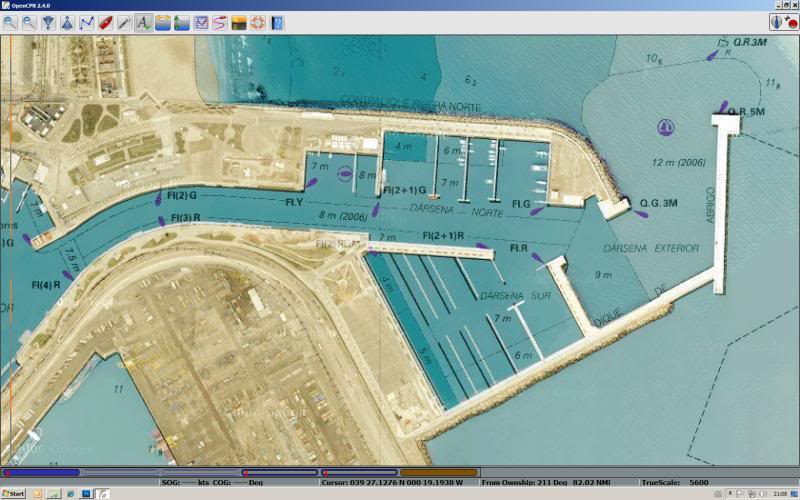
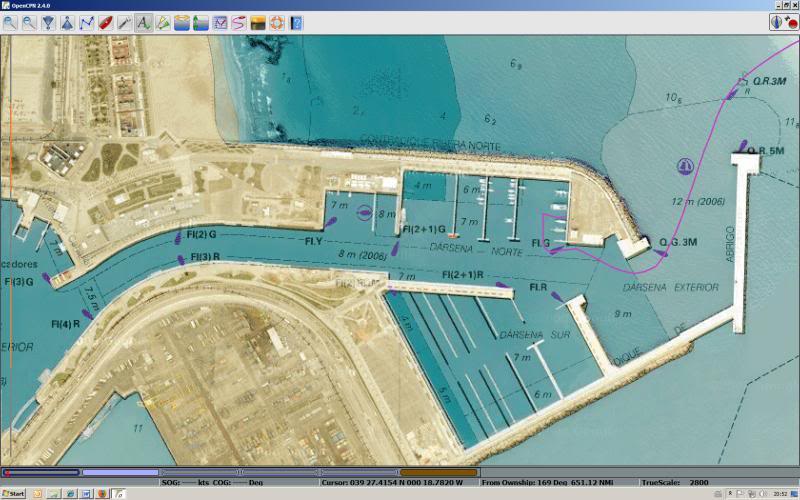
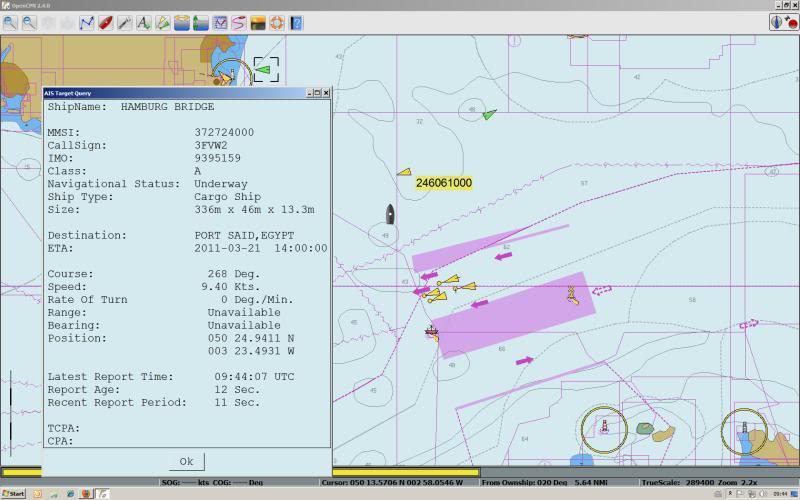
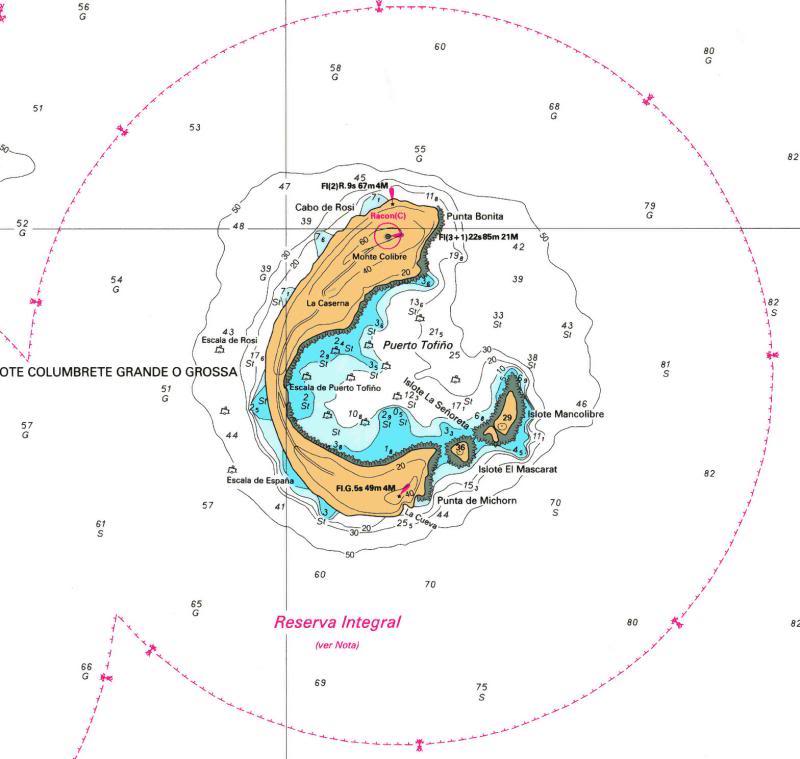
Here are a few screen dumps to show some of the features. I apologise for some of them which were taken with a camera in a bouncy sea so are a little fuzzy.
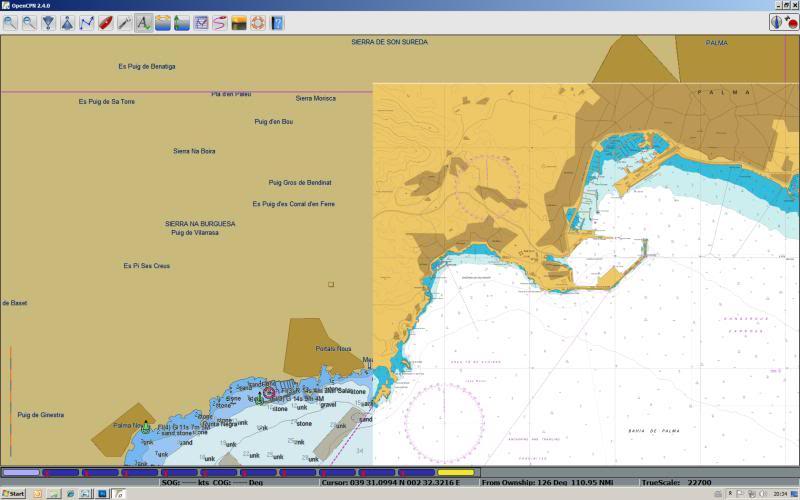
The first shows the basic display with “quilting” turned on. Notice the significantly different chart formats – the left and top is displaying a vector chart whilst the lower right side of the screen shows a raster chart. Area is Palma Bay in Mallorca.
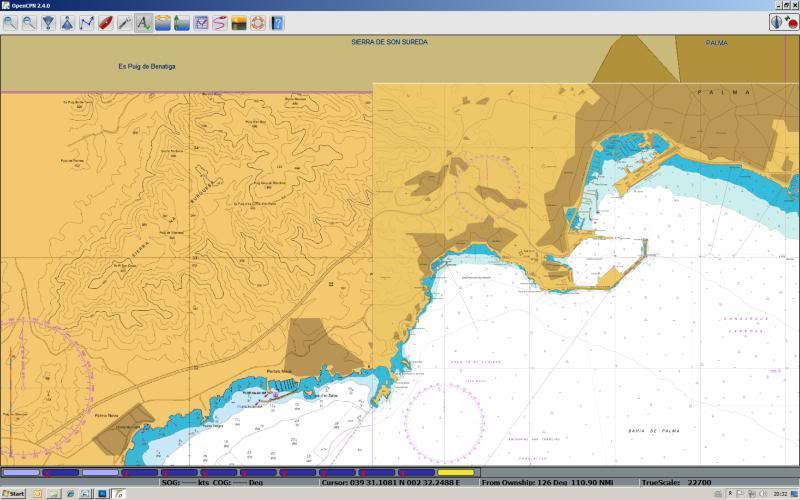
And here’s another screen dump of the same area with a second raster chart on the left – the top is still showing the vector chart.
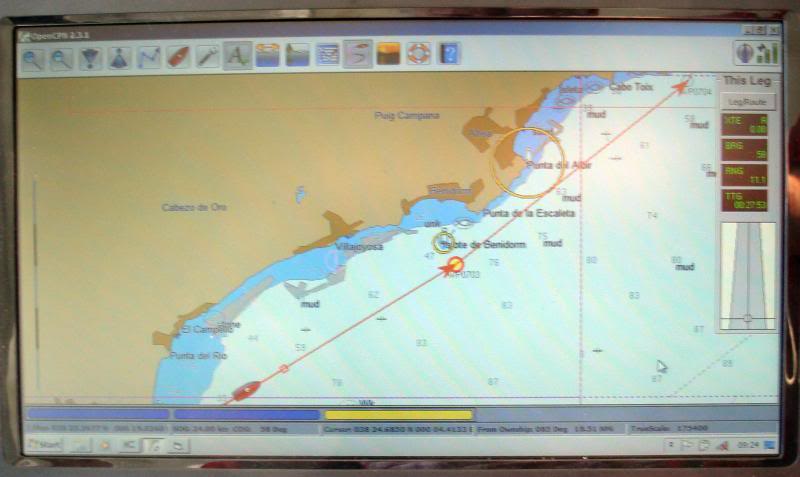
The following screen shot is OpenCPN underway – showing vector charts. Note the next waypoint circle in red/yellow and the ships icon with the heading line and leading square graphic.
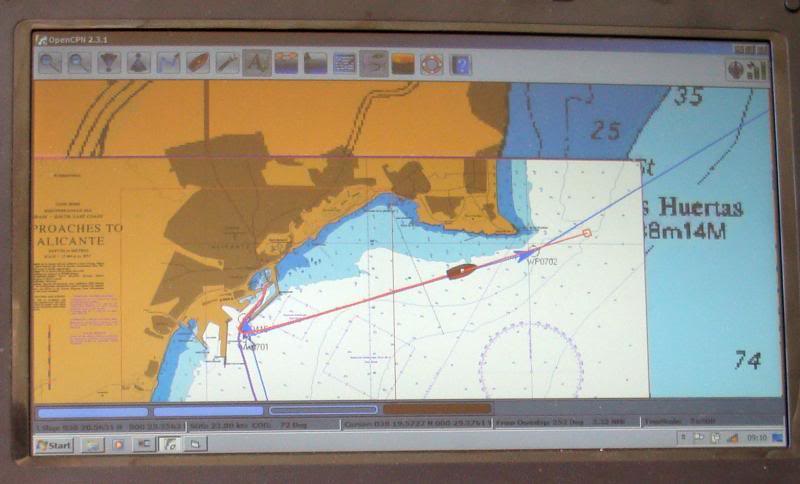
In the next screen shot the route hasn’t yet been activated so there’s no next waypoint but you can, again, see the chart quilting working.
And for those who like to see their charts “head up”, OpenCPN has an option. Personally, I prefer to have my chart plotter displaying North Up so that I don’t get confused in case I have to revert to a paper printed chart.
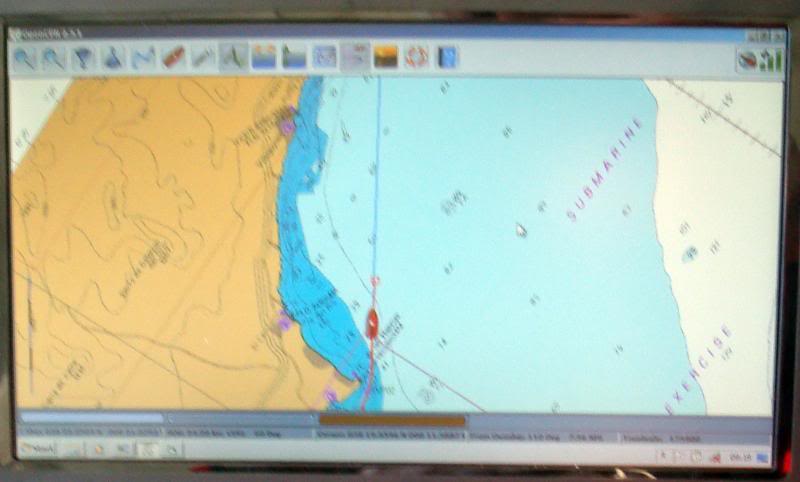
And the following is another screen shot under way – the red/yellow circle flashes and this shot was taken between the flashes so the next waypoint isn’t shown as well as the screen shot above.
more in next post.......
On the boat, I make extensive use of the PC but it has always been “in addition” to the boat’s dedicated navigation systems – not “instead of”. During installation of my Raymarine G Series systems, I incorporated PC feeds throughout the boat. This meant that I could run PC based software alongside the professional, more robust equipment. Initially, it was just as an experiment, but over the years, I’ve become more confident. Right from the outset, passage planning and route input was done on the PC. The software systems that I use have a method of “uploading” routes/waypoints to the Raymarine systems which then handle the “in passage” navigation. The PC also has a GPS feed to it so during the passage, it can keep a good “watch” of the boat’s progress and create a graphical historical log. I often show these logs in the chartlets that I post in my little blog reports. My Raymarine kit uses Navionics and the PC uses various raster format charts so I’ve always got a comparison from different chart suppliers. The PC is controlled using a wireless keyboard and an “air mouse” – the range is 30m so one keyboard and one mouse will work throughout the boat – for the mouse and keyboard that I use see here http://www.gyration.com/index.php/us/products/in-air-micekeyboards/go-air-mouse.html#models
So, where is it all going?
PC navigation isn’t a new thing – there are loads of different systems out there. This winter, I’ve spent some time re-evaluating my PC software. At the moment, I use Memory Map which is an excellent Windows software package sold for walkers to use in the mountains. Personally, I believe that the author of the software owns a boat (why else would he incorporate AIS!!). The software is the fastest I’ve ever seen at drawing on the screen. The QCT file format that is native to Memory Map incorporates an interlace technique so it doesn’t need to read all the data when displaying larger scale charts. The result is blisteringly fast scrolling and panning. However, recent versions of Memory Map now require internet connection to register itself and its charts. Cheekily, it even requires you to register charts that you’ve scanned in yourself!! Personally, I will have nothing to do with any software to be used at sea that depends upon an internet connection so I’ve simply not upgraded. At the moment, charts are still available in BSB format and the old software reads them as it did before.
We all like to keep costs down to a minimum so, a few years ago, I looked at an Open Source application called OpenCPN (see www.opencpn.org ). Open source software development is usually carried out by a team of enthusiasts that provide all their work for free. When I looked at OpenCPN a few years ago, it was very crude but over time, it seems to me that it has matured and is now a very useable solution. A very active user community now exists (see this forum http://www.cruisersforum.com/forums/f134/ ) and in fact the latest “beta” test version was released only a few days ago – full of bugs but this shows its continual development. No software is absolutely “bug free” but there is a stable version available which works very well and is suitable for active use. OpenCPN now reads several different chart formats including the older BSB raster charts and CM93 vector charts. In fact it has a really nice feature that “quilts” charts in any format so, for example, you can seamlessly display an Admiralty raster chart alongside a vector chart on the screen at the same time.
Another great feature of OpenCPN is that it is available for Windows, most Linux systems and they have just released a version for the MAC. Maybe smart phones (Android etc) could follow – who knows?
So, this winter, I put my mind to running OpenCPN alongside my Memory Map software. My concern is that I can’t (won’t) upgrade to newer versions of Memory Map so I might need something else as technology evolves. Firstly, I needed to get my charts (my own scanned charts) from Memory Map’s QCT format into the OpenCPN format. To cut a long story short, I ended up writing a conversion utility to convert QCT files into BSB format that could then be read directly into OpenCPN. Memory Map incorporates a really neat map calibration tool so my conversion program outputs all the geo-referencing information as well thus keeping the transfer procedure accurate and to a minimum. This now makes OpenCPN a very useful tool.
You may have read a thread that I posted a couple of weeks ago on a delivery trip I did recently with John from Gibraltar to Sant Carles. The boat was new to John, so we weren’t sure how good her navigation systems would be. We both took extra navigation systems with us. I took my Windows Netbook PC fitted with a GPS dongle that I bought from Amazon for about £17 – see here http://www.amazon.co.uk/Bluenext-BN...KZOQ/ref=sr_1_1?ie=UTF8&qid=1300046948&sr=8-1 . Memory Map was installed with a set of raster charts and OpenCPN with raster and vector charts. I was interested to see how well both systems ran from a low cost PC notebook. John took his iPad with the low cost Navionics app installed.
John’s new (to him) boat has a standard ST6000 autopilot control head at the lower helm and a wired hand held controller on the flybridge. I’m sure John will eventually sort everything out but there seemed to be something intermittent with the flybridge unit so we opted to control the pilot from the lower helm. It was also very difficult to read the displays of the old monochrome RL70s so we decided to just press “Auto” and manually steer the boat using the +1 +10 -1 -10 keys rather that let the pilot read a route from the RL70s. I sat at the lower helm and by manually adjusting the autopilot, I got the boat to follow the route that the PC was indicating. In fact, navigating this way was really easy and very accurate.
This technique gave me a very good opportunity to test the difference between my “old faithful” Memory Map and OpenCPN software. It became clear quite quickly that OpenCPN is very capable and has been designed specifically to navigate a boat. The next waypoint is identified by flashing a red/yellow circle and the heading by a leading red line terminated with a small red box. Although I haven’t tried it yet, the system can be connected directly to an autopilot and made to follow routes just like any dedicated commercially available plotter. It also accepts input from an AIS receiver. There isn’t much it doesn’t have and remember, it’s free.
So what will I be doing in the longer term?
A link on the OpenCPN website takes you to another free software product called VSPE. This really neat software application for Windows allows multiple applications to access the same serial port (USB or Legacy RS232). It can also act as an IP server for the serial ports so I have installed in on Jennywren’s main computer and shared the NMEA data streams to the onboard WiFi LAN. Sounds a bit complex but this means that I can then pick up all the ships data on my Windows Notepad PC. So OpenCPN and Memory Map navigation software along with my anchor alarms and talking logging systems are available on the Windows Notepad PC. This upgrade to my system is a completely software – no extra hardware required. In fact the concept goes along with everything I’ve done on the boat. Take away the PCs and the boat operates exactly the same as any other.
Here are a few screen dumps to show some of the features. I apologise for some of them which were taken with a camera in a bouncy sea so are a little fuzzy.
The first shows the basic display with “quilting” turned on. Notice the significantly different chart formats – the left and top is displaying a vector chart whilst the lower right side of the screen shows a raster chart. Area is Palma Bay in Mallorca.
And here’s another screen dump of the same area with a second raster chart on the left – the top is still showing the vector chart.
The following screen shot is OpenCPN underway – showing vector charts. Note the next waypoint circle in red/yellow and the ships icon with the heading line and leading square graphic.
In the next screen shot the route hasn’t yet been activated so there’s no next waypoint but you can, again, see the chart quilting working.
And for those who like to see their charts “head up”, OpenCPN has an option. Personally, I prefer to have my chart plotter displaying North Up so that I don’t get confused in case I have to revert to a paper printed chart.
And the following is another screen shot under way – the red/yellow circle flashes and this shot was taken between the flashes so the next waypoint isn’t shown as well as the screen shot above.
more in next post.......
Last edited: