
lustyd
Well-Known Member
Dont know why you say that
Sorry, me being a numpty - I must have clicked one of the links on that page and then assumed that was all that was there. You're quite right, they would be fine


Dont know why you say that

3 problems with these off the shelf jobs...
1) The plastic is not that clear even when new.
2) There will be a gap between the display and the lid which will cause reflections.
3) There is a molding mark right in the middle. You can see it in the pictures.
I have tried them before and they don't really work.
One further query then, if a gap between the LCD and the 'window' is a problem, and the display in the parts list has a metal surround, which creates a gap - how do we get rid of the gap? or do we need to use exotic materials for the 'window'?

4. They are really ugly.3 problems with these off the shelf jobs...
4. They are really ugly.
So buy a non-ugly off-the-shelf box, mill an aperture in lid, glue in a polycarbonate window?
Another question for the electronics crowd. I bought the RS display board so I had something to handle when thinking about packaging. If you apply power to it is there some in-built self test pattern available to try the display behind window material? Such as shorting two pins together during power-up, bit like spitting out a test sheet on a printer.


Couple of questions,
How big is the display?
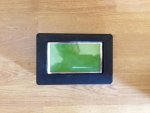
View attachment 32894
Dear All
Sorry about my absence.
I have made a rough display case out of an ABS box with perspex silicon-ed in the front.
I am bringing myself back up to speed on where I was before, I see that in the last few months the Mini Display has taken off, and what a cracking instrument it is.
I have not built the SeaTalk interface yet, but I have all the bits and that is my next task.
All the best
Tom
Any more details info?
I have created a complete schematic so that when i take it all out of the breadboard i know how to put it back together. Next step soldering it all to strip board. Gulp
Stripboard/Veroboard is the spawn of the devil.
Why not install DesignSpark PCB and create a proper PCB layout? If you do it Single Sided, I could even make if for you if there is no immediate hurry - I tend to make boards in batches.
http://www.designspark.com/eng/page/designspark-pcb-home-page
Then just for fun i asked the program to create a PCB layout, it was not happy. I had to create the discovery board as a new component and have not created an equivalent PCB part.

Hi Nigel,
I've made dozens of single-sided PCBs in the past (as in, long ago past) using the RS system of rub on symbols.
Having created the layout in Designspark, I take it a clear plastic film is loaded into a printer - is this correct? Any special printer/inks required?

