Avatar display problems with new layout

Montemar

Well-Known Member
Joined
17 Jan 2011
Messages
832
Location
Dorset
www.voltloudspeakers.co.uk
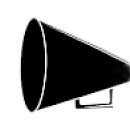
I cannot get my loudhailer avatar to display as it used to in the old style forum.
I have tried massive pixel dimension and minute but I cannot get all of it to fit.
Has anyone got an idea of what I am doing wrong?
 
Thanks. I have tried but the small image is then increased in size to give the same result. It seems that a rectangular image is not compatible with the circular window.
A small loudhailer that fitted and was thus recognisable would have been "fine and dandy" to paraphrase Creighton instead it looks smegging silly.
 
Montemar,

the idea is that you INCREASE the size of the image by adding white pixels around, so resize and then fill the blanks so to speak.
if you want I can do that in photoshop is a min or less...
problem is that picking the jpg from your avatar as is creates an invalid file, so need the file (and preferably the one that you took it from so that the right hand side of the hailer is included)

V.
 
no problem, happy christmas to you!
your co log (the Volt one) would also fit nicely in the round placeholder.

cheers

V.
 
On mine I added white space to either side to get it as I wanted it to show inside the circle but I see on avatar edit you can slide the pic to position it better
 
Many thanks for help and insight into the problem. As you can see I have managed to get it back by copying the loudhailer onto a white backround then saving both together.
The Volt logo would fit as you say but the loudhailer is instantly recognisable whereas the loudspeaker would not be so obvious. The odd thing is my avatar now looks rectangular due, I think, to the thin line around the frame behind the image.
 
I'm at the boat atm debugging an annoying issue with my chain counter arduino code...
when I'm back at my pc, I could edit that and remove the orthogonal gray border and post it back here

or you could crop the thin line out of the image BEFORE pasting into a white background :D

V.
 
Top