A challenge to make a cheap plotter for under £60

BTW
Did you know that with a system like yours, (using OpenCPN) you can "re-transmit" AIS round your boat using WiFi/LAN to mobile devices also running OpenCPN.
It is all done in the "connections" setup inside OpenCPN.
Your mobile devices can then display the excellent AIS/CPA features that OpenCPN offers.

Yes I did know that but I started using NavmonPC to redirect the incoming messages messages to both physical and virtual ports so I have not really investigated that area of OpenCPN.

I did start to look at weather routing at one time and I did meet one of the developers when he passed our way a year or two ago. He gave a very good presentation using a prototype PI he was using.
 
...So, is there anyone out there that has a good solution for a robust sunlight viewable monitor?

Like another responder, I've been using Toughbooks onboard for a while now so my thoughts went to a Toughbook tablet. They are typically 500 nits and anywhere from £150-550 on ebay depending how new it is. Thats at the bottom end of the Litemax range for brightness, cant find any pricing for the Litemax or Olorin displays. My thought was to use a remote graphics engine on the tablet, VNC ?, to drive the Pi over WiFi and display charts etc. - dont know how viable that is.
 
Like another responder, I've been using Toughbooks onboard for a while now so my thoughts went to a Toughbook tablet. They are typically 500 nits and anywhere from £150-550 on ebay depending how new it is. Thats at the bottom end of the Litemax range for brightness, cant find any pricing for the Litemax or Olorin displays. My thought was to use a remote graphics engine on the tablet, VNC ?, to drive the Pi over WiFi and display charts etc. - dont know how viable that is.
Found another source for Litemax: http://www.vasari.net/monitors.html
Have sent email enquiring about ballpark prices. Will report response.
 
Like another responder, I've been using Toughbooks onboard for a while now so my thoughts went to a Toughbook tablet. They are typically 500 nits and anywhere from £150-550 on ebay depending how new it is. Thats at the bottom end of the Litemax range for brightness, cant find any pricing for the Litemax or Olorin displays. My thought was to use a remote graphics engine on the tablet, VNC ?, to drive the Pi over WiFi and display charts etc. - dont know how viable that is.

IMO, VNC would be too slow and too complicated.

If you want to use a Raspberry Pi, it would be better to connect a display like the one in the link in TwoHooter's post.
However, 32 quid on a Raspberry Pi is disproportionate in the costs here.
If you are spending £150 - £500 on a display a faster computer would provide a better solution.
However, the RPi would work.
 
Apart from the neatly sidestepped cost of a screen...
Lets start shaving some £ off eh?

New Raspberry Pi ZeroW : £9-60, built in WiFi so no need for a dongle!
For me the 162 GPS (same guts as the one you show but has 2m USB lead means you can get the GPS reciever away from the Wifi) http://www.ebay.co.uk/itm/VK-162-GPS-Navigation-Module-Antenna-USB-Interface-G-Mouse-Waterproof-Black-/262772172969?hash=item3d2e7128a9:g:JBEAAOSw241YWnfo £9-39

saving so far ~£28
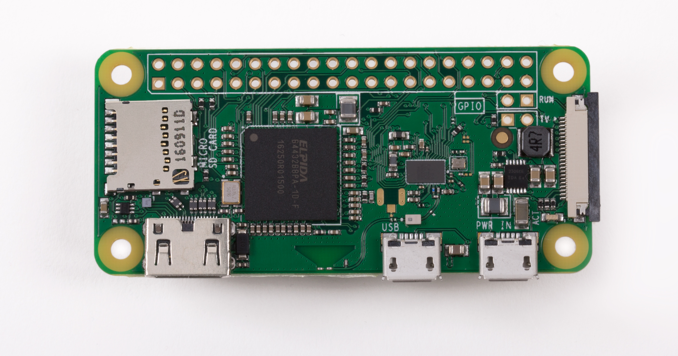
OK so I looked into the Raspberry Pi Zero
On paper, it looks as though it will do the job.
In fact, it can be even cheaper - they start at £4 plus VAT.
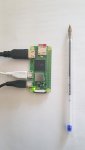
Here's a pic of the little devil.

zero-wireless.png


I bought the £9.60 (inc VAT) with a full WiFi interface - like you said.

Actually, I'm a bit disappointed.
In comparison with the Raspberry Pi 3 at £32 the Zero is very slow.
I also couldn't get OpenCPN running on it - may not have enough memory.

That all said, it was fun to put it together and get it running a copy of Linux including a full Office package.
Impressive.

I'm sure it will be a great tool in the future for little applications but it doesn't really work as the processor for a cheap plotter.
And as I have said, the Raspberry Pi 3 works but there are better other hardware options for OpenCPN on board a boat.
 
In my quest to find the cheapest plotter, I managed to bag/buy one of the new Raspberry Pi Zero 2Ws
They have just been released and are already sold out.

The Raspberry Pi Zero 2W is a "drop in" replacement for the old Raspberry Pi Zero and is between 4 to 6 times faster than the old model.
But, disappointingly, they don't have much RAM which makes them slower than they could have been if they had more RAM.
That said, they retail at £13.99 inc VAT.
The board incorporates a quad-core 64-bit Arm Cortex-A53 CPU, clocked at 1GHz and has USB and HDMI connectors.
Very low power with WiFi and Bluetooth interfaces on board.

As usual, it runs the Raspbian/Raspberry Pi Operating system which is a derivative of Debian Linux.
I was disappointed that it doesn't yet run my favourite Manjaro operating system that I use on all my other devices (the Raspberry Pi 4 does run Manjaro - 64 bit)

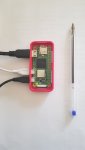
Here is a pic of the Raspberry Pi Zero 2W beside a pen to show just how small it is.

20211108_123620.resized.jpg

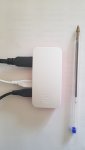
And this time, I treated it to a case:-

20211108_124038.resized.jpg

So, here it is with all its clothes on

20211108_124104.resized.jpg

It boots its operating system in about 25 seconds and because it is LInux, it will always boot that quickly however old it gets (unlike Windoze machines)

So, I installed Raspberry Pi OS onto a microSD card and loaded OpenCPN.
I then copied some raster and vector charts onto the microSD card and fired up OpenCPN.
It all worked but is still a little slow to be considered a serious plotter.
I plugged in a cheap six quid USB GPS dongle - one of these:-

513gd0OgwCL._AC_SY450_.jpg


And it was soon receiving a position.

I did a quick screen capture/recording so that you can see how well it works.
OpenCPN can be set to have two independent windows open at the same time.
In the following example, the right window has raster charts whilst the left window shows vector charts.
In fact OpenCPN can "quilt" raster and vector charts on the same window at the same time.


Anyway, as said above this is all just a bit of fun - for 14 quid, I think it does rather well.
That said, I wouldn't use a Raspberry Pi as my main ships PC.
I tend to spend a few hundred quid and get a faster x86 multi threaded PC which is always significantly faster.
In fact this winter, I am planning on upgrading JW's on board PC to an AMD Ryzen CPU which will be significantly faster that this little Raspberry Pi.

Here is a similar screen capture/recording taken from my high speed Intel i7 desktop PC to give you an idea how OpenCPN works on a fast PC.


It would be interesting to hear what people think.
A Raspberry Pi Zero probably won't ever have enough memory to make it a serious contender but the exercise was fun to do and it DOES actually work.
Maybe a Raspberry Pi 4 will be a more serious contender - or even one of the Raspberry Pi Compute Module 4s - when or if we can get our hands on them.
I do have an early Raspberry Pi 4 and a Raspberry Pi 400 (the one built into a keyboard) that is already set up so I will "dig it out" and add it to this thread.
All the software is open source so it is free to download and use.
 
Here is the test running OpenCPN on a Raspberry Pi 400 under Manjaro Linux.


Actually, it isn't much faster than the cheap little Zero 2W above.
But, to be fair, I reduced the screen resolution for the Rasperry Pi Zero 2W to make it more usable.
This latest video is of a test with the screen set to a full 1K (1920x1080) resolution.

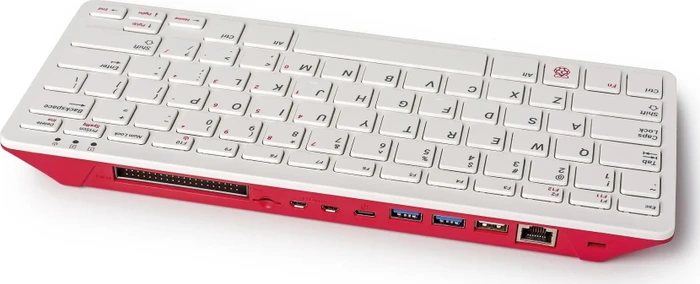
For those that don't know - this is what a Raspberry Pi 400 looks like:-

2414648-n0.jpg


Essentially a Rasperry Pi 4 inside a keyboard - all it needs is power and a video.
 
Which charts do you use? Presumably not available free or cheap?
Most of the charts I've made myself over the years from scanning and then georeferencing them myself.
My DIY charts are in BSB raster format.
My process is a bit of a long process which involves a conversion program that I wrote myself to output the final files in .KAP (BSB) format
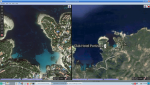
Using Google Maps you can to produce DIY charts like these - actually very accurate:-
Accurate enough to drop the anchor in the same place each time.

Screenshot_2021-11-08_21-48-59.resized.png

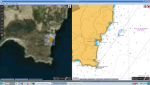
Or ones like these:-
The window on the right is a scan of a British Admiralty chart of Cala Portals (Vells) anchorage in Palma Bay, Mallorca.
The window on the left is a Google Maps Satellite view with the Posidonia Grass exclusion areas superimposed over the top.

Screenshot_2021-11-08_21-46-23.resized.png

Over the last couple of years, OpenCPN now supports the MBTILE format so you can get third party software to output georeferenced charts more easily.
Alternatively the easy way, OpenCPN supports oeSenc charts that you can buy from dealers.
 
I am a convert to using OpenCPN on board as my primary plotter. I use a Pi 3b interfaced to autopilot, AIS, GPS etc. Just bought a Simrad 4g radar and upgraded OpenCPN to the latest version including the new radar plugin. All works remarkably well so far but not tried the radar out for long - I believe some of the early implementations did have issues with memory overloads after a period of use. I bought the oeSenc charts, whole UK and north France vector coverage for about £35, Inc updates for a yr, seems very good value compared to the alternatives. I currently use a Panasonic toughpad on the flybridge linked to the Pi at the main helm. Works ok, but I will add a separate high brightness monitor over the winter. As backups I have a laptop and several tablets running Navionics. Looking to upgrade to the Pi4 or 400 to get dual hdmi outputs.
 
I am a convert to using OpenCPN on board as my primary plotter. I use a Pi 3b interfaced to autopilot, AIS, GPS etc. Just bought a Simrad 4g radar and upgraded OpenCPN to the latest version including the new radar plugin. All works remarkably well so far but not tried the radar out for long - I believe some of the early implementations did have issues with memory overloads after a period of use. I bought the oeSenc charts, whole UK and north France vector coverage for about £35, Inc updates for a yr, seems very good value compared to the alternatives. I currently use a Panasonic toughpad on the flybridge linked to the Pi at the main helm. Works ok, but I will add a separate high brightness monitor over the winter. As backups I have a laptop and several tablets running Navionics. Looking to upgrade to the Pi4 or 400 to get dual hdmi outputs.
Sounds like my kind of set up.
It will be interesting to hear what "high brightness" monitors you are suggesting or what you end up fitting.
In my case. I have an expensive Raymarine G series glass bridge navigation system.
Each of my 4 displays are NOT plotters - they are monitors so I have always used the VGA inputs into those monitors.
A solution that works for me but when friends show interest in using OpenCPN, it would be nice to be able to recommend a "high brightness" monitor.

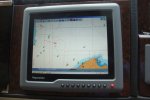
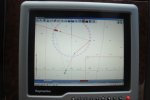
This is one of my Raymarine displays connected to a PC running OpenCPN - a few years ago - OpenCPN has been upgraded quite a bit since then.

DSC06015.resized.jpg

This photo shows a real situation - and just how good the AIS feature within OpenCPN is.
It is dead easy to work out what is happening in this display.
The classic - will I pass in front or have to go behind?
In the case of motorboats, it is often just a matter of adjusting the speed.

DSC06024.resized.jpg
 
I've mentioned before that I am another convert to OpenCPN, and it really is very good. Our set-up is a lot more expensive because it's built round a Vasari PC running Windows 7 and displaying on 3 monitors at the helm including a 21" AG Neovo which is superb. I would hate to have to go back to anything smaller than that, I've got so used to having a big screen. Like chrisharris I use a Panasonic Toughpad as the flybridge monitor, held in a RAM suction-mount so it can be moved to always face away from the sun.
I currently use a Panasonic toughpad on the flybridge linked to the Pi at the main helm. Works ok, but I will add a separate high brightness monitor over the winter... Looking to upgrade to the Pi4 or 400 to get dual hdmi outputs.
How do you link the Toughpad at the moment?

Like Hurricane I will be very interested to know about your high brightness monitor. After a lot of research I have come to the conclusion that when you buy an off-the-shelf system from Raymarine, Garmin, etc. a lot of the money is going on the high brightness waterproof monitors.
 
built round a Vasari PC running Windows 7
You will have to "bite the bullet" sometime and move off W7.
I agree 110% that Windows 10 and 11 would be a very bad choice in a fixed boating environment.
IMHO, there's only one choice and you know you will have to do it sometime - One of the Linux Distros.
Over the years, Linux has been getting continual upgrades to its kernel and it is the kernel that has all the drivers.
So compatibility shouldn't be a problem.
For the boat, multi monitor outputs is probably useful but interfaces like the Actisense ones just seem to work so reading NMEA data isn't a problem.
I remember you joined in a little group when I was making my jump away from Microsoft.
I don't regret it for one minute.
I had lots of Windows based systems - now I have none - life is wonderful!!
Come on - you know it makes sense.
Why not download a copy of Manjaro Linux (I suggest the XFCE version) and give it a go - the Manjaro Package Manager is GUI based and dead easy to use.
None of this "sudo apt-get install" stuff that we get with Debian based Linux distros.
And the XCFE desktop environment is just like "good old Windows Classic" environments - but better.

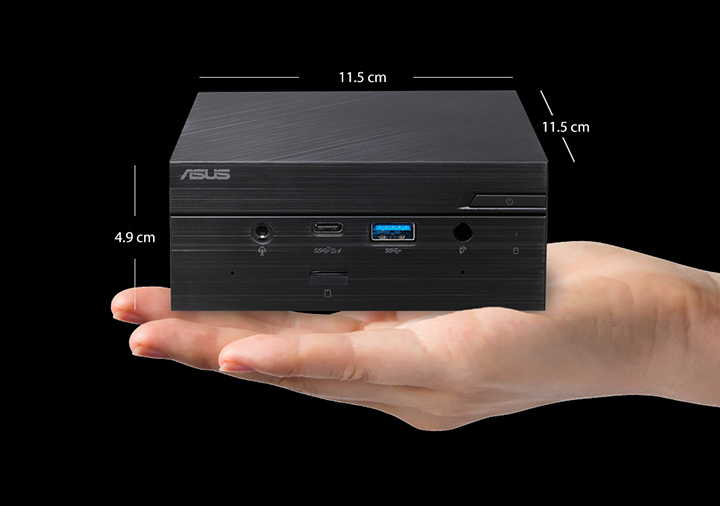
As said above, I wouldn't use a Raspberry Pi and my winter project is to upgrade JW's PC to one of these with an AMD based chipset.

saving_s.jpg


Here is the manufacturers web page on it.
Mini PC PN50|Mini PCs|ASUS United Kingdom
I use these "barebones" mini PCs a lot but I haven't played with this Asus one yet or with an AMD CPU so it will be an interesting upgrade.
The old PC is on the boat and I can remotely boot and access it so the two systems will be working together during the upgrade (but 1000 miles apart!!!)

Back to this thread's point.
The purpose of this thread's experiment was to find the cheapest plotter and it seems that the Raspberry Pi will do the job but there are better options for a little extra cost.
 
Top