Open Plotter Signal K NMEA0183

Andrew_Trayfoot

Well-Known Member
Joined
11 Oct 2007
Messages
674
Visit site
I'm hoping someone can help me with...

I have a Raspberry 5 with MacArthur Hat attached and Open Plotter Installed.

I have managed to connect 2 1-wire temperature sensors with no issues.

I then moved to getting a NMEA0183 Wind Indicator connected.

I've followed all the instructions and I can see the LEDs flashing for NMEA0183 1:
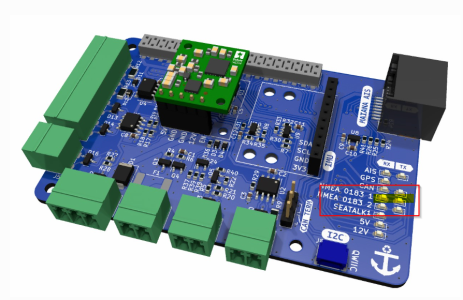
2025-12-06 18_44_47-Greenshot.png


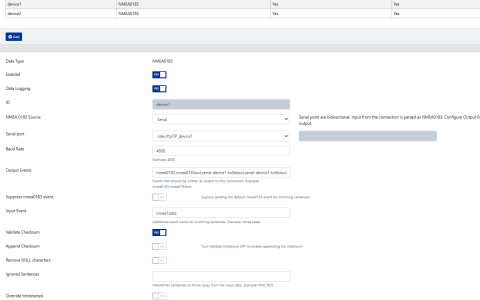
I setup the Device 1 in Signal K:


2025-12-06 18_53_00-C__Users_andre_Downloads_2025-12-06 18_44_47-Greenshot.png - Greenshot ima...png


However Device 1 does not appear to be active 'Stats' section of the Dashboard
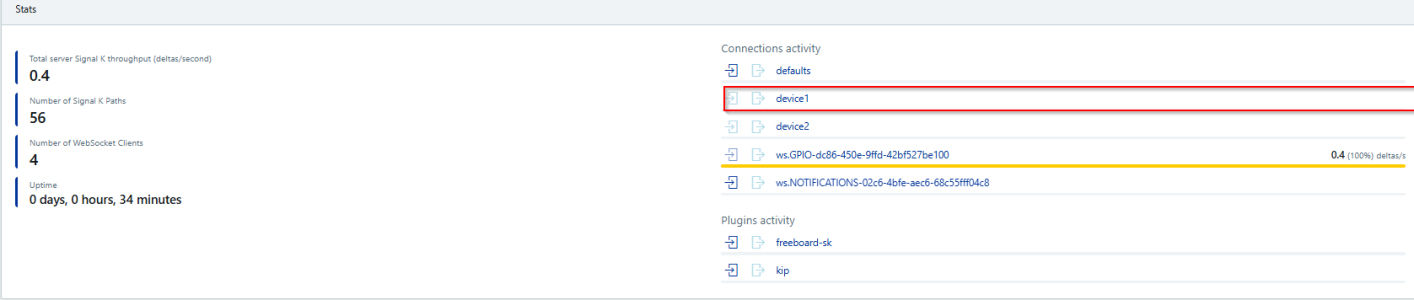
2025-12-06 18_58_50-C__Users_andre_Downloads_2025-12-06 18_44_47-Greenshot.png - Greenshot ima...png

And I cant see the Device 1 in the list of paths (where I can see the two temperature sensors:
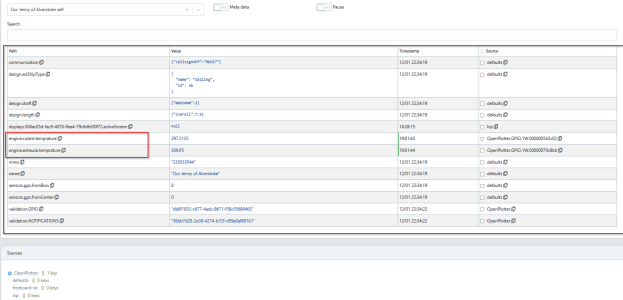
2025-12-06 19_01_47-.png

Any ideas what I'm doing wrong?

Andrew
 
I'm hoping someone can help me with...

I have a Raspberry 5 with MacArthur Hat attached and Open Plotter Installed.

I have managed to connect 2 1-wire temperature sensors with no issues.

I then moved to getting a NMEA0183 Wind Indicator connected.

I've followed all the instructions and I can see the LEDs flashing for NMEA0183 1:

View attachment 203225


I setup the Device 1 in Signal K:


View attachment 203226


However Device 1 does not appear to be active 'Stats' section of the Dashboard

View attachment 203227

And I cant see the Device 1 in the list of paths (where I can see the two temperature sensors:

View attachment 203228

Any ideas what I'm doing wrong?

Andrew
Chatgpt is your friend, ask it for a script to try out different baud rates and probe the serial port until you see that data being received then goto signalk once you know the feed works. Are you absolutely sure it's a nmea 9183 wind sensor and not rs485?
 
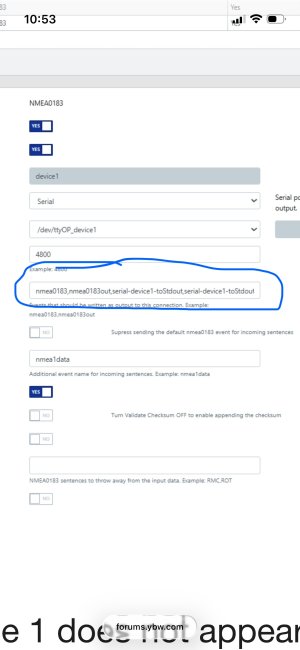
I think the issue is with this;

IMG_3597.jpegIMG_3597.jpeg

Perhaps try leaving this field blank or the actual sentences you expect to get from
The device - ie wind speed / direction
 
I have cleared the field, applied the change, and restarted the Signal K server.

The system has repopulated it with this:
2025-12-07 21_12_28-Greenshot.png

Sill no NMEA 0183 path...
 
I have cleared the field, applied the change, and restarted the Signal K server.

The system has repopulated it with this:
View attachment 203267

Sill no NMEA 0183 path...
I wouldn't bother with signalk until you know the serial is working. For that you need chatgpt to provide you with the Linux commands or script to test out serial settings
 
Try turning off “validate checksum”? A quick look at the data sheet for that suggests the device can be configured to omit or add the checksum or send the device’s serial number instead, with no apparent indication what the default is.

Do try looking directly at the port to see what it’s sending: screen is one way, another might be
( stty 4800 ; cat ) < /dev/ttyOP_device1
With brackets required to stop the device being closed before the cat
 
In OpenPlotter, there's a GUI for configuring the Serial Port. The alias for the port you use in the Serial GUI has to then be used in SignalK. SignalK does not initialise the port. The MacArthur HAT uses different port numbers depending on the type of Raspberry Pi it's attached to

As others have said set up the Serial ports as per: NMEA 0183 - MacArthur HAT v1.2 Documentation and connect it to SignalK. if it works, all good.

If not, then use cat or screen to check there's data
 
Top