marcot
Well-Known Member
ok many thanks


Please post back with the result.ok many thanks
Paul, i'm not on my boat, but in one month I'll be back there and will post the feed-backPlease post back with the result.
You must have wired it wrong, the fuse should not blow if you're only connecting the 2 data wires.Paul,
when I connected the cable, the N2K fuse blow off (twice).
short circuit somewhere?

Is your GX device VE-Can port correctly configured to talk NMEA? Have you used the galvanically isolated Can port?Paul,
when I connected the cable, the N2K fuse blow off (twice).
short circuit somewhere?
3.4 DC Voltage compatibility
The Victron VE.Can network accepts 9 to 70VDC.
The NMEA-2000 network used to be 9 to 16VDC, which is, or will be, expanded to also include 24V. Which means that some NMEA-2000 devices are 9 to 16VDC, some are 9 to 30VDC, and some allow higher voltages.
Also, the Victron VE.Can network will (in most cases) be powered with battery voltage. So for a 48V system, the voltage on the VE.Can network exceeds the NMEA-2000 accepted voltage levels.
Therefore, it is important to not connect those power cables.
The Victron cable used to connect both networks together, the VE.Can to NMEA 2000 cable, has a removable fuse which is to be removed in case separation is necessary. A printed warning label is attached to the cable to warn about this.
3.5 Galvanic isolation
When connecting a GX to an NMEA 2000 network, it is recommend to do so using a galvanically isolated CAN-Bus port.
This is especially the case when your NMEA backbone and GX are powered from separate power sources or do not share a common ground. These are the two most popular models that feature such galvanically isolated port:
On both above products, VE.Can port 1 has galvanic isolation. VE.Can port 2 does not.
- Cerbo GX MK2 (launched in 2024 as a successor to the Cerbo GX which did not feature an isolated port)
- Ekrano GX
For a full list of which ports feature isolation, see this document.

It's a home made cable.Make sure you don’t use the included power feed for the Victron adapter, just l ave the inline fuse out
yes diy cable. I'm using Cerbo MK2, correctly configured and used the correct port.It's a home made cable.

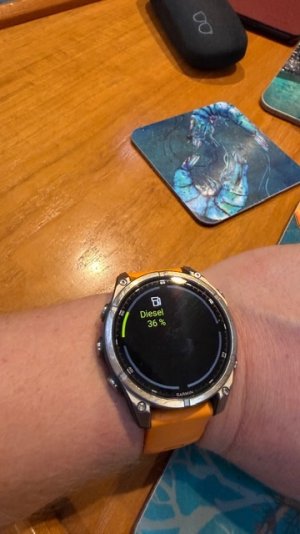
I already had the fuel gauges connected to an Actisense EMU1, so left them there, but i did connect the water tank sender to the Cerbo, works really well. At some point i'll look into moving the fuel senders to the Cerbo too, which will give me a couple of free inputs, would like to get EGT on the MFDs. The Garmin dashboards are OK, although i wouldn't mind looking into being able to make custom ones.Finally added the NMEA/CAN cable to my Cerbo today, thanks Paul this is very good. Alongside finally realising that the Cerbo GX was compatible with my fuel sender with just a couple of wires this has added some good functionality. I still think the HTML app on the plotter adds a lot of value but the NMEA integration is very good.
Now I'm looking into whether I can actually make custom dashboards on a Navico platform as the built in ones are very limited but at least we now have fuel and battery remaining at the helm.
Sadly we don’t have a screen for the cerbo so it’s either plotter or remote console. I kinda want one but can’t justify the extra expense or poweras it’s all on the cerbo anyway.
Not quite (on Navico). There’s an html interface but it isn't the same as the normal interface.I’ve been told that you can run the Victron app on the plotter if you connect via Ethernet to the cerbo
Do you use the VRM?Sadly we don’t have a screen for the cerbo so it’s either plotter or remote console. I kinda want one but can’t justify the extra expense or power
Occasionally but usually just use the app locally on my phone as it’s convenientDo you use the VRM?

Diesel-O-Clock

