Satellite Maps?

goeasy123

Well-Known Member
Joined
10 Nov 2018
Messages
762
Visit site
What's the latest and best way to download satellite images onto PC and Android devices for navigation purposes? Where can I get the software, ideally free?

I've looked at some old threads, but the stuff they describe doesn't work anymore.
 
Google "sasplanet"
You cannot directly "download" satellite images but can build MBTiles or .kap format charts for whatever area you need.

Edit
These charts can be used with softwares like opencpn and the likes, be it pc or android. Usually not with normal plotters.
 
What's the latest and best way to download satellite images onto PC and Android devices for navigation purposes?

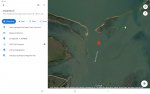
Open Google Earth.
Zoom satellite image of area that you need.
Take a screenshot and save (to tablet, phone or P.C.)
How to take a screenshot in Windows

We have done exactly this - for anchorages. Considering we might be short of power we have printed the relevant images and store in an very old fashion paper file. The advantages are not so much for aqueous navigation purposes but to show up paths and tracks to nearby places of interest to which you might want to access via dinghy, or walk. Most, or nearly all paper charts cover sufficient detail for yacht navigation but if you want the 'words' then go to a second hand book store in a town with maritime pretentious and find the oldest versions of the UK Admiralty Pilot Books - much of the detail of obscure anchorages has no interest at all to most commercial vessels (too small too shallow) but was surveyed, for old Pilot Books, in craft often smaller than out yachts.

Old Admiralty Pilots are worthless, who in the commercial world wants to know detail of a little anchorage with 5m depths and a tiny beach - old Pilot Books should be cheap.

Jonathan
 
You can use an open cpn plugin called VenatureFarther, its free for a few downloads and then, I think, 20 US for a year. But I have just moved over to mb tiles and this is the best and most simplified description Ive found on how to do it:

Making mbTiles

Ive also been using an app called Allinoneofflinemaps, only avalaible on android and very very good with a choice between using google and bing images. But you cant download the images out of the app (they are cachable on you tablet for use offline) If you have a dig around in it you can import and export GPX files to overlay etc.
 
What's the latest and best way to download satellite images onto PC and Android devices for navigation purposes?

Open Google Earth.
Zoom satellite image of area that you need.
Take a screenshot and save (to tablet, phone or P.C.)
How to take a screenshot in Windows
How do you ensure that the lat and long are correctly displayed with that technique when you want to plonk a waymark on the image?
 
Drop a pin on the map. It then gives lat and long but it needs converting to a 'nautical' format. I'm not to sure on how accurate it is or how to convert but I suspect conversion is simple ....

Screenshot_20211215-153430_Maps.jpg
 
Anyone got experience with an Ovitelmaps based setup?
in the South Pacific they proved very useful. You can see your position against the Satelite images. We downloaded the maps in advance , which you do by zooming in to an area on the maps whilst connected to the internet. The further you zoom in, the more detail downloads. When transiting coral atolls , we used the Ovitalmap as one data source alongside c-map and navionics. As Ovitalmap maps have more than one Satelite source available, you can choose the best source for an area. We found them very useful for avoiding coral Bommies and reefs.
 
Top