Recommend me a Tide App

Rafiki

Well-Known Member
Joined
20 Jul 2009
Messages
1,076
Location
North Bucks
Visit site
I have decided not to buy an Almanac this year, but do need to know the Tides at various UK and French channel ports.
Can anyone reccomend a good tide app for Android phone ?
It doesn't have to be entirely free.
Something that has primary and secondary ports would be good.
Thanks in advance
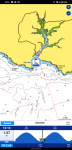
 
I use that. I also use Absolute Tides which I like a lot (also has streams in it) but I don't think it covers France. It covers all the UK and Eire standard and secondary ports. You can set any you like as 'favourites'. Unlike Navionics it covers the whole year ahead so you can plan your Christmas day cruise in March if you like.
 
There are a whole bunch of them on Google Play, find one that you like and use that. I've got something called Tide Times that covers the geographic area you seek and is free, just ignore the add strip.
 
@Fenders, ref your username: are you currently between boats?
 
Last edited by a moderator:
I'm a fan of the Imray app, although I think you can only get it on iOS. For a small extra cost you can get the admiralty tidal streams, with the stream direction for each hour. V useful.
 
Global Tide does Cherbourg, and many, many other global ports, but only 7 days ahead. The paid version does one year ahead, but you'll need a pocket full of beer tokens at US$29.90
 
Thanks all I will try Absolute Tides and possibly Imray, I need something for more than 7 days ahead
For Absolute Tides the App itself is free, and then you buy in-App the year (so 2020 currenly) for £3. It then downloads that to the phone so it works with no internet. Towards the end of the year, the next year is released and you have to re-buy that. So it's a sort of subscription, but at £3 a year it's a bargain.
 
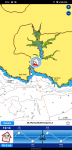
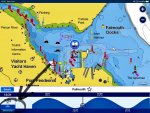
With Navionics you can set the date you want to see the tide or current by tapping the “date” button on the bottom left of the screen after you’ve brought up the banner along the bottom of the screen with the tidal information. You can the set the date to what ever you need for forward planing.A22E5882-2FF8-49F5-B4CA-D4C8DA37194E.jpeg
 
With Navionics you can set the date you want to see the tide or current by tapping the “date” button on the bottom left of the screen after you’ve brought up the banner along the bottom of the screen with the tidal information. You can the set the date to what ever you need for forward planing....
Ah so you can, thanks, never spotted that.
 
Top