Raymarine Axiom-9 MFD and AIS

alan

Well-Known Member
Joined
7 Jun 2001
Messages
1,112
Location
Nettuno, Italy
Visit site
I have just finished installing a Raymarine Axiom-9 and STNG bus. I have only had chance to play with it for a couple of hours and am not familiar with all the functions yet!
Everything seems to be working fine apart from the AIS. I have AIS being fed onto the STNG bus from a Quark converter (to convert the AIS receive data to WiFi and STNG), but although the AIS data is being received and displayed by a Navionics app on my I-phone, the AIS does not appear on my Axiom.

I have read the instructions for the Axiom and I believe it is necessary to activate the AIS layer in the "targets" menu. However, I do not have the "targets" menu as described in the "Lighthouse" instructions!!
I am currently moored in the marina and so there is no COG or SOG available; is this the problem?? Is the Target overlay feature only available when the boat is moving?

Any help from a more experienced user qould be appreciated and thanks in advance.

Alan.
 
I don't know why you can't see the Targets menu, but no, it doesn't need you to be moving or to have COG and SOG inputs. It should work while tied up.

Pete
 
A bit from memory and reference to Lighthouse 3 ref, but I think you do the following to enable AIS layer -

From chart display select the 'app-menu' (three horizontal bars)
Select 'Settings' icon (cog wheels)
Select tab 'Layers'
Should see option 'AIS Targets'

It is also worth selecting 'Enhanced AIS Targets', from the Settings -> Advanced tab
This gives you the enhanced vessel type symbols.

If you do not see a 'Targets' menu on the chart 'app-menu' it would suggest that there is a connection issue from your AIS SeatalkNG signal.
(Edit - this is a different menu to the layers one above. )
 
Thanks for the fast replies guys! I think the problem maybe that as described by ithet. Today I passed by the boat and powered up the instruments, plotter and the AIS and did not see any AIS on my I-Phone nor on the plotter. So, tomorrow, weather permitting I will check all the connections; I had to disable one power connection to the Quark box before I connected up the STNG backbone, so I have probably disturbed a wire somewhere. The AIS via WiFi was working the other day but that was probably (can't remember exactly) before I disconnected a power feed to the Quark box and then connected up the STNG backbone.
Thanks also PRV it is good to know that the AIS should work when not moving .............. it could be a while yet before we are able to move!!!
Appreciate the replies.

Alan.
 
JW, Thanks for that tip. I have carefully read the user manual and that could be the problem! I have a QK-A2K032 but I cannot see any indication if it is an "S" or an "AIS". I will take the cover off and see if it is marked on the inside somewhere; also there is no S/No on the outside.
Do you know if Quark offer a firmware upgrade from "S" to "AIS" ? I could not see anything on their web site but will ask them the question in a minute.
Thanks again for your suggestion, it appears that this may be the answer.
The reason that I was originally able to receive AIS on my phone with the Navionics App and this morning I was unable to receive AIS on my phone, was that my Navionics subscription ran out two days ago!!!!! - now it is working again :) ........... that confused the issue for a bit.
 
JW, Thanks for that tip. I have carefully read the user manual and that could be the problem! I have a QK-A2K032 but I cannot see any indication if it is an "S" or an "AIS". I will take the cover off and see if it is marked on the inside somewhere; also there is no S/No on the outside.
Do you know if Quark offer a firmware upgrade from "S" to "AIS" ? I could not see anything on their web site but will ask them the question in a minute.
Thanks again for your suggestion, it appears that this may be the answer.
The reason that I was originally able to receive AIS on my phone with the Navionics App and this morning I was unable to receive AIS on my phone, was that my Navionics subscription ran out two days ago!!!!! - now it is working again :) ........... that confused the issue for a bit.
dont take the cover off or you will void your warranty if you have any left!

if you send them an email they will get back to you, they are fairly efficient two working days And I think it cost 14 quid.

they will be able to tell you which one you have from your serial number and email you the right firmware.

you need to have it powered up from the n2k bus though, so you may have do it on the boat!
 
Thanks JW. I am waiting for a reply from Quark. Hopefully next week they will answer, Really appreciate your information as I was not aware that the AIS PNGs were not converted in the basic version.

Alan.
 
No problem

If you can’t do it aboard for some reason I think I have enough seatalk NG bits hanging around I could send them over so you can do it from the comfort of your living room. (Unless your using device net connections then Your out a luck!)
 
Hi JW, Thanks for your kind offer; I already have a butchered device net cable which I was using to supply power to my Quark- A2K032 before I installed the STNG backbone. I have now taken all the bits home and have the Quark A2K032 powered up on my table. Actually I have the AIS Receiver, Quark RS232-422 converter and the Quark A2K032 all powered up on my table!! Tomorrow I will try and rig up my emergency VHF antenna on my balcony or roof - then I will have the full system at home to work on when/if I get the firmware upgraded.

Thanks a lot for your very kind offer though.
Alan.
 
JW (or anyone!!),
As you said Quark were very responsive and sent me the firmware upgrade to try before paying! I loaded the new firmware but unfortunately the problem is still the same. When looking on the "network page" of the Axiom I can see the Quark A023 device and on the diagnostics page I can see "packets" being received from the A023.
I asked Raymarine if they had any ideas but the guy there just said that if you dont see the "AIS Layer" then the Axiom is not recognising the data on the NMEA2K bus; he wasn't familiar with Quark equipment so couldn't suggest any fixes.
I have again reported back to Quark - who are being very helpful - and am waiting for their response.
Am I missing something? Do I have to activate something on the Axiom?

Would appreciate any suggestions. Thanks, Alan.
 
JW/Paul,
No, AIS layer is not shown on the rop of the page (Raymarine say that this indicates a lack of reception (at the Axiom) of valid AIS messages
Yes, I am receiving AIS tagets on Navionics on my phone via WiFi
No, I do not have the symbol indicated by JW at the top of any pf the pages

Yesterday I downloaded (again) the firmware and today (Sunday!!!) Quark have confirmed that this firmware is the latest version.
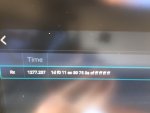
Today I spent some time using the Networks diagnostic page of the Axiom ( a very useful feature) and this shows the Quark A032 as being present on the network and with the number of received messages slowly incrementing; when I view the actual data in one of these frames it shows the correct hex address for the Quark A032 converter (EC) but the actual frames are only "heartbeat" messages (I think a bit like keep-alive messages in TCP/IP).

So, I have just forwarded this information to Quark and am awaiting their response. They did ask me if I use a STng to N2K converter cable (which I do) so tomorrow I will try a different cable - unfortunately both are from Raymarine, so I am not sure if this "test" is valid. Also it is hard to believe that the frames are being received and processed by the Axiom with a faulty cably in the system - but will try a different cable tomorrow anyway.

Thanks for you kind responses and my apologies for the delay in replying; I will keep you informed of the outcome ......... eventually!

Alan.
 

Attachments

  • IMG_2041.JPG
    IMG_2041.JPG
    71.5 KB · Views: 36
  • IMG_2042.JPG
    IMG_2042.JPG
    73.2 KB · Views: 31
My guess is the ais is sending a slightly different sentence to what the converter is supposed to be getting.

Or you haven’t the right version of the firmware for the converter, ie not the ais version.

What AIS is it. If it’s a furuno you might need to turn off the propriety P messages.
 
It might of course be a bug in the Axiom software, only recognising sentences from a certain source. but I can confirm that it worked with lighthouse 2 on my A78 and e7.

Is the rest of the network working correctly? You have resistors in at each end?
 
I'm not talking bout the AIS status symbols, i'm not even sure if they will show up with the Quark ?

You need to look in settings:

Axiom-LH3-Interface3.jpg
 
It might of course be a bug in the Axiom software, only recognising sentences from a certain source. but I can confirm that it worked with lighthouse 2 on my A78 and e7.

Is the rest of the network working correctly? You have resistors in at each end?

Would be useful to know the version of Lighthouse and, of course, the AIS make/model.

Are you sure those AIS status symbols will show up with the Quark Jon ? I know the Autopilot ones don't, unless it's a current Raymarine model.
 
Top