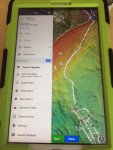
Click on track in question and hit the 3 dots in top right corner of screen, theres an option to delete,
To remove off the screen but keep track saved....
Hit START and start a new track, then hit start again and will give option to delete current track. Go ahead and delete this track you've just started and it will automatically have hidden the stubborn track you cant get rid of but it is still saved in the Routes,Tracks and markers folder its just hidden offscreen.