HDMI cables

ashtead

Well-Known Member
Joined
17 Jun 2008
Messages
7,067
Location
Surrey and Gosport UK
Visit site
Can anyone tell me why there are different shaped ends on hdmi cables ? I was just plugging in a display screen and so the hdmi screen plugged in fine but the laptop port seems different more angle on one side. I then found a cable to fit the laptop plug socket but it won’t plug into the monitor screen as that has normal hdmi . It seems I need a third cable or some form of adapter but am I missing something obvious here ?
 
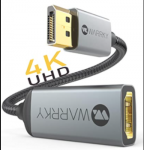
Amazon stock adapters, though they are only one way, it seems. But I guess the OP only needs DisplayPort to HDMI to see his laptop on a larger screen!
 
Just worked it out via Amazon with a new third lead -hdmi for monitor on one end and the funny shaped non hdmi for laptop on other end -I just don’t get why it’s not hdmi on both ends though and it needs a display port end . Why build a laptop without an hdmi port or am I just a Luddite?
 
Just worked it out via Amazon with a new third lead -hdmi for monitor on one end and the funny shaped non hdmi for laptop on other end -I just don’t get why it’s not hdmi on both ends though and it needs a display port end . Why build a laptop without an hdmi port or am I just a Luddite?

Seems a poor choice to leave out HDMI at the moment. Are you sure it's not the mini-HDMI connector?
Old hat. Displayport strong but ageing now too. Thunderbolt 3 or 4 the current fave, either via Mini Displayport or USB-C.
 
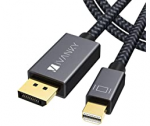
It’s a HP laptop but not that old -the connector needed is much the same size as hdmi but different angle on end has IVVNKY on end as brand but the second V is inverted. Def not usb c though .
 
Old hat. Displayport strong but ageing now too. Thunderbolt 3 or 4 the current fave, either via Mini Displayport or USB-C.
Yes, but many of the old heads will only fit an old hat.
There's an awful lot of HDMI only displays in conference rooms.
 
It’s a HP laptop but not that old -the connector needed is much the same size as hdmi but different angle on end has IVVNKY on end as brand but the second V is inverted. Def not usb c though .
That connector is definitely Displayport. You can buy a DP to HDMI adaptor (or cable) if your monitor doesn't have a DP connector. Displayport at the top of this pic:

1602884484482.png

The monitor might have mini DP which would be better; Mini DP connector looks like this (RHS of pic)
1602884460367.png
 
Last edited:
Yes thanks graham -same brand of connector arrived today via the amazon man but with hdmi one end and DisplayPort on other -just a pain it wasn’t the cable in the monitor box . Now I know to look careful at ports -much dearer on iPad of course as you just buy an hdmi converter at great expense.
 
Yes thanks graham -same brand of connector arrived today via the amazon man but with hdmi one end and DisplayPort on other -just a pain it wasn’t the cable in the monitor box . Now I know to look careful at ports -much dearer on iPad of course as you just buy an hdmi converter at great expense.
Never tried connecting a monitor to an iPad using a cable, lightning adaptors are relatively expensive (£30 odd). The iPad Pro uses USB-C.
 
Top