Anibal
Well-Known Member
Hi everyone.
I have the above mentioned unit which is running on the latest version (41.05 I think)
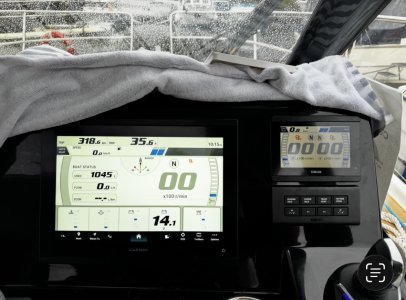
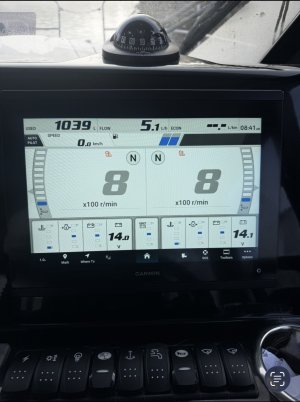
All of a sudden I have lost the rudder position indicator, which used to show at the top centre of the Garmin screen. I have two Yamahas 150HP with the drive by wire set up, which does not come with a sensor for the rudder, instead it tells the Garmin where they are pointing at and Garmin translates this info in a shape of a rudder pointing towards the direction the engines are. I have managed to get the rudder position on the LC5 Yamaha display, which does not show a ruder symbol but instead it shows- and + degrees. This is better than nothing but would love to have the rudder indicator back on the Garmin display. Yamaha has said that because the LC5 shows the angle degrees for the engines, this proves that the system is working and it is a Garmin related issue. Has anyone come across this before?
Any help is greatly appreciated.
Thank you in advance,
Anibal
I have the above mentioned unit which is running on the latest version (41.05 I think)
All of a sudden I have lost the rudder position indicator, which used to show at the top centre of the Garmin screen. I have two Yamahas 150HP with the drive by wire set up, which does not come with a sensor for the rudder, instead it tells the Garmin where they are pointing at and Garmin translates this info in a shape of a rudder pointing towards the direction the engines are. I have managed to get the rudder position on the LC5 Yamaha display, which does not show a ruder symbol but instead it shows- and + degrees. This is better than nothing but would love to have the rudder indicator back on the Garmin display. Yamaha has said that because the LC5 shows the angle degrees for the engines, this proves that the system is working and it is a Garmin related issue. Has anyone come across this before?
Any help is greatly appreciated.
Thank you in advance,
Anibal

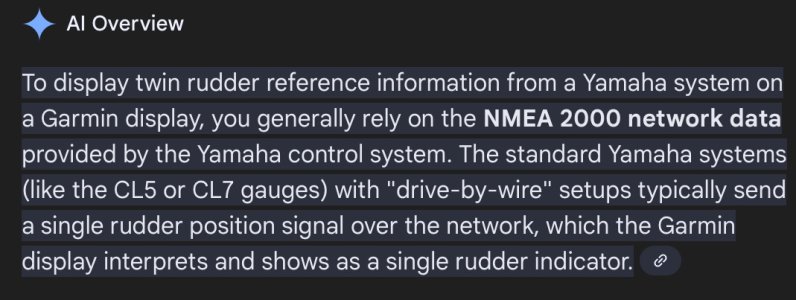
 Not sure i trust AI content but it makes some sense
 yes, CL5. I had a look at the Yamaha owners manual and the engines I have do not have a rudder indicator per se. How it works apparently is by the engines telling the CL5 their angle position, tilt, etc and the CL5 can sen this info to the plotter which in turn translates this info into the visual representation we see. When the rudder indicator (animation) disappeared, the dealer told me to check my software version as the newer one addressed minor issues and bugs, so I did to the latest one which is 41.05 but it did not resolve the issue. The more I think about it and trace my activity customising the plotter to my needs, the more I think there is a chance I pressed the wrong button somewhere inadvertently perusing something else that took the rudder indicator out of the screen. I am back at the boat on Monday so I will have a go again. Thank you for the above suggestion.