
Videos taken in and around your boat.

You've inspired me to get the camera out again this year. Here's one from a couple of years ago, brings a lump to my throat reminding me of much loved previous vessel


there are others on my channel, including (also loved) current vessel
 
With the cold weather, I was reminded of a of little 70's Mobo I used to have on the canals in Amsterdam at the turn of the century (hehehe sounds like 80 years ago). I used to go out in the cold because nobody else did. Having the canals to myself was wonderful. It was a GRP boat and at one stage, I was using it as an ice breaker....I saw sense though and turned back.

I don't think video was invented then though ;) I found a photo, taken on new years day
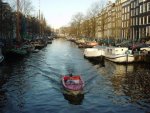
ams.jpg
 
Life from a raggie's perspective....

.... at an angle!

A short excerpt from our beat back to Chichester from Swanwick on Easter Sunday - also posted on Scuttlebutt - and my first YouTube video to boot (thanks Henryf for the instructions!).

The Solent was virtually empty - apart from this group of yachts who were assembling for their race!


I should, perhaps, point out that my wife's actually a size 10. She feels the cold!!

Cheers,

Rob
 
I've only just discovered this thread and enjoying it for the cinematography, not so much the high speed Mobo action!

Must dig out the Handycam again, and get on with some shooting.

What is the favoured editing software around here?

I bought a package called Corel Videomaster about 3 years ago, and still havent taken the cellophane off the box.
 
Always makes me smile when I see Bart towing a skier with BA...............10/10 grin factor.:D
 
What is the favoured editing software around here?

Hi Nick,

I use Sony Vegas Pro 11 - It's pretty user friendly and there are lots of online tutorials which can really help.


The free windows movie maker is great if you don't want to spend too much time editing; very quick and easy to drop different shots together, add music and basic effects.

Pete
 
What is the favoured editing software around here?

I'm no expert - I only used my camera for the first time last weekend - but I discovered after buying my camera that Windows Movie Maker doesn't like .MOV files.

A search around the web revealed at program called Mp4Cam2AVI that will convert MOV files to AVI files though. This wouldn't work (I don't know why - I was probably doing something wrong...) with my older computer (Vista), but was OK with my later Windows 7 laptop.

It does add an extra step to the process and my (very large!) video files took quite a while to convert.

Worth knowing about if you're camera also creates .MOV files perhaps?
 
I use iMovie on a MacBook (Apple's laptop) and get on really well with it.

As you say sometimes you need to have a little look around the Internet for codec conversion files or inserts. I've always found them free.

Good editing is really hard to master as a number of us are finding out. The best advice I can give is keep it simple both in terms of editing and also filming. Still shots and let the subject do the moving.

Henry :)
 
I've used both Adobe Premiere Elements and Corel Video Studio Pro. Lately I've mostly used the latter mainly due to it's 'smart render' -feature, which upon finishing the project only re-renders the parts that have some changes in them (transitions, fades-ins/outs, etc.) thus preserving the original image quality for the rest.

For editing it also creates 'proxy files' ie. low res clips of the originals, which makes the editing process a bit faster. This is especially helpful if you have a slightly older computer with not enough memory (I have 8 gb, which I find is enough).

I've tried others and overall there doesn't seem to be huge differences in the way the editing process works, IMHO.

Most have free 30-day trial versions available, so it's a good idea to try the software first to see how it copes with the files your camera produces.
 
Just a Bit of Urine Extraction, Please Don't Get Bent Out Of Shape

.... at an angle!

A short excerpt from our beat back to Chichester from Swanwick on Easter Sunday - also posted on Scuttlebutt - and my first YouTube video to boot (thanks Henryf for the instructions!).

The Solent was virtually empty - apart from this group of yachts who were assembling for their race!


I should, perhaps, point out that my wife's actually a size 10. She feels the cold!!

Cheers,

Rob

Having watched this, I'm now beginning to understand why yotists have such a hard time out on the water with other boats about,they deliberately drape white curtains on bits of string to stop them from seeing where they are going and have to lean over the side of the cockpit to peer under said bits of cloth, is this to add a difficulty factor to the already hard job of getting from A to B along a zig zagy course?:D:D
 
I've only just discovered this thread and enjoying it for the cinematography, not so much the high speed Mobo action!

Must dig out the Handycam again, and get on with some shooting.

What is the favoured editing software around here?

I bought a package called Corel Videomaster about 3 years ago, and still havent taken the cellophane off the box.


Lightworks - free, easy to use, great tutorial videos to get started.
 
I've used both Adobe Premiere Elements and Corel Video Studio Pro. Lately I've mostly used the latter mainly due to it's 'smart render' -feature, which upon finishing the project only re-renders the parts that have some changes in them (transitions, fades-ins/outs, etc.) thus preserving the original image quality for the rest.

For editing it also creates 'proxy files' ie. low res clips of the originals, which makes the editing process a bit faster. This is especially helpful if you have a slightly older computer with not enough memory (I have 8 gb, which I find is enough).

I've tried others and overall there doesn't seem to be huge differences in the way the editing process works, IMHO.

Most have free 30-day trial versions available, so it's a good idea to try the software first to see how it copes with the files your camera produces.

Proxy files really shouldn't be used, scaling the video makes it much harder to check focus.

I currently have access to Final Cut Pro 7, Final Cut Pro X' Avid Media Composer, Adobe Premiere 7, Lightworks, Sony Vegas 12 and had a look at some cheaper ones. For hobbyist work, you can't beat Lightworks. With the free version and the equally free Eyeframe Converter, you can edit footage from every camera. Check it out at lwks.com
 
Proxy files really shouldn't be used, scaling the video makes it much harder to check focus.

I currently have access to Final Cut Pro 7, Final Cut Pro X' Avid Media Composer, Adobe Premiere 7, Lightworks, Sony Vegas 12 and had a look at some cheaper ones. For hobbyist work, you can't beat Lightworks. With the free version and the equally free Eyeframe Converter, you can edit footage from every camera. Check it out at lwks.com

Slightly Ot but can any of them modify colour / white balance on the fly? I have a few scuba vids and, as the divers will know, the deeper you go the more colour you start to loose :-(. I can correct stills in Photoshop but wouldn't mind paying for something that would do the same for video.
 
Top