Uploading Pics

Checking if it is a size thing ?

https://photos.google.com/photo/AF1QipNgKEEZiOS46tTEXQ9OT1dHJWVFNyVxkZIXZ4gT

https://photos.google.com/photo/AF1QipPZPig4NiboyW2Ysq0dvVRyxjLkLZSGFmYvSIQL

AF1QipPZPig4NiboyW2Ysq0dvVRyxjLkLZSGFmYvSIQL
 
Still can't see them.

I'm about as far removed from an expert as it's possible to get, but...

The way I do it is to add my google photo's to a shared album. Then, click on the image to display it, then right click on it and copy, then paste that into the forum post whereby the picture shows instantly.
Probably not the easiest way to do it, but it does work for me.
 
I couldn't embed photos in the forum using google photos. I use Imgur https://imgur.com. The account is free and once you upload the image you can select the correct embed code from the right of the image (on desktop), if on mobile use your browser to access rather than the app as I don't think the embed codes appear on the app - not last time I looked anyway.

Murv - do you use the embed code for Google photos?

Also, MBY need to fix the stupid delete button when you edit a post!!!
 

I'm getting a 404 (page not found) error message.
Maybe you haven't made the photos public (I've not looked at Google - do they have permissions?)

However, even if you get the links to show without a 404, Google still might not allow a direct link to them.

After the demise of Photobucket, I chose to run my own internet server for this kind of stuff.
It works reasonably well but, more importantly, I have control.
 
Murv - do you use the embed code for Google photos?

Also, MBY need to fix the stupid delete button when you edit a post!!!


No, I don't do anything. I just right click, paste, and the picture appears instantly in the post I'm creating.
 
Having done battle myself with trying to upload pictures, it would be helpful to have instructions put up on a sticky at the top so that we can all reference it when needed.
 
Why not a click to add photo button when you're posting, like now?
Would see loads more pics on the forum I'm sure
 
Why not a click to add photo button when you're posting, like now?
Would see loads more pics on the forum I'm sure

A couple of comments
To date, I haven't actually used the Upload Image option in this forum.
So I thought I'd give it a try.
And on my first two attempts, it failed immediately.
So, on my third attempt, I tried a smaller (resized) image which worked.

IMO, that isn't very intuitive.
Anyone using this feature will have to resize their image before uploading.
IMO, Archaic forum software - virtually everyone these days resizes images on the fly if they need to.
Probably just as easy to upload an image to any internet server, then create and post a link to it as I have always done.

Anyway, I continued to see what would happen and this was the image.

Just a Thumbnail to a stored full image.
Click on it to get the full image.

IMG_1305Medium.jpg

Absolute rubbish unless you click on it - and by then, you have lost interest in the subject of the thread.
Not very clever is it - doesn't really entice you to reading the story behind the post.

So, I pressed on
Under "Go Advanced", I clicked Preview Post
I then clicked the thumbnail image that was in the preview and a full image appeared in another window.
I then right clicked the new (bigger) image and selected "copy image address" (I'm using Chrome).

Now I have a link to the full image on my clipboard (well, actually, only a link to the resized image that I uploaded).

I then pasted that link here after wrapping it up with some BB Code (
after the link )
Like this:-

[img]http://www.ybw.com/forums/attachment.php?attachmentid=72014&d=1531261168[/img]


And this is what I get.

attachment.php


Not a very intuitive way to get a result but a solution if you don't have an image server to upload to.
But maybe this technique could help some people.

I don't know - I will just stick to posting image links to image files stored somewhere on the internet.
 
Last edited:
I think in this day an age the forum could give each user more than 10mb of space which is very very small
 
A couple of comments
To date, I haven't actually used the Upload Image option in this forum.
So I thought I'd give it a try.
And on my first two attempts, it failed immediately.
So, on my third attempt, I tried a smaller (resized) image which worked.

IMO, that isn't very intuitive.
Anyone using this feature will have to resize their image before uploading.
IMO, Archaic forum software - virtually everyone these days resizes images on the fly if they need to.
Probably just as easy to upload an image to any internet server, then create and post a link to it as I have always done.

Anyway, I continued to see what would happen and this was the image.

Just a Thumbnail to a stored full image.
Click on it to get the full image.

View attachment 72014

Absolute rubbish unless you click on it - and by then, you have lost interest in the subject of the thread.
Not very clever is it - doesn't really entice you to reading the story behind the post.

So, I pressed on
Under "Go Advanced", I clicked Preview Post
I then clicked the thumbnail image that was in the preview and a full image appeared in another window.
I then right clicked the new (bigger) image and selected "copy image address" (I'm using Chrome).

Now I have a link to the full image on my clipboard (well, actually, only a link to the resized image that I uploaded).

I then pasted that link here after wrapping it up with some BB Code (
after the link )
Like this:-

[img]http://www.ybw.com/forums/attachment.php?attachmentid=72014&d=1531261168[/img]


And this is what I get.

attachment.php


Not a very intuitive way to get a result but a solution if you don't have an image server to upload to.
But maybe this technique could help some people.

I don't know - I will just stick to posting image links to image files stored somewhere on the internet.
I went to try this method but failed at the first hurdle. I couldn’t upload the thumbnail as I have exceeded my limit. Is there a cure for this?
 
Here is my method:

1) Set up an account which is free at imgbb

2) upload your images in a suitable size to imgbb

3) Right click the image thumbnail on imgbb and click properties

4) Copy the URL


5) On your post here click on the upload image/pic icon, select from URL tab and paste in the URL you copied. Leave the box about uploading to local unticked

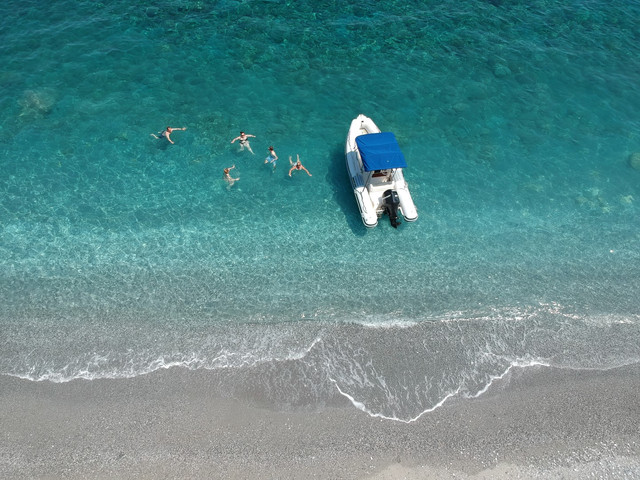
Here is another example

DJI_0726_Large.jpg
 
Last edited:
I went to try this method but failed at the first hurdle. I couldn’t upload the thumbnail as I have exceeded my limit. Is there a cure for this?

Sorry, I didn't realise that there was a limit to the amount you upload.
So, the only real way is to use external internet space form another provider.
imgbb does seem to be the favourite at the moment.
 
Top