Panasonic Toughpad as a Chartplotter?

SlowlyButSurely

Well-Known Member
Joined
4 Jul 2003
Messages
671
Location
Solent
Visit site
I have a laptop running OpenCPN at the chart table and I would like to also have a chartplotter in the cockpit. A rugged tablet seems to be a good idea as it is waterproof, has a sunlight viewable screen and would allow me to run OpenCPN with the same charts as the laptop without having to shell out for another (different) set of charts. It also has a USB port so the NMEA inputs and outputs for the VHF, AIS and autopilot could be hard-wired (wifi is not reliable on our boat because it is steel). The power supply could also be hard-wired and the internal battery would continue to keep it going in the event of power failure. The tablet would also give me a backup for the laptop and vice-versa.

The Pansonic Toughpad seems to tick all the boxes. Has anyone tried one of these? Is there anything I have overlooked or any other/better alternatives?

All advice gratefully received.
 
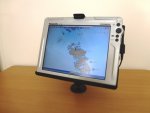
I have been using a 10.4" Panasonic CF-08 wireless touchscreen display for the last season.
It is a Toughbook wireless display so similar to the Toughpad . It has Wifi and Ethernet and the splash-proof, ruggedized display is claimed to be daylight viewable.
I bought a RAM mount for it and I use it in the cockpit (under the sprayhood)
I had an old laptop running Windows XP (now Win10) and OpenCPN down at the chart table.
Via either Windows Remote Desktop or VNC I can connect the cockpit repeater wirelessly (other than power cable) to the PC below and I have a fully functional touch screen plotter in the cockpit.
All works great but Ive found one or two downsides.
1) The display IS readable in daylight and even sunlight (under our bimini). But in direct sunlight it washes out.
(We are based in Greece/Turkey so this is a stiff challenge for "Sunlight viewable".)
2) The CF-08 runs Windows CE5.0 and I recently deleted the VNC viewer by mistake. Because the OS is so old I cant find a replacement and have to use Windows Remote Desktop to connect.
3) I recently upgraded my below-decks Nav Computer to a Netbook running Windows 10 only to discover the Windows Remote Desktop is no longer part of the Home edition and an upgrade will cost £100

All in all I'm very happy with it and enjoy tinkering under the bonnet to enhance it from time to time.
Winter project is pairing the display with OpenPlotter on Raspberry Pi

P1040440s.JPG EMYR 033s.jpg
 
I had the cf18, bought it through Londonchartplotters.

I have to say for the money they are spot on although I agree in string sunlight you do have to squint at the screen.

If you've not looked at Londonchartplotters website then I'd recommend you do, Steve who runs the out fit is a genuine guy who'll answer any questions and even go on line remotely to do any upgrades/ repairs yo may need, he also gets back to you very swiftly (great customer service)

No connection apart from a happy customer.
 
I had the cf18, bought it through Londonchartplotters.

I have to say for the money they are spot on although I agree in string sunlight you do have to squint at the screen.

If you've not looked at Londonchartplotters website then I'd recommend you do, Steve who runs the out fit is a genuine guy who'll answer any questions and even go on line remotely to do any upgrades/ repairs yo may need, he also gets back to you very swiftly (great customer service)

No connection apart from a happy customer.
+1
 
Neither. The Nexus has its own built in GPS. The laptop links in to an old Garmin 152.

I'm astonished how accurate it is. In fog, it got me to within 10m of the green buoy in Looe Channel off Selsey.
 
I've got a Toughbook and a android Samsung Tab3 aboard the boat. The Toughbook (admittedly an old WinXP machine) never gets used anymore as amongst other things is too power hungry) - its just there if the tablet (and phone) ever fail to operate. The tablet is a lot lighter, cheaper - but does have the disadvantage of a poor screen in sunlight (similar to the Toughbook).

If I were you I'd go down the tablet line...........embrace the 21st century! Most software being written these days is for the tablet not the pc/laptop. And now that OpenCPN is available on Android why would you go anywhere else.

As another poster has said , it has its own gps. The only faff is linking all your other nmea devices into it if you so wish. You can do this wirelessly (and providing its not an ipad, wired - with an OTG -On The Go -cable).
 
I dont disagree with using a tablet but I do prefer to mirror the chart table pc rather than have it operate independently.
That way I can set a route at the Nav station but also see it in the cockpit
Obviously avoids the need for 2 sets of charts as well
 
An interesting thread for a novice like me so perhaps I could ask whether a decent laptop in the cabin linked to the Panasonic CF-08 would be as good/better than a dedicated chart plotter. I have a good quality Lenovo Thinkpad laptop that I will be using on the chart table and it would be useful to have it linked to whatever I have in the cockpit.
Food for thought
 
We have two Panasonic Toughpad F-AZ1's they are visible during daylight with out issues but the nicest things is when sailing at night you can dramatically dim the displays and so you night vision is less disrupted.. If only Navionics would have a night colour scheme as well it would be perfect but OSM+ and Seacharts work ok
 
+1 for a Toughbook from Londonchartplotters. I use OpenCPN that they had installed with all UK charts and hundreds more worldwide. I prefer Polarview with UK charts - it was on my old MacBookPro that died, and its 5-machine licence extends to the CF-30 Toughbook. The Antares W Coast Scotland charts are a huge blessing too.

It hangs in the cockpit with the touchscreen vertical, and can be tilted to avoid the brightest of sun. Sleep saves power - it wakes up quickly. Take out the battery (designed to come out quickly) when out of use for more than a few days and it doesn't lose any charge. The power supply (12V ->18V) can stay inside, and the GPS dongle can be anywhere.
 
Last edited:
Sony Xperia in the cockpit (or anywhere). Waterproof but maybe not so tough. Bluetooth between it and the main navigation computer.
 
Thanks very much for all the responses.

I hadn't thought of using VNC on the tablet to mirror the laptop. I have decided to go for a 10" Windows Toughpad for the cockpit and the existing laptop at the chart table. Both will be have OpenCPN and VNC. I can copy the charts I currently have on the laptop to the tablet. This should give me a belt and braces setup so that both the tablet and the laptop can run OpenCPN independently or can mirror the other and can also be used for watching the telly.

It seems to me that the charplotter manufacturers are missing a trick with their expensive products and protective ways. Why don't they produce a chartplotter that can run Android or Windows for the budget concious sailor like me?
 
I have been using a 10.4" Panasonic CF-08 wireless touchscreen display for the last season.
It is a Toughbook wireless display so similar to the Toughpad . It has Wifi and Ethernet and the splash-proof, ruggedized display is claimed to be daylight viewable.
I bought a RAM mount for it and I use it in the cockpit (under the sprayhood)
I had an old laptop running Windows XP (now Win10) and OpenCPN down at the chart table.
Via either Windows Remote Desktop or VNC I can connect the cockpit repeater wirelessly (other than power cable) to the PC below and I have a fully functional touch screen plotter in the cockpit.
All works great but Ive found one or two downsides.
1) The display IS readable in daylight and even sunlight (under our bimini). But in direct sunlight it washes out.
(We are based in Greece/Turkey so this is a stiff challenge for "Sunlight viewable".)
2) The CF-08 runs Windows CE5.0 and I recently deleted the VNC viewer by mistake. Because the OS is so old I cant find a replacement and have to use Windows Remote Desktop to connect.
3) I recently upgraded my below-decks Nav Computer to a Netbook running Windows 10 only to discover the Windows Remote Desktop is no longer part of the Home edition and an upgrade will cost £100

All in all I'm very happy with it and enjoy tinkering under the bonnet to enhance it from time to time.
Winter project is pairing the display with OpenPlotter on Raspberry Pi

View attachment 55064 View attachment 55066

I recently bought the Panasonic CF-08 after reading your post however I cannot seem to be able to connect it to my Lenovo laptop !! As an old chap I probably am a bit dim when it comes to these things but after spending a couple of hours on the internet trying to find a solution I am stumped !! If you could kindly give me the step by step way of doing this I would be most grateful. Thanks.
 
Top