How to post photos from Google

If you right-click the photo and then "copy image location", you can paste the location into your post inside IMG tags.

Or, save the image to your desktop and upload it by using the "Insert Image" button in the reply box.
 
Dunno what I tried did not work

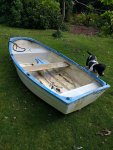
Ghostly morons dinghy.jpg


That did though.

Copy and save the image to your computer. Then upload it as an attachment from there ... but thats what pvb said ........... :confused:
 
Last edited:
On my iPad I just have to hold a finger down on a photo and one of the choices that comes up is to save it. I would then post it via Dropbox.
 
Mine's an Android which doesn't seem to work the same. Must be possible though somehow.
Vic, what device did you use?

I was just experimenting with the PC.......... My tablet is defunct !

I think the initial problem was that the picture is not in an suitable format on Google or maybe Google dont allow linking. So I copied the image onto my "clipboard" pasted it into Paint and saved it as a jpeg, Then uploaded it as an attachment in the usual way.

I dont know how you would do it on an Android... I'm not even sure I can remember how I would have done it on the Windows tablet !

One way that usually works is to do just what you have done and some sad forumite, with nothing better to do, will post it for you.
 
Thanks Vic. Reason I'm asking is that I need advice on refurbishing my dinghy and think I'll get a better response with pictures rather than links which some won't be bothered to open.
 
Top