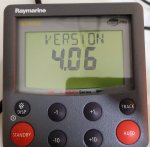
Can anyone on Earth update the SW of a Raymarine bit officially not supported anymore

bricking something from RS232 is going to be rather hard, just get on with it!
considering that you're most likely going to be using a less than 15yo laptop (so no onboard 9pin serial), the only thing that you may destroy is the USB port where you're going to fit the usb2serial adapter. I've done that 20yrs ago when tuning my car. Trick is to make sure you run the laptop from it's own battery and not from an inverter running of the batteries that also run the a/p. In theory lots of that stuff are isolated, but you never know.
So laptop on it's own steam, connect serial, get comms, job done ?

V.

Oh, I was not aware of that, thank you. I am mainly worried about the software being compatible - more than anything else... I got some old laptops laying around, with 9pin serial on them and the pilot is in the workshop!
 
I am on a similar trail here. I would advise against flashing S1/S1G Firmware(FW) onto S2 or S3 models. S2 and S3 have a totally different microcontroller, different pin assignments, etc. And wrong FW can definitely brick the unit. It might not even be possible if Raymarine did things correctly and check-summed the file.

I am trying to bring the S2 unit back to life after it got struck by lightning.
I was wondering if anyone can send me the flashing utility and also if anyone has or knows how to get S2 or S3 FW.
Ive been using S1 manual schematic to learn about the S2/S3 boards. Its not the same but it's close enough for learning about the board. That is where I see that NMEA port can be used to program the processor.
Thanks,
Petar
 
Here I am again.

For the operation, I need to purchase an RS232-->USB adaptor... Any particular specs to look for?

will this do?
DIGITUS USB 2.0 serial adapter

Thank you, everyone!
That should work. It’s the driver that may cause problems. If it dies delete it and use the standard driver that comes with windows. Have not done what your trying but done similar.
 
I'm finally getting round to giving this a bash today after several delays and distractions. ill report back and let you know what cable i used, what driver etc etc. and of course whether or not ill be buying a new autopilot or not :D
 
I'm finally getting round to giving this a bash today after several delays and distractions. ill report back and let you know what cable i used, what driver etc etc. and of course whether or not ill be buying a new autopilot or not :D
okie dokie, so that was painless! upgraded my 150 (non-G) course computer with the new software in the file provided by @MapisM

used this: USB 2.0 to Serial RS232 DB9 MALE 9Pin Adapter Converter Cable 340 Windows 7 8 10 8943065240108 | eBay

and a rs232 male female coupler to solder on some wires.

im on windows 11 and usb was plugged into a usb3.1 port. only tweak needed was to one of the .ini files to change the com port to the one that the adaptor appeared on.

other than that, it was just as the instructions.

now whether or not it solves my problem of heading drift thats another matter (every other component checked out with diagnostics).
 
My thought exactly!
After all, for myself I always considered this as a winter project.
I just omitted winter of which year... :unsure: :D
 
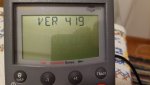
There's a warm feeling when you look at the st6001 (in my case) and see the software version at 4.19 :D

Now, back to the project list....custom chain counter with hi def screen; adding alexa to the boat; and an interior remodel...oh the endless joys of endless jobs made for ones self.
 
There's a warm feeling when you look at the st6001 (in my case) and see the software version at 4.19 :D

Now, back to the project list....custom chain counter with hi def screen; adding alexa to the boat; and an interior remodel...oh the endless joys of endless jobs made for ones self.


Did you notice any issues with the controller (ST6001 or ST6002, etc) after the update? Is it ok to NOT update the controller head?
 
Did you notice any issues with the controller (ST6001 or ST6002, etc) after the update? Is it ok to NOT update the controller head?
The update applied to the course computer. Its just that the st6001 is used to display the software/firmware versions of all connected components. I saw no difference to the st6001.
 
I'm not aware of updates available for the controller heads, is there any?

Looks like the controllers do have software versions, too (I do not know if they are updateable):
20211111_005936.jpg
Local Raymarine told me that "we do not update such old components, buy a new one for xxxx amount of euros" :rolleyes:

This is just me freaking out :eek: probably unnecessarily. I have had numerous issues with PCs and other IT devices when - dare you update parts of them - other parts don't recognise them!
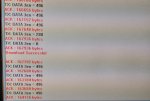
Finally, I got a friend's PC with a serial port and will do the deeds today...
 
Looks like the controllers do have software versions, too (I do not know if they are updateable):
View attachment 131870
Local Raymarine told me that "we do not update such old components, buy a new one for xxxx amount of euros" :rolleyes:

This is just me freaking out :eek: probably unnecessarily. I have had numerous issues with PCs and other IT devices when - dare you update parts of them - other parts don't recognise them!

Finally, I got a friend's PC with a serial port and will do the deeds today...
Only bit of advice....once you press 'GO' do not freak out and unplug. if its taking longer than you would expect, go away and let it do its thing. the update took about 30-45 seconds for me once the download actually started.
 
Ok, good people, it took me a while but I made it.

Reporting successful update of an S3G from software version 3.02 to 4.19
Took approx one minute of transfer - as instructions described.

20220318_205735.jpg

Used a 2 euro "thingamajig" to access PC Serial Cable pins:
20220318_205903.jpg
(No laughing at my cabling, please)
20220318_210140.jpg

Ready!

Thanks to everyone for your kind assistance!
 
Ok, good people, it took me a while but I made it.

Reporting successful update of an S3G from software version 3.02 to 4.19
Took approx one minute of transfer - as instructions described.

View attachment 131929

Used a 2 euro "thingamajig" to access PC Serial Cable pins:
View attachment 131930
(No laughing at my cabling, please)
View attachment 131931

Ready!

Thanks to everyone for your kind assistance!
hurrah...i foresee a wave of user upgrades on the horizon!
 
To be honest, I don't know the actual details! :oops: The instructions for the previous update did mention a few SW "fixes".

However:
- Coming from IT background, I always upgrade everything (after some time of update rollout).
- Will allow any future purchases of random Ebay peripheral attachment to operate (joystick, compasses, etc)
- Gives us another challenge for the long winter nights (excitement if you "brick" the pilot and a sense of achievement if not)!
 
Top