Andy_B
New Member
You may be able to improve OpenCPN performance by enabling OpenGL &/or OpenGL caching, by clicking the "advanced" button under graphics options.I tried OpenCPN on an older laptop but the performance was way to slow using raster charts so I'm kind of resigned to buying a new laptop.
Have another try before doing that, though - raster charts have to initialised (in OpenGL mode I think they are texturised) and are then cached. Each chart you view requires undertaking this process once, which takes a few seconds; when you return to an already-initialised chart area, though, it should display immediately.
When you're using OpenCPN at home, passage planning a new area, start by zooming in and out of the area, and panning around it, too. You'll see the annoying hourglass as it initialises all the charts you'll be using, but after they've initialised it'll be much faster.
You can probably increase NCacheLimit to 40 or more in opencpn.ini.


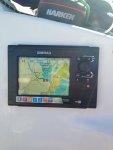
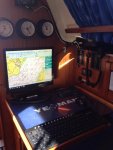


 (in practice all this has meant is ordering a like for like replacement. My hope is that the replacement unit, which is 'Mark 2' doesn't do this again. If it does, it wil be replaced with a different brand of min-PC. At least, at around £100 a pop, the PC itself can be regarded as semi-disposable).