
Security cameras on boats?

  • Thread starter Thread starter Deleted User YDKXO
  • Start date Start date
Yup found that out too. I have been looking at mifis. There seem to be a lot of rechargeable battery type 4G mifis out there which are relatively cheap but few which are mains powered. Can you or anyone else recommend a good mains powered mifi? Also if the mifi is placed in the saloon is it likely to provide a good signal in the cabins as well?

I use one of these, Mike
https://www.ebay.co.uk/itm/D-LINK-D...h=item5b0caf1357:g:oVEAAOSwAYtWK~Cu:rk:1:pf:0

Much cheaper now than when I bought mine.

OK so it isn't a MiFi but it is mains powered.
Also use MIMO which should make it quicker and more reliable.
In short, MIMO uses two antenna and some clever software when it connects to the cellular system.
My one starts to connect as we approach land about 15 miles out at sea.
On our berth, using a Vodafone contract, I have had speeds of 60Mbps but typically it is around 25Mbps
In my experience, MiFis are about half the speed.

I fitted min in the saloon and we can connect WiFi devices to it throughout the boat.

I just plug it in and think of it like my home internet router - always on.
 
Last edited:
Yup found that out too. I have been looking at mifis. There seem to be a lot of rechargeable battery type 4G mifis out there which are relatively cheap but few which are mains powered. Can you or anyone else recommend a good mains powered mifi? Also if the mifi is placed in the saloon is it likely to provide a good signal in the cabins as well?

Following hurricane recommendation on another thread, I looked into this and bought TP link 7350 mifi which is 4g and battery powered but works permanently connected to the mains (ie keeps battery at 100%) early days yet but after 3weeks it has been fine. I purchased a giffgaff sim 500mb £5 a month to start with, and with one camera checked daily it is well within 500mb a month. The good thing about TP link it has a display to show things like how much data has been used, signal strength etc. I found three network coverage wasn't as great where I'm located which would have been cheaper, so opted for O2/giffgaff. One thing I can say, during tests at home there was no data being used unless in alarm mode and very little when remote monitoring.

The camera is an escam hurricane recommended and again working well.
 
Last edited:
Following hurricane recommendation on another thread, I looked into this and bought TP link 7350 mifi which is 4g and battery powered but works permanently connected to the mains (ie keeps battery at 100%) early days yet but after 3weeks it has been fine. I purchased a giffgaff sim 500mb £5 a month to start with, and with one camera checked daily it is well within 500mb a month. The good thing about TP link it has a display to show things like how much data has been used, signal strength etc. I found three network coverage wasn't as great where I'm located which would have been cheaper, so opted for O2/giffgaff. One thing I can say, during tests at home there was no data being used unless in alarm mode and very little when remote monitoring.

The camera is an escam hurricane recommended and again working well.

If 500mb is enough this is good value
https://www.amazon.co.uk/gp/product/B01HF5SK9K/ref=oh_aui_detailpage_o02_s00?ie=UTF8&psc=1
6GB of data in 12 monthly "chunks" of 500 MB for £18.
 
I have bought a Vodafone data only package.
One of these:-
https://www.vodafone.co.uk/shop/bundles-and-sims/sim-only-data-bundles/

I can't be bothered to muck around so I just bought the 50Gb one and it is on all the year round.
Mine has been running for about 18 months - continuously.
You can probably get better deals these days but the Vodafone 4G is good on our home berth and works well away from home - in the islands etc.

Actually, I hate Vodafone - probably the worst company to deal with - ever!!
But, they do good data connections across Europe.
And as I say above, buy a package in the UK and UK TV just works.
I actually bought my contract by walking into the Vodafone shop in Torquay.

The internet is just one of those services that I like to have "ON" all the time - just like water and electricity etc.
 
If such a system was part of a general alarm system monitoring other stuff like battery voltage, bilge levels etc that would be of interest too. I dont want kit which is battery powered because I'm away from the boat for long periods

Any ideas or recommendations?

Mike, after speaking today with the guy's from Yacht Sentinel at Mets in Amsterdam, their YS6 system will soon have the ability to have also one (or more) camera's in their network, with alarm messaging and all that. Ofcause that function is similar to another standalone alarm camera, but this way its all in one simple app.
for the camera the system will need wifi, for all other alarm signals it uses 3G/4G network (without simcard)

the app on a smartphone can show you many parameters of the boat:
from the SY6 main unit:
battery voltage
position and track of the boat
air temp
tilt
shock

and with additional wireless sensors
water in bilge (I have installed 5 of these) with different names in different zones
shore power
door sensor
security item (for tender or jetski)
motion detection
additional temp sensor
additional battery voltage

you can run a demo of their app on your phone.
I have no connection, just a happy customer
 
Last edited:
What I think I'm looking for is a camera in the cockpit and one in the saloon with some kind of detector which monitors movement in those spaces and alerts me through an app when it detects that movement and also stores any video footage for future viewing.
If such a system was part of a general alarm system monitoring other stuff like battery voltage, bilge levels etc that would be of interest too.
I dont want kit which is battery powered because I'm away from the boat for long periods
M, I watched this thread with some interest but I was waiting to throw in my 2c while I was testing an alternative solution, because I was still unsure of its stability/reliability.
It is based on this app, which essentially converts any smartphone or iPad (possibly old and not used anymore) into a remotely accessible camera.
A solution which for all intents and purposes meets all your requirements, with the obvious exception of the integration with bilge alarms, smoke detectors, etc.

Before reporting my experience so far, I must start saying that my reasons for giving it a try were not security-related, since only the marina office has the keys of my boat, and I never had such problems anyway.
What I wanted to keep checked remotely was mostly the continuity of AC onboard, because if the RCD specific of my AC socket should trip inside the dock pedestal, the marina guys have no immediate way to know that, as opposed to if and when AC goes off in the whole dock.
Not that this happens frequently - I can only think of one occasion in several years, and luckily we were onboard.
But I wouldn't fancy killing a brand new battery bank anyway, not to mention leaving the bilge pumps eventually disabled...

Bottom line, I grabbed an old mobile phone, sticked a data-enabled SIM card into it, and I positioned it right in front of the boat electrical panel.
This way, I can see its status exactly as if I were onboard, which is already more than I was looking for.

But the app is much more sophisticated than that, because it can:
1) send a notification whenever the device is not being charged anymore. And since its charger is connected to an AC socket, this pretty much works as a automatic notification that the AC went off;
2) be self-activated upon motion detection, configurable to record and/or send a notification;
3) switch between the front and rear camera, which means that you can place the remote smartphone for instance on the saloon door and monitor both the cockpit and the interior;
4) switch on/off a "night mode" which, even if it doesn't give visibility in complete darkness, is as close to a proper night camera as you can get;
5) turn on/off the integrated flash;
6) zoom in/out;
7) work as both a microphone and a loudspeaker, i.e. allowing you not only to hear anything that the remote device can hear, but also to speak and have the remote device acting as a speakerphone. TBH, in the application which is being debated I can't think of any meaningful use for the latter, but the former is a nice feature - you would be surprised by how sensible a smartphone microphone can be!
8) allow as many users as you want to access the onboard device, and also receive notifications. We just shared that between myself and S so far, but you might wish to authorize for instance also your boat keeper, the marina, or anyone else - it's just a matter of adding them to your "group".

And all the above can be controlled from the "viewer" side, which is exactly the same app, either installed on your own smartphone or also accessed via browser on your pc.

Now, after testing the above setup while we were still onboard, I'm now using it from home since last week, and I'm pleased to confirm that so far it's working flawlessly.
Besides, since I had (as most of us these days, I guess) an old phone which was gathering dust in a drawer, the cost was zero!

Well, aside from the internet connection, of course.
Apropos, I already had a surplus SIM card, so I used it directly in the remote device for the web connection, but that's actually unnecessary if your marina has a wifi connection, because the app works well also with the remote smartphone(s) connected to the web via wifi - I did test also this configuration.

Oh, and I just said smartphone(s) because you can configure as many of them as you wish, and view them all grouped inside the "viewer" app on your smartphone/browser.
Again, they can be connected to the marina wifi if available, but if not, the best solution if to put the SIM card on an onboard router, and connect all the onboard devices to it via wifi.

In this sense, I partially disagree with Hurricane recommendation to use a fixed router (no worries if you already bought it, I'm now just splitting hairs! :)), because while I accept that it's a more solid equipment compared to most mobile routers, it has the drawback of being powered through an AC adapter, which means that if for any reason the shorepower goes off, the connection is lost and you can't be notified.
Fwiw, aside from lasting for several hours on battery, my mobile 4G router (Netgear AC790) has a wifi coverage which is more than good enough throughout the whole boat - in fact, while living aboard, it's permanently powered and practically used as a fixed router, and never missed a beat so far, touch wood! :rolleyes:
 
Last edited:
M, I watched this thread with some interest but I was waiting to throw in my 2c while I was testing an alternative solution, because I was still unsure of its stability/reliability.
It is based on this app, which essentially converts any smartphone or iPad (possibly old and not used anymore) into a remotely accessible camera.
A solution which for all intents and purposes meets all your requirements, with the obvious exception of the integration with bilge alarms, smoke detectors, etc.

Before reporting my experience so far, I must start saying that my reasons for giving it a try were not security-related, since only the marina office has the keys of my boat, and I never had such problems anyway.
What I wanted to keep checked remotely was mostly the continuity of AC onboard, because if the RCD specific of my AC socket should trip inside the dock pedestal, the marina guys have no immediate way to know that, as opposed to if and when AC goes off in the whole dock.
Not that this happens frequently - I can only think of one occasion in several years, and luckily we were onboard.
But I wouldn't fancy killing a brand new battery bank anyway, not to mention leaving the bilge pumps eventually disabled...

Bottom line, I grabbed an old mobile phone, sticked a data-enabled SIM card into it, and I positioned it right in front of the boat electrical panel.
This way, I can see its status exactly as if I were onboard, which is already more than I was looking for.

But the app is much more sophisticated than that, because it can:
1) send a notification whenever the device is not being charged anymore. And since its charger is connected to an AC socket, this pretty much works as a automatic notification that the AC went off;
2) be self-activated upon motion detection, configurable to record and/or send a notification;
3) switch between the front and rear camera, which means that you can place the remote smartphone for instance on the saloon door and monitor both the cockpit and the interior;
4) switch on/off a "night mode" which, even if it doesn't give visibility in complete darkness, is as close to a proper night camera as you can get;
5) turn on/off the integrated flash;
6) zoom in/out;
7) work as both a microphone and a loudspeaker, i.e. allowing you not only to hear anything that the remote device can hear, but also to speak and have the remote device acting as a speakerphone. TBH, in the application which is being debated I can't think of any meaningful use for the latter, but the former is a nice feature - you would be surprised by how sensible a smartphone microphone can be!
8) allow as many users as you want to access the onboard device, and also receive notifications. We just shared that between myself and S so far, but you might wish to authorize for instance also your boat keeper, the marina, or anyone else - it's just a matter of adding them to your "group".

And all the above can be controlled from the "viewer" side, which is exactly the same app, either installed on your own smartphone or also accessed via browser on your pc.

Now, after testing the above setup while we were still onboard, I'm now using it from home since last week, and I'm pleased to confirm that so far it's working flawlessly.
Besides, since I had (as most of us these days, I guess) an old phone which was gathering dust in a drawer, the cost was zero!

Well, aside from the internet connection, of course.
Apropos, I already had a surplus SIM card, so I used it directly in the remote device for the web connection, but that's actually unnecessary if your marina has a wifi connection, because the app works well also with the remote smartphone(s) connected to the web via wifi - I did test also this configuration.

Oh, and I just said smartphone(s) because you can configure as many of them as you wish, and view them all grouped inside the "viewer" app on your smartphone/browser.
Again, they can be connected to the marina wifi if available, but if not, the best solution if to put the SIM card on an onboard router, and connect all the onboard devices to it via wifi.

In this sense, I partially disagree with Hurricane recommendation to use a fixed router (no worries if you already bought it, I'm now just splitting hairs! :)), because while I accept that it's a more solid equipment compared to most mobile routers, it has the drawback of being powered through an AC adapter, which means that if for any reason the shorepower goes off, the connection is lost and you can't be notified.
Fwiw, aside from lasting for several hours on battery, my mobile 4G router (Netgear AC790) has a wifi coverage which is more than good enough throughout the whole boat - in fact, while living aboard, it's permanently powered and practically used as a fixed router, and never missed a beat so far, touch wood! :rolleyes:

A really interesting idea.
I can see how it works.
One question - if the power goes off for (say) a week, will the smart phone "boot" back into the app?
The beauty of the system that I have is that after a power interruption (and we have lots in our area of Spain) the system "comes back up".
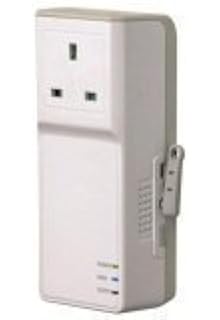
Also, for years, I have been using one of these to check the shore power to the boat:-

11nbak1Q1LL._AC_UL320_SR220,320_.jpg


Yes, it has another SIM card/contract but I bought a cheap PAYG deal years ago which costs me £2 to £3 per year - only texts sent/received.
One of its features is to send a text whenever the power goes off and another when the power is restored.
Another (unfortunate) feature is that it reports the temperature on the boat which, on a cold miserable day in the UK, can be a bit soul destroying!!

Because I already have it, I am using it to supply the security camera.
So, if the camera requires "rebooting", I can cycle the power to the camera using the above switch.

The Escam camera on the boat has been "as good as gold" - never gone wrong but I have another at home that has needed rebooting after a few weeks use.

Earlier this week, I bought another Escam G02 - not now available in Europe so I ordered it from China.
I might buy some more before they go out of production.
I'm sure there are others out there but the smart phone app I'm using works well with them.
A different make might mean a different smart phone app.
 
Last edited:
One question - if the power goes off for (say) a week, will the smart phone "boot" back into the app?
The beauty of the system that I have is that after a power interruption (and we have lots in our area of Spain) the system "comes back up".
Funny that you should ask, because that's the first ever iPhone feature which I found interesting!
Though still not worth paying their ridiculous prices to Apple, mind...
In fact, as swmbo (who keeps wasting money on Apple stuff against my advice, aarumph!) explained me, when an iPhone is switched off, either because turned off manually or due to a flat battery, as soon as it senses that it's being charged, it turns on automatically.
So, if your remote device is an iPhone, it does work exactly as you are asking.
AFAIK, there's no way to configure an Android smartphone in the same way. But if anyone knows better, I'm all ears!

That said, the phone I left onboard is actually an old Android, but I'm not too worried about power going off long enough to flatten its battery, because the whole point of this setup is that as soon as I'm notified that power went off, I can call the marina and check if it's either a grid problem (not so unusual, but normally restored shortly) or my shore socket RCD tripped off (hence needing the marina guys to turn it on again).
 
Thanks for the comprehensive report P. Its not clear from your post whether you leave the smartphone on permanent charge or working from its own battery? If the former then I cannot see the big difference between using the smartphone as a camera and a dedicated wifi camera other than the cost obviously but a wifi camera is relatively cheap of course. If you are leaving the smartphone working from its own battery and assuming it has a battery life of weeks rather than hours or days with this app then I can see the attraction of it

As it happens, as I mentioned above, I have already gone with the 4G router and bought the DWR921 unit recommended by Hurricane with a 3 data card which I installed on the boat last weekend and it seems to work very well so I will be connecting a wifi camera to it when I next go to the boat

Couple of questions for Hurricane on the DWR921 and excuse me for IT illiteracy! In the box there was an ethernet cable and the instructions only gave a set up process for the router connected to a device with this cable. We only had on board an iPad and a Macbook Air neither of which have ethernet ports. I tried to connect the iPad first and after I'd found the DWR921 network it prompted me for a password. I tried the admin password give in the instructions for the ethernet cable set up and it didnt work so I gave up. A few hours later I powered up the iPad again and tried connecting it and hey presto it worked! I then tried the same thing with the Macbook Air and the same thing happened although restarting the Air as I had done with the iPad did not have the same result and I never managed to connect the Air to the router. Any ideas for setting up the router without an ethernet cable?
 
Thanks for the comprehensive report P. Its not clear from your post whether you leave the smartphone on permanent charge or working from its own battery? If the former then I cannot see the big difference between using the smartphone as a camera and a dedicated wifi camera other than the cost obviously but a wifi camera is relatively cheap of course.
I left it on permanent charge, but that actually does make a difference vs. a wifi camera.
It's the fact that the smartphone can sense if and when the charge goes off, that enables the "camera" side of the app to send an automatic notification to its counterpart, i.e. the "viewer" side installed on your "normal" smartphone, wherever you bring it with you.
On top of that, of course the smartphone remains fully functional for hours even after the charge goes off - up to a day or two, depending on the device model and the conditions of its battery.
 
In fact, as swmbo (who keeps wasting money on Apple stuff against my advice, aarumph!) explained me, when an iPhone is switched off, either because turned off manually or due to a flat battery, as soon as it senses that it's being charged, it turns on automatically.
Read more at http://www.ybw.com/forums/showthread.php?510050-Security-cameras-on-boats/page6#xrtHI7BOtCMsBOqU.99

I'm don't use iThingies but a question I would ask is does the app itself restart after a power recycle?
 
I left it on permanent charge, but that actually does make a difference vs. a wifi camera.
It's the fact that the smartphone can sense if and when the charge goes off, that enables the "camera" side of the app to send an automatic notification to its counterpart, i.e. the "viewer" side installed on your "normal" smartphone, wherever you bring it with you.
On top of that, of course the smartphone remains fully functional for hours even after the charge goes off - up to a day or two, depending on the device model and the conditions of its battery.

Fair points
 
Couple of questions for Hurricane on the DWR921 and excuse me for IT illiteracy! In the box there was an ethernet cable and the instructions only gave a set up process for the router connected to a device with this cable. We only had on board an iPad and a Macbook Air neither of which have ethernet ports. I tried to connect the iPad first and after I'd found the DWR921 network it prompted me for a password. I tried the admin password give in the instructions for the ethernet cable set up and it didnt work so I gave up. A few hours later I powered up the iPad again and tried connecting it and hey presto it worked! I then tried the same thing with the Macbook Air and the same thing happened although restarting the Air as I had done with the iPad did not have the same result and I never managed to connect the Air to the router. Any ideas for setting up the router without an ethernet cable?

OK - lets try and keep it simple.
A router like the DWR921 has, essentially two sections. MiFis work in a similar way.
1 - its LAN (Local Area Network - all your devices - mobiles, tablets, PC etc)
2 - its WAN (Wide Area Network - the internet)
The WAN is where your 3G/4G service connects with the internet. After you insert your SIM card, there should't be much else to set up. IIRC, I had to enable roaming on the DWR921 router before it would connect to the internet.
The LAN is where you connect your devices. In the case of the DWR921, your devices can connect to the LAN part of the router either using one of the 4 Ethernet ports or using the wireless part of the DWR921. The wireless part of the DWR921 is a simple WiFi connection so most mobile devices can be used. If you have a device with an Ethernet port, this can be used as an alternative.
You connect your device (phone/tablet etc) to the LAN part of DWR921 (either by Wiireless (WiFi) or via the Ethernet ports) , your device can then either connect to the internet or connect to the DWR921 itself. You can have multiple devices connected at any time - either using one of the Ethernet ports of via WiFi - in all cases, they are connected to your LAN.
To connect a device to the DWR921 using WiFi, on your mobile device, look for the DWR921's WiFi network created by default - and enter a password - the default Wifi Network and password will be in the manual or printed on the DWR921.

Usually, you would only want to connect to DWR921 to set it up (change the 3G/4G to roaming for example).

So, it is important to understand that you are using WiFi to connect to the DWR921 (LAN) and the DWR921 is using 3G/4G to connect to the internet (WAN) - just like tethering.

To set up your router etc
Once your device (mobile phone/tablet etc) is connected, it is usual to run the browser on that device (Safari, Chrome, IE etc) and then browse to a web page created by the DWR921. I can't remember the default address for the DWR921's web page but it is something like 192.168.1.1 (you should find it in the DWR921's manual).
So run your browser and enter that address and you should then see the setup control panel where you can make changes.
I like to change the SSID of the WiFi connection and password so that any visitors know that it is your connection that they are using. For example, my DWR921's WiFi broadcasts its SSID as "Jennywren".
Then, when you scan the Wifi in your area, you can easily pick identify your internet as opposed to (say) the marina's internet.

Once connected to the DWR921, you should get internet just like at home.

Later, you will then connect your security camera to your own LAN.

Hope that helps - if anything isn't clear, just ask.
 
Last edited:
I'm don't use iThingies but a question I would ask is does the app itself restart after a power recycle?
Yes it does.
Actually, the "run at startup" is configurable in both Apple and Android devices, but it's actually useless on the latter for this application, because what Android lacks is the "self-power-on upon charge activation", which is instead an embedded iPhone feature, as I learned.

But as I said, happy to be told otherwise from any Android/Samsung expert who are aware of any trick!
 
Yes it does.
Actually, the "run at startup" is configurable in both Apple and Android devices, but it's actually useless on the latter for this application, because what Android lacks is the "self-power-on upon charge activation", which is instead an embedded iPhone feature, as I learned.

But as I said, happy to be told otherwise from any Android/Samsung expert who are aware of any trick!

Yep - so that does sound a good alternative.
I like using redundant kit like old mobile phones for this kind of thing.
 
Great M, many thanks! Not exactly easy peasy, but worth trying.
I'll give it a shot with the device that I left onboard, the next time I'll be there. :encouragement:
 
Top