Picture upload test

jakeroyd

Well-Known Member

Joined
26 Jul 2004
Messages
1,484
Visit site
Yealm and Berlin 043.jpg

Nothing to get excited about chaps.
Just testing if i can upload or embed a picture in a post.

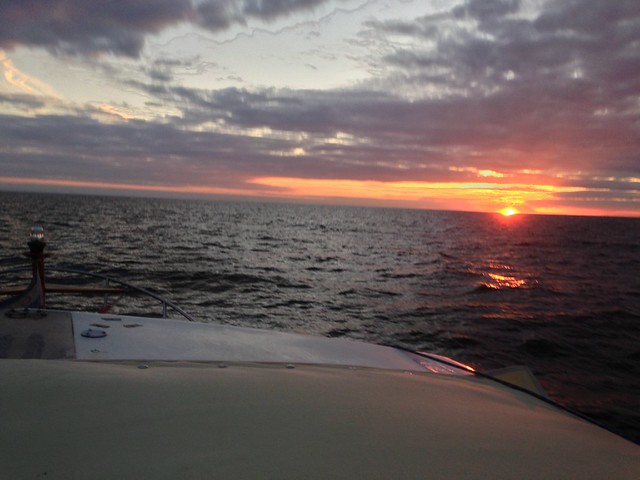
This picture , if it works , is of me on the Yealm pontoon at the end of Sept.

Happy New Year to all

 
View attachment 38460

Nothing to get excited about chaps.
Just testing if i can upload or embed a picture in a post.

This picture , if it works , is of me on the Yealm pontoon at the end of Sept.

Happy New Year to all

Very nice, but IMHO best way to get pics on the forum is to link to photo bucket, that way your pic is displayed at a reasonable size and doesn't have to be opened and closed.

fd8d66e4e064ee8160deaef61731f8ec.jpg
 
Last edited:
Very nice, but IMHO best way to get pics on the forum is to link to photo bucket, that way your pic is displayed at a reasonable size and doesn't have to be opened and closed.

I was puzzled by this when looking at the various pics posted as, attaching to posts only allows thumbnail size. I'm a novice at posting pics, have never used Photobucket and wonder - If using it, what's the maximum size of photo to avoid photos being so large people need to scroll to see them? Straight off the camera, mine are around 6mb.
 
Generally a picture 800 pixesl wide is fine. That's what I usually post. On my laptop a pic of 1000 pixels wide is still not problem. After that a scroll bar appears at the bottom and it becomes difficult to read and reply to posts. It depends what resolution the viewer's screen is set to display.
Some browsers resize the pics automatically, but most users don't have that setting available.
 
I was puzzled by this when looking at the various pics posted as, attaching to posts only allows thumbnail size. I'm a novice at posting pics, have never used Photobucket and wonder - If using it, what's the maximum size of photo to avoid photos being so large people need to scroll to see them? Straight off the camera, mine are around 6mb.

If you open a bucket acct you can play with settings to select what width you want to display, as Lakey says 800 seems to be about right, any more and you get howls of outrage...mainly from me.

The other advantage of using bucket is that there are no restrictions as to the numbers of photos you can link to.
 
Vara,
can link to Photobucket but don't get the picture in the post directly.
I get a working link.
What do I need to do to embed the picture directly in the post ?

:-)
 
For some reason you have to delete part of the link after you've copied and pasted it.

Click on "reply with quote" at the bottom right of this post and you can see the link that I wrote.

YealmandBerlin043_zps606efb80.jpg
 
Vara,
can link to Photobucket but don't get the picture in the post directly.
I get a working link.
What do I need to do to embed the picture directly in the post ?

:-)

For some reason you have to delete part of the link after you've copied and pasted it.

Click on "reply with quote" at the bottom right of this post and you can see the link that I wrote.

If you go to "user settings", by clicking on your user name in the top RH corner of the P' bucket window

Then to the "albums" tab

Then untick the box to " link back to albums" you will get the IMG codes that you require to post directly into the forum.
 
Vic,
thankyou

Sorry to be really thick but all I see in Albums is "Add New Album"

John
My instructions refer of course to the full version of P'bucket , not the mobile version.

If you can see your user name near the top rh corner click on that , slect user settings from the menu that opns.

That should take you to the Personal information page.
There should the be seveal tabs. Click the Albums tab,

Should then give access to a load of settings. The Link back optopn is one of them. Turn it off and save the changes.


Cant help though if you have some other variation on P'bucket or are using some gadget other than a proper computer

What I think is the mobile version has turned up on our tablet. have not the slightest idea how to get any sense out of that at all.
 
Last edited:
Well i'm getting close but no cigar yet.
Vic , I was in my stupidity looking at my YBW Album settings not Photobucket , Doh, I've made the change you suggest.Still no joy.
If I past in the URL from Photobucket into YBW's 'insert image function I get "Invalid file"
Photobox allows me to copy a link in IMG format HTML , Direct etc.
None of these work this way.

Oh so close.

Could I have more inserting images from Photobucket for dummies please :-)

 
My instructions refer of course to the full version of P'bucket , not the mobile version


Cant help though if you have some other variation on P'bucket or are using some gadget other than a proper computer

What I think is the mobile version has turned up on our tablet. have not the slightest idea how to get any sense out of that at all.

You and me both, the IPad app is functional, but to fiddle I have to go to browser, quite a lot of apps are like that :-(
 
Well i'm getting close but no cigar yet.
Vic , I was in my stupidity looking at my YBW Album settings not Photobucket , Doh, I've made the change you suggest.Still no joy.
If I past in the URL from Photobucket into YBW's 'insert image function I get "Invalid file"
Photobox allows me to copy a link in IMG format HTML , Direct etc.
None of these work this way.

Oh so close.

Could I have more inserting images from Photobucket for dummies please :-)

If you se the Insert image function you paste in the URL and then have to un tick the box beneath it.

That will then stick the URL into your post with the IMG tags around it and the pic should appear.

BUT provided it is turned on in the list of settings we went to previously you should see a line of code labelled IMG with the IMG tags already included.

Click on that ... it will autocopy, (you should briefly see a little message to tell you it has) Then all you have to do is paste it directly into your post by using Ctrl V. No need to faff about with the inset image thingy
 
Top