NMEA into Pi

dgadee

Well-Known Member
Joined
13 Oct 2010
Messages
4,681
Visit site
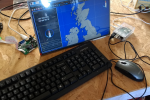
Have set up nav system using pi 4 with laptop screen and driver. Now thinking about how to get serial data into the pi. On my windows based system I used a serial to usb cable but pi seems to have serial capabilities.

How have others approached this?

Have moved from OpenCPN over to qtLmv to make use of VMH charts.
 
cant you do it with a TTL2Serial (or however it's called) chip doing level shifting or something like that?
if so, go for the usb2serial :D
 
Have set up nav system using pi 4 with laptop screen and driver. Now thinking about how to get serial data into the pi. On my windows based system I used a serial to usb cable but pi seems to have serial capabilities.

How have others approached this?

Have moved from OpenCPN over to qtLmv to make use of VMH charts.
I use serial USB for gps/ais, hardly expensive. Lots other data goes in over wifi but that's a bit more involved. Opencpn official charts available, oeSENC - o-charts shop
OpenCPN is so good it's worth considering buying new charts imho
 
Last edited:
TTL is 5v,you'll fry the Pi pins going much over 3.3v.

3.3V ones are available, but it's still the wrong thing. You could connect the serial pins of a RPi to the TTL end, but the other end goes into a USB socket. The OP has NMEA-0183 at one end and 3.3V TTL pins to connect to at the other. A converter from the NMEA-0183 levels is needed. Serial to USB is easiest as they accept NMEA-0183 even if they are using the later TIA-422 levels. Another way to do it would be to use a TIA-232 or TIA-422 line driver/receiver module (3.3V version with MAX3232 for example) and connect to the RPi TTL serial 3.3V pins, but it's more of a faff than just using a Serial to USB cable that he probably already has.
 
Yes, but thought two wires might be cheaper!

I haven't mucked about with this for a few years but the canonical way of doing the step-down for the pi seemed to be with a max3232 and 5 capacitors. Loads of tutorials and probably videos if you like that kind of thing. A quick google turns up a bunch and I think one of the ones I referenced a while back was this one:
Raspberry Pi Serial Console With MAX3232CPE | Code and Life
Seems you can also buy a bunch of ready-made converters these days.

It's been a while since I installed raspbian. If you wanted to use the serial port for something other than the system console you used to have to update the kernel command line to not use the serial console and edit inittab to not run a getty but I 'spose the latter is all systemd now.

In any case: imho it's all just too much hassle and a false economy. Personally I'd stick to usb.

EDIT: Rats. I see AngusMcDoon largely beat me to it. Sorry for the repeat comments
 
Are you using openplotter? Makes life sooooo easy :cool:

I am an OpenCPN fan - great AIS - but this is VHM's suggestion to look at qtLmv. Not got charts sorted yet, so not sure what it's like in real life. Looks very complicated.
 
Give openplotter a try, signalk is very useful then you could have qtLmv installed as well.
OpenPlotter 2 roadmap

I'm not an integration type of man, nor keen on too many instruments (just depth). When I bought the Dehler it had one of those systems where everything came to a central server. Never bothered to learn how it all went together, then the main display failed so I turfed it all out.
 
I'm not an integration type of man, nor keen on too many instruments (just depth). When I bought the Dehler it had one of those systems where everything came to a central server. Never bothered to learn how it all went together, then the main display failed so I turfed it all out.
It's not really integration like that though, just there if you want it. seems nothing to lose not to go for openplotter, they've found (probably nearly..) the bugs for you and makes installation so much easier. \then pick and choose between opencpn & qtlvm or both. :)
 
Top