
Sticky Fingers
Well-Known Member
Maybe i like poking the embers to see what catches alight...You keep passing the stick around and then wonder why you're this thread's Piñata


Maybe i like poking the embers to see what catches alight...You keep passing the stick around and then wonder why you're this thread's Piñata

lol No....... It wasn't meant to sound as if it was directed at you rather than give Hurric some credit for his threads on the subject. I should have been clearer. All good.Yes quite right. Though he was already engaged on this thread; I meant "someone else: but failed to say so...

No matter what I say in reply, @BruceK will come back FTWlol No....... It wasn't meant to sound as if it was directed at you rather than give Hurric some credit for his threads on the subject. I should have been clearer. All good.

 I was only helping out so you could bring your fenders in.
No. The Axiom also needs an active sub.
OK thanksWrong. If you do it manually via the micro sd you can transfer you just can't use the sync facility

A big step forward for opencpn was being able to view mbtiles from the likes of sasplanet, especially cruising when charts can be hard to come by and accuracy unknown.
Available (though copyright must be a bit suspect..) below cmap, navionics, google satellite, bing, yandex, here.com.
Fantastically useful

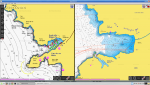

Not my experience, mine's a Simrad. Are you using the the Navionics CI Launcher app?...
I must say though that the update process from a company as well know as Navionics is a bit crap - I have to download to the card, then go into the files and delete "data" folder and any .bp2 files, else it wont work with my E120. Given your login user profile states what plotter you have I wouldn't have thought it too difficult for the download to have a clean up routine based on requirements of your plotter.
...
I might be wrong but I seem to remember that there are some free charts for use in the Australian areas that OpenCPN can use.I now use opencpn on Hurricanes recommendation, also appreciated GHA's info and link to YouTube.
Thank you both, cheers
Just to whet your appetite, here is a pic of OpenCPN's AIS display.Well that question started a debate
So in the end I relented and updated my chart - by the time I had bought a tablet, interfaced the AIS etc it was going to turn into a big job. Like many I wont be going too far this year but at least early next year is now covered.
I must say though that the update process from a company as well know as Navionics is a bit crap - I have to download to the card, then go into the files and delete "data" folder and any .bp2 files, else it wont work with my E120. Given your login user profile states what plotter you have I wouldn't have thought it too difficult for the download to have a clean up routine based on requirements of your plotter.
During the winter I will look into Opencpn etc
Cheers All
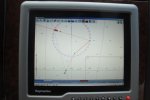
Not sure H, my son set it up, there was a cost for the Oz/NZ charts, and running on a Surface Pro. All his research indicates Opencpn is the choice of many in full time cruising community.I might be wrong but I seem to remember that there are some free charts for use in the Australian areas that OpenCPN can use.


Still Windows thenI've only just spotted this thread. When I browsed it I saw it included discussion of tablets.
Below is a photo of our flybridge tablet taken at Salcombe a couple of weeks ago. I was helming by hand at the time, but usually the autopilot is following a course.
The tablet display is a Panasonic Toughpad mounted in a RAM mount. It connects to the ship's computer using Splashtop via WiFi
Toughpads are expensive when new but can be bought as inspected/refurbished items for a few hundred pounds. I paid £400 for ours.
They claim 1,000 NITS. I'm sceptical, but the display is good enough 99% of the time because I can move it easily using the suction pad of the RAM mount so that it always faces away from direct sunlight.
The Toughpad is not as good as a purpose-made marine plotter screen. When you buy a Raymarine/Garmin/Furuno etc. system a big chunk of the hardware cost is the bright dimable screens. These are not cheap, even as OEM items, and very hard (impossible?) to buy at the consumer level.
Our system is as follows:
In my opinion anyone contemplating changes to a nav system needs to start with the charts. My motive for building this system was to be able to have the widest possible choice of charts. And this is all quite relevant to the original post on this thread because my original motive for designing this system was that the price of chart cards for the Furuno Navnet system had become ridiculous - over £1,000 for the UK - because the cards themselves were an old format that couldn't carry much data.
- Ship's computer is a Vasari "PC" running Windows 7 and displaying on 3 monitors, the biggest is 21" and that's where I set up waypoints and routes. I could set routes up at home on a desktop or laptop device and email the route to the boat. The display is then mirrored on the Toughpad.
- Nav software is Open CPN
- Charts at the moment are raster, from Visit My Harbour UK/Europe Admiralty series - others have mentioned alternative sources of charts
- AIS transponder is a Digital Yacht AIT2000 which also handles GPS for the Nav system
- Heading sensor and Autopilot are elderly Furuno
- We also have an elderly Furuno nav computer (Navnet) which is now used only as a dedicated display for the Furuno radar
(I had the idea of the system but Matt Riches made it work)

Don't rub it in! Almost the next job on the list.Still Windows then


