Navionics on i pad

Kawasaki

Well-Known Member
Joined
21 Jun 2004
Messages
11,727
Location
Anglesey Wales
Visit site
My old Garmin 276C handheld plotter has finally bit the dust
I used/used it when going on to peeps boats for basic nav
Sometimes newbies have no leccy nav gear or too much or they dont understand it etc etc etc
Sometimes I might get on a vessel to deliver somewhere and I dont understand the modern electrickery stuff installed
Sometimes I think I better get into the 20th Century(the 21st can wait a bit) cos last week I was teahing a 19 year old and when He saw me getting paper charts out, He said it remided Him of a Film He once saw called 'Treasure Island'!
Could have been the patch over my left eye that dun it!
Anyway
I think 'Navionics' or similar on my i pad would be the answer, the Garmin will probably cost 70/80 quid to fix
My i pad is a 5th generation' air2' I think
32GB
What's the way forward Peeps?
Ta in aticipation
K
 
You need to make sure your iPad includes “cellular“ functionality.

this means it can take a phone SIM card.

You don’t need to actually put a SIM card in it but these are the only iPads that have built in GPS receiver.

alternatively, you could buy a separate Bluetooth or WiFi GPS receiver. These are often 12v / battery powered so could be an option if your iPad doesn’t have cellular.

im thinking of just having an IPad 12.9 pro on my next boat as they are very robust and reliable. £200 buys an AIS receiver too.
 
I've pretty much given up on Navionics on iPad.
The latest versions prompt you randomly to "login" on startup - if you don't, you are locked out of the app.

If you have no signal, tough, you have no navigation.
 
Yeah, but sometimes it doesn't, and you never know what will cause you to be logged out.
It could be weeks or months, but that's not the point.

How happy would you be if you were a stewardess and you walked into the cockpit of an aircraft to see the pilot's main navigation screens blocked by a "Please Login" panel?

There should be an option to bypass the login screen and use your offline content, as with previous versions of the app.

I have raised this with Navionics tech support - no answer yet.
 
I use “i sailor “ on my iPad works great I prefer it to navionics , one thing to be aware of if the iPad gets hot in the sun it turns its self off , prob not a problem if your helming from inside but on hot day on the flybridge ,it’s happened to me loads times ,but I’ve got it all backed up on my i phone and I keep a backup on my misses I phone So if goes down it’s no problem
 
My old Garmin 276C handheld plotter has finally bit the dust

My condolences, I know it was your favourite toy and piece de resistance "Old Skool"
Navionics is great but I dont do iPads. They're for the modern day metrosexual and look lost without an accompanying manbag and manbun. I just dont see it in you to be honest.
And I agree there's no rush to enter the 21st century either. Full of Nimbys and other toadies who believe in entitlement and they all carry iPads
 
I use Navionics on a fairly basic IPad and I get my GPS signal through a Garmin Glo 2 Bluetooth GPS receiver. Works a treat and very well priced. I used it a lot more than the Raymarine MFD that came on my boat during a big cruise last summer.
The refresh rate/Hz on the Garmin will be much better than the build in GPS on most tablets.
Garmin GLO 2 GPS-GLONASS Sensor - 010-02184-01
 
Great replies as usual peeps
Oh!
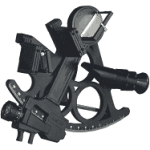
Sextant, cloud cover on Anglesey 95% per annum
Even if I smuggled one in ,they’d get me at the Bridges
Still considered Witchcraft by the Druids here
Loadstone is OK,still use it
Told the Locals I nicked it off a Sarf Afrikaans pirate who has perpetual ‘leg’ problems!
therefore considered fair game/ gain
As it’s just a back up gadget really
Plus could be a teaching aid ( if I can learn it like) especially for youngsters under 60 what mostly use said stuff
That blue tooth thingy looks the bis Dino,thanks
Must admit a ‘client’ turned friend/ pal has two on his 10 metre fast fishing French patio door jobbie
Inc 30 k’s worth of Raymarine kit mostly for searching for wrecks for searching for Pollock hopefully searching for his smaller pollock lure,the pillock!
i think he needs two for navigation
Because you cant see forward cos of all the other screens!
Must admit they seem to work ok,no probs whatever the temperature etc
All I need really is a lat n long and S.O.G ,just basic stuff whilst newbies are getting a grip
Plus a bigger screen than my old lamented Garmin!
Plus maybe I could Con peeps into thinking I’m ‘up to date’!
?
 
Have an early 10" cellular Ipad with Navionics with the cigar plug that allows you to charge while using.
It is a backup to my laptop with Seaclear which is a back up to my onboard Raymarine stuff.
The Ipad gets used a lot both down below and on the fly for wide area navigation and the Seaclear with high details creek crawling.
The Raymarine is there if everthing rlse packs up.
Charts and pencils still used just in case !
 
G’day K, take the iPad out of its case and check the side to see if it has a cut out for a sim, a small rectangular shaped slot with a small hole.
If it has, it is cellular capable and it has a built in gps and all you need to do is download the app.
I keep an old gen 2 iPad for navionics only, it’s too clunky for anything else, but Ok for backup nav.
 
G’day K, take the iPad out of its case and check the side to see if it has a cut out for a sim, a small rectangular shaped slot with a small hole.
Yoh Andie!
Can't see no cut out/slot
Tried poking holes with the pokey thing that came with my i phone
I could make one with me swiss army knife I suppose?
Thing is the kids bought it for me for my 70th
More for their amusement whilst I 'fumble' with it
Oh! back to heat problems with i pads
It does get hot now and again
It seems to change temp depending on which porn channel!
:D:eek:
 
Top