GPS . ......on a tablet

I'm not sure my query is relevant to this thread. But I bought a secondhand Panasonic Toughbook thinking it would be good for navigation. There is a hardware GPS device plus software on a disc which I can buy for around $A150 (£ 80?). That seems expensive when I can buy a car GPS unit complete for $A70.

I've looked at this device/software on eBay but I'm not sure it does the same function as the Toughbook hardware.
If both devices are similar why shouldn't I go for the much cheaper GPS off eBay?
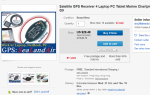
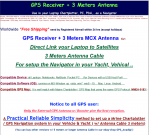
Screenshot_2020-10-12 Satellite GPS Receiver 4 Laptop PC Tablet Marine Chartplotter Cmap Googl...png

Screenshot_2020-10-12 Satellite GPS Receiver 4 Laptop PC Tablet Marine Chartplotter Cmap Googl...pngScreenshot_2020-10-12 Satellite GPS Receiver 4 Laptop PC Tablet Marine Chartplotter Cmap Googl...png
 

Attachments

  • Screenshot_2020-10-12 Satellite GPS Receiver 4 Laptop PC Tablet Marine Chartplotter Cmap Googl...png
    Screenshot_2020-10-12 Satellite GPS Receiver 4 Laptop PC Tablet Marine Chartplotter Cmap Googl...png
    473 bytes · Views: 1
Yeh

Actually the screen still works and it has internal GPS too, so the sensible, patient approach is to use it for the next 6 weeks

Though I want a new tablet too ?

See how much my tax free lump sum is when I cash it in next week ?
If the lump sum is from your pension, I would hope it's enough to buy a decent tablet.
 
I bought a secondhand Panasonic Toughbook

I use the GlobalSat BU354S - a puck style GPS receiver with a USB cable. They are inexpensive.., simple, and are used by many as a backup to Nav system GPS receivers.

I navigate on race boats, and always bring one so to use if the instruments go down - that way i can still navigate with my laptop.

you will need to be sure that whatever unit you buy has a driver for the operating system on your older toughbook - is it win 7?

I think the 354S (for win 10) is backward compatible.., but they made one for win 7 that was the same model name without the "S" - you can find them used on ebay

Cable GPS with USB interface (SiRF Star IV), BU-353S4 - GlobalSat WorldCom Corp.

i would buy one from a known brand - like globalsat - rather than just an unknown ebay device

what nav software do you plan to use on the toughbook? - other than the driver.., you shouldn't need anything else. your nav software should see the GPS once the driver is installed.
 
Now, you mentioned Heading - maybe you mean COG.., or maybe the app is reporting COG as Heading.., but i think it's unlikely that an app is taking successive fixes and calculating either heading or COG from them - there would be no reason to add this code to the app.., as the GPS chip is already reporting COG - obtained from the Doppler Shift
I might be wrong, but I would have thought that it's always going to be impossible to determine heading from a GPS signal. One could presumably obtain it from two devices, if one was placed in the bow of the boat and one at the stern and then some mathematical jiggery-pokery was performed.

You can, of course, obtain heading from a tablet with a compass built into it provided that you hold in in the correct orientation relative to the boat.

Richard
 
I might be wrong, but I would have thought that it's always going to be impossible to determine heading from a GPS signal. One could presumably obtain it from two devices, if one was placed in the bow of the boat and one at the stern and then some mathematical jiggery-pokery was performed.

yes - this is correct. I was only pointing out that neither COG nor SOG is derived from successive positions.., and wondering whether an app might be (incorrectly) reporting COG as Heading

you are also correct about using two receivers - there are devices on the market that use two GPS receivers to obtain orientation

mostly however, orientation is obtained from an electronic compass - typically a magnetic compass.., but sometimes a gyrocompass
 
I use the GlobalSat BU354S - a puck style GPS receiver with a USB cable. They are inexpensive.., simple, and are used by many as a backup to Nav system GPS receivers.

I navigate on race boats, and always bring one so to use if the instruments go down - that way i can still navigate with my laptop.

you will need to be sure that whatever unit you buy has a driver for the operating system on your older toughbook - is it win 7?

I think the 354S (for win 10) is backward compatible.., but they made one for win 7 that was the same model name without the "S" - you can find them used on ebay

Cable GPS with USB interface (SiRF Star IV), BU-353S4 - GlobalSat WorldCom Corp.

i would buy one from a known brand - like globalsat - rather than just an unknown ebay device

what nav software do you plan to use on the toughbook? - other than the driver.., you shouldn't need anything else. your nav software should see the GPS once the driver is installed.
+1for this device
 
I use the GlobalSat BU354S - a puck style GPS receiver with a USB cable. They are inexpensive.., simple, and are used by many as a backup to Nav system GPS receivers.

I navigate on race boats, and always bring one so to use if the instruments go down - that way i can still navigate with my laptop.

you will need to be sure that whatever unit you buy has a driver for the operating system on your older toughbook - is it win 7?

I think the 354S (for win 10) is backward compatible.., but they made one for win 7 that was the same model name without the "S" - you can find them used on ebay

Cable GPS with USB interface (SiRF Star IV), BU-353S4 - GlobalSat WorldCom Corp.

i would buy one from a known brand - like globalsat - rather than just an unknown ebay device

what nav software do you plan to use on the toughbook? - other than the driver.., you shouldn't need anything else. your nav software should see the GPS once the driver is installed.

My Toughbook came with Win 7 but I had Win 10 installed (Yeah I know, maybe a wrong move).

Yes I would always buy a known brand as I've been caught before.

I'm thinking ahead as I'm still trying to finish off my yacht but I'll probably use OpenCPN

Thanks for your help
 
There seems to be a lot of struggling with this. I don’t have any reported difficulties. The iPad will show your position accurate to a few metres or better using its gps and will show heading or north up map presentation using the inbuilt heading sensor. I use iNavX software. You need the cellular iPad, not WiFi, to get the gps.

The screen is bright enough and the only weakness is its not waterproof, but you can get cases for it. The modern iPhones are waterproof themselves.
 
or north up map presentation

iNavX will display (true) north up for vector charts.., but not for raster charts that are not themselves north up.

if the raster chart is at some other orientation.., iNavX displays them as chart up..,

what it is is that the iNavX display for raster charts is chart up.., and most of them are north up.., so it's not an issue for them. for the few that are not north up.., it is an issue.
 
Check out londonchartplotters, they do ready to tablets loaded with all that is needed.
I did that last year and it was a waste of effort and money...Instead I use a lenova 10inch table with navionics and my phone which I find excellent...

Also look at this thread...https://forums.ybw.com/index.php?threads/my-covid-19-lockdown-project-10%E2%80%9D-android-car-stereo-to-navionics-chart-plotter.540255/

I have the parts just need to settle on where I will fit mine..
 
Now, you mentioned Heading - maybe you mean COG.., or maybe the app is reporting COG as Heading..

You'll note davidprice specifically mentioned Navionics. Navionics Boating doesn't have a box labelled "heading" but it does alter the orientation of the icon representing your vessel based on COG. NMEA-0183 HDG is ignored (I've tried this) and the icon can be oriented by feeding the app a single sentence with COG.
 
Top