Best tablet for Navionics

Surely there are all sorts of neutral filters you could try. E.g. conductive plastic envelopes used for sensitive electronics?
A grey photographic gel would work well for this. There are three approaches in play to consider...

1. Night modes in the app itself. Some will properly darken the screen, most just invert the colours.
2. Darkening the entire tablet. This is better, as it means you don't get blinded if you get a notification or switch to another app.
3. Putting a physical filter over the screen. This is like option 2, but even more fail-safe.

Note: option 2 may require an app for Android tablets. On an iPad, you need to get into accessibility settings and use the "Reduce white point" option. (You can also use these settings to invert colors in general or add a red filter.)
 
@webcraft Can we please have a mini review of your Oukitel RT1? Recommended? Many thanks.

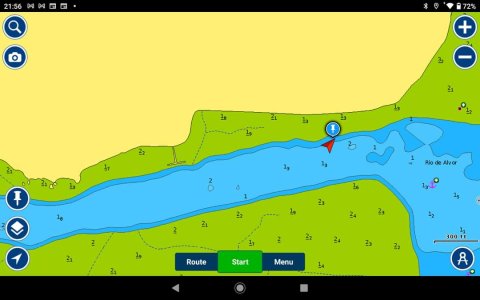
When I first fired it up I was very disappointed with the brightness, then I discovered the default setting was 35% or thereabouts. I now run it with the brightness set to 95%, and it is perfectly readable in (bright) Algarve sunshine.

Battery run time is around 8 hours running Navionics with a route set, but if I plug it in (USB-C, 2A charger) it maintains or slowly charges.

Great display, very responsive (zoom etc) and for the price I can thoroughly recommend it.

FB_IMG_1701727065369.jpg
 
Last edited:
Top