B&G Autopilot help? Rudder Limit

Slahm

Member
Joined
2 Jan 2023
Messages
28
Location
On the Blue
Visit site
Hi! I am hoping to get some help with a repeating Rudder Limit error, I am new to B&G, from Raymarine products.

I am on a 42' Lagoon Cat, with a Zeus 3S 12, and a Triton2 display(and much more), that keeps throwing a rudder limit error, but the other display and the Zeus both show the rudder at 13-20 degrees. The rudder limit was 25, I set it to 30, and then 40...

I think it is all stock install.

But it still throws a Rudder limit error every few hours, and typically goes away after a few seconds. I can clearly watch the screen, and the rudder is not over 20 usually.

My worry is that this makes me run up to the helm and I will get in the habit of ignoring real errors because of this (maybe) phantom error?

I am currently underway, and cannot really tear this apart until I get to port in a few days, so I am not really sure what to do about it?

Any suggestions would be appreciated!

This was a charter, and had some strange settings, like the Autopilot gain was .5, and it kept just giving up. I have changed it to a gain of 1 and it works waaaaay better. The turn rate is 270, and the trim is 50.

Thanks!
 
Having just installed two b &g systems it can be a bit confusing to complete the dock side commissioning, you have two settings for each side, maximum angle and working angle, make sure the working is less and a think the issue will go away
 
Well I have been playing around with it, I am at sea, so going through a dockside install is problematic. I can find Rudder Limit, but so far not maximum angle and working angle. I can turn the rudder into the 50s with the wheel, but the AP seems to never try for more than about 40-41. It still occasionally throws a >40 rudder angle alarm, even when it is at 20-25 degrees, which I find disturbing. Ironically, it is currently at 42 degrees, but no alarm... That is what I am trying to figure out, why does it throw the >40 degree alarm when it is lower than that, and can go higher with no alarm? It is alarm only, it continues working.

Also, the settings seemed to have been messed with, this was a charter, and I am trying to find out more information about Autotrim settings, but the B&G docs etc never really explain in detail. It was at 30, I changed it to 50, left it for a day, and just changed it to 100, as it was having a hard time getting on track due to weather helm(downwind) It seemed to help, but I am guessing.

Any thoughts? I accept correct or incorrect thoughts at this point, or just suggestions?

Thanks!!
 
You can do a full reset of settings and then when you do the dockside commission most of the defaults will be fine, the bit the instruction don’t make clear is that you can see the rudder angle settings it sees and then you can change them to slightly less, also the most times I set the maximum rudder angle to 30degrees
 
I am trying to figure out how it would know the degrees of rudder, as if you installed the position sensor further away or closer, it would change the travel, and how would it know? The relative travel would change in the setup readings, but the actual degrees or turn would obviously not... So it would seem that the 'degrees' is more like the 'position', a percentage of possible travel. Anyways, I will look into that when I am not sailing. I will keep playing here.

The autotrim feature seems to be a setting of seconds it learns from for needing more/less rudder to compensate for outside factors, like weather helm. I never noticed this on my raymarine, but the B&G seems to make the first 40-60 seconds after pressing AUTO not work well... It helms up to wind, and takes forever to get back on course... Doesn't even try to turn past 30 until about 60 seconds go by.

This AP is not intuitive, or maybe it is me.... Probably lol
 
You may find the dead band needs reducing, I changed from Raymarine to B&G and find it settles to the heading far better but it does this by working a bit slower and cleverly
 
I drove by hand, and did a rudder calibration, which at sea I would not recommend. Was hard to complete, and at one point, had the rudder operating backwards, I have no idea why, the sensor would read the rudder right when it was left etc.... I got that done, and now the whole system works way way better. I am not sure why, as the travel went to 59 to the right, and 52 to the left and is now set to 59R and 53L, so not much difference, but now my rudder angles show 10-15 degrees while sailing, rather than 30-40, and the response time to track well is so much faster. Seems mostly solved, here is hoping.

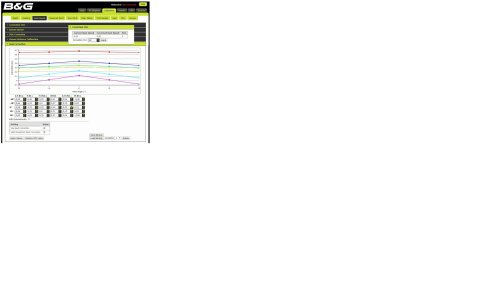
On that note, I have seen screenshots doing my research on the web to solve this problem of a B&G PC app that seems like you can program settings via a PC, but cannot find this app. Does anyone know what it is, and where I can get it?
It is on this page for example...

B&G Autopilot Calibration

bg.jpg
 
Top