
Any Lowrance Plotter experts out there please?

Ribtecer

Well-Known Member
Joined
23 Aug 2006
Messages
2,364
Visit site
OK so my Rib has a Lowrance LCX-112c.

Yes I know its aging but it's really useful for speed and depth and its been great for a long time.

Yesterday it wouldn't get past its starter page when I switched it on, and then it just faded away to nothing on the screen.

Very odd, anyone know why, and crucially how I can fix it please?

Many thanks

Sorry for the poor photo, I took it really just for the model details, but this is the screen it won't get past.

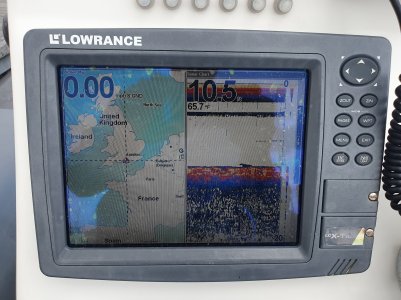
20240818_171439.jpg
 
Incase it helps anyone else, today I got to the bottom of this, and after some searching;

It was my Navionics chip, the contacts were covered in a solidified gel of I guess salt water and corrosion.

Anyway it cleaned up quite easily and is now working again. Problem is its now lost its setup, so I now need to reconfigure it. 😳20240826_121701.jpg
 
Good for you ... people are so often ready to bin and spend hard earned ... when a little bit of 'husbandry' can prove successful.

My old Lowrance 3500 has an occasional screen problem ... its a known fault with all that series that after years - the screen connector gets 'iffy' .. BUT its plugging on and still working.
 
Are there any Lowrance experts on here that could advice how to reset up my LCX-112c.

It had issues that I've now fixed. During that process a full factory reset was carried out, and I can't get it back to be a useful plotter with the vital info in a grey bar down the left hand side showing speed and depth etc., whilst still being able to track and see where the boat is.

If anyone can help, or point me in the right direction that would be great.

Many thanks.
 
Do you have the manual ?

Software and Manuals Downloads | Lowrance USA

In the manual it says :

Map with Custom Gauges
You unit can also display both the map and only the gauges you want tosee. This is useful if you find you only use certain gauges when the GPSfeatures are on.
To do this:
1. PAGES | ↓| MAP WITH CUSTOM GAUGES | ENT
2. MENU | OVERLAY Data | ENT | Select data type | ENT |EXIT

Any help ?
 
Do you have the manual ?

Software and Manuals Downloads | Lowrance USA

In the manual it says :

Map with Custom Gauges
You unit can also display both the map and only the gauges you want tosee. This is useful if you find you only use certain gauges when the GPSfeatures are on.
To do this:
1. PAGES | ↓| MAP WITH CUSTOM GAUGES | ENT
2. MENU | OVERLAY Data | ENT | Select data type | ENT |EXIT

Any help ?
Thank you Refueler!!

You got me further than I got.

I'm now going to have to consult the experts, I fear the Navionics card may have been compromised.
 
Why should it have been ?
It had water get in to the area where the chips are fitted, behind those doors with the screws to hold them shut on the plotter. I'm guessing salt water as it solidified in to a sort of gel.

I cleaned it all up carefully but ever since it doesn't connected to the charts etc.

I spoke to a dealer this morning who has suggested it could be a compromised chip, he said bring it in and they can test it.

I'm sort of at the end of the road as to know what to do myself.

Thanks again for your help.
 
Top