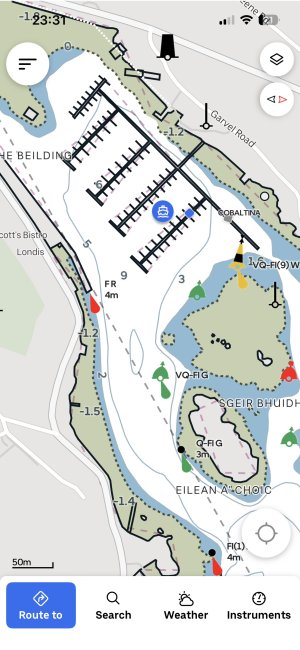
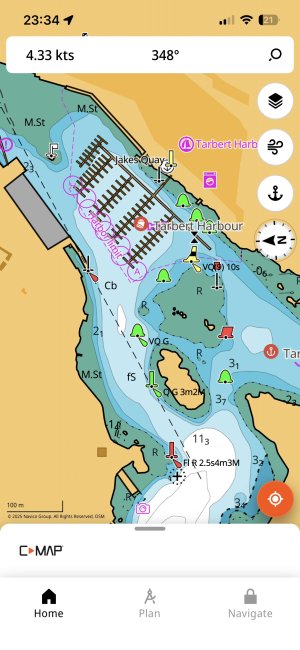
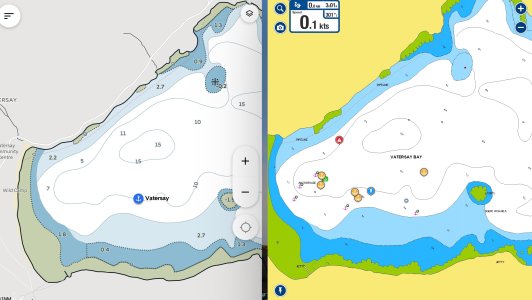
Another Savvy Navvy Thread

Overall, I prefer Navionics, but Orca is free.

It is very helpful to show two independent mapping solutions simultaneously.

These days, that is easy to do (see the screenshot). Hopefully, there is no practical difference, but occasionally, one charting system has made a mistake or failed to update their catalog in time. In these cases, it is easy to adopt the conservative and safer option.

The screenshot below shows my mapping system as I have commonly set when inshore. In this case there is little practical difference. This is always reassuring especially when entering an anchorage, especially at night, or in times of limited visibility.

IMG_8916.jpeg
 
Last edited:
Hey all - full disclosure I work for Savvy Navvy. Firstly thank you for highlighting this chart area. We love feedback from users and always act on it as quickly as we can. I've got the cartography team looking into this one now and will report back with news as soon as I can.

In the meantime my direct email is david@savvy-navvy.com and I'm always happy to hear directly about issues so we can fix them.
 
@noelex is that an Android tablet? I don’t think my iPad will do split screen for Navionics (it does for some apps).
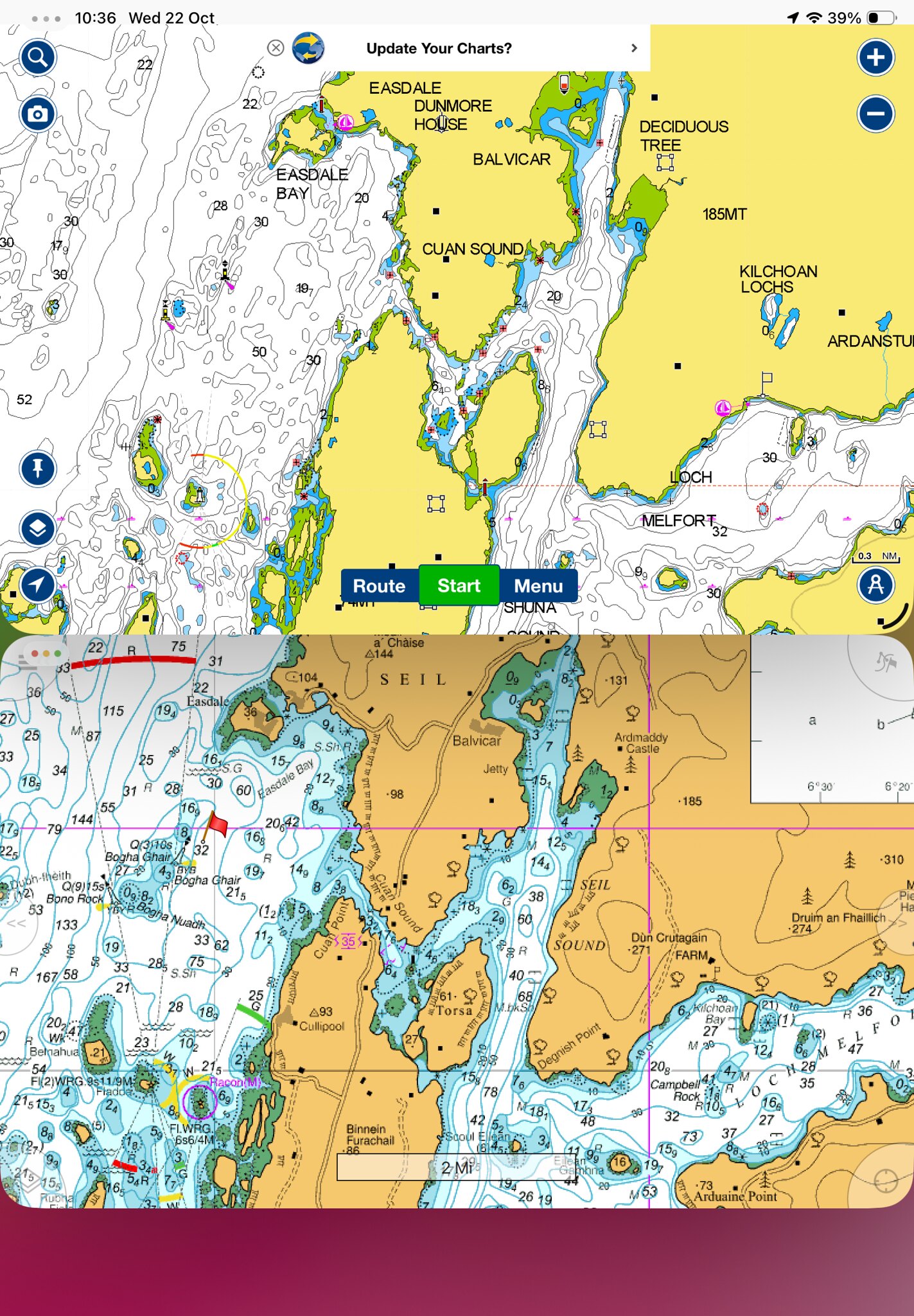
Apple have added this feature to their operating system. The screenshot below is Garmin (Navionics) and Memory Maps running simultaneously on the same desktop of my iPadOS 26.0.1. Google will give you the instructions.

54872182188_4e55232ba9_k.jpg
 
Last edited:
@noelex is that an Android tablet? I don’t think my iPad will do split screen for Navionics (it does for some apps).
Yes, it is an iPad.

The Navionics app does not allow multiple windows, but you can fix that by using the iPad’s "Stage Manager" feature. I am still using iOS 18, but I gather they have improved this further with the latest (iOS 26) software update.

Stage Manager is a poorly named but useful multitasking feature that allows users to resize and overlap windows on any app, even apps that do not normally support multiple windows such as Navionics.

As well as Navionics and Orca, you can add other windows with, for example, a link to mirror your chartplotter, so it can be quite useful.

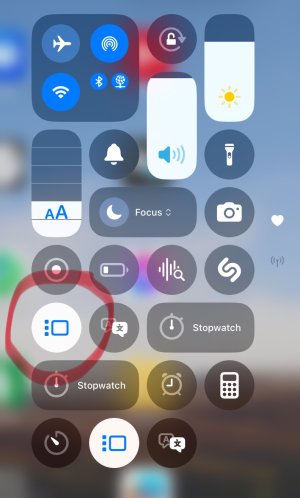
You can enable or disable it by tapping a button in Control Center (see the screenshot).

IMG_8917.jpeg
 
Last edited:
Overall, I prefer Navionics, but Orca is free.

…..

Hopefully, there is no practical difference, but occasionally, one charting system has made a mistake or failed to update their catalog in time. In these cases, it is easy to adopt the conservative and safer option.

….
So are you saying that the charts within Orca are free?

I can’t see how this can be the case legally, unless using the extremely limited OpenSeaMap as a source. I would not be happy to use that for primary navigation.
All legitimate chart suppliers need to purchase data from the various Hydrographic Offices (eg UKHO for Uk and Ireland) and this is certainly not free in most cases (there are a handful of exceptions where country HO offices provide data FoC but very rare, and some like Denmark charge very steep prices).
 
Yes, it is an iPad.

The Navionics app does not allow multiple windows, but you can fix that by using the iPad’s "Stage Manager" feature. I am still using iOS 18, but I gather they have improved this further with the latest (iOS 26) software update.

Stage Manager is a poorly named but useful multitasking feature that allows users to resize and overlap windows on any app, even apps that do not normally support multiple windows such as Navionics.

As well as Navionics and Orca, you can add other windows with, for example, a link to mirror your chartplotter, so it can be quite useful.

You can enable or disable it by tapping a button in Control Center (see the screenshot).

Ah, I'm still on 18 and because it's an older iPad Air I haven't upgraded, so I don't get stage manager according to Google.

But it has been added for my Air 3 in 26. So I've just started it off updating...
 
Ah, I'm still on 18 and because it's an older iPad Air I haven't upgraded, so I don't get stage manager according to Google.

But it has been added for my Air 3 in 26. So I've just started it off updating...
I have iOS 18.7.1 and it has Stage Manager, so you don’t need the latest iOS 26 (which won’t run on some older iPads) to enable multiple windows, although I understand that the latest iOS has improved the feature further.
 
Hey all - full disclosure I work for Savvy Navvy. Firstly thank you for highlighting this chart area. We love feedback from users and always act on it as quickly as we can. I've got the cartography team looking into this one now and will report back with news as soon as I can.

In the meantime my direct email is david@savvy-navvy.com and I'm always happy to hear directly about issues so we can fix them.

I've got a free RNLI subscription (so thanks - that is appreciated!) so I'll have a bit more of a play with it and run it side by side if I get a chance. I'll let you know if I find any other areas. Presumably it gets reviewed / updated anyway but feedback with specifics will speed up the process?

I have iOS 18.7.1 and it has Stage Manager, so you don’t need the latest iOS 26 (which won’t run on some older iPads) to enable multiple windows, although I understand that the latest iOS has improved the feature further.

Just been added to my model, see below :)


On iPadOS 18, Stage Manager is limited to the following iPad models:


  • 13-inch iPad Pro (M4 chip)
  • 12.9-inch iPad Pro (3rd generation and later)
  • 11-inch iPad Pro (1st generation and later)
  • iPad Air (5th generation and later)
On iPadOS 26, Stage Manager is available on the following iPad models:

  • 13-inch iPad Pro (M4 chip)
  • 12.9-inch iPad Pro (3rd generation and later)
  • 11-inch iPad Pro (1st generation and later)
  • iPad Air (3rd generation and later)
  • iPad mini (5th generation and later)
  • iPad (8th generation and later)
 

Other threads that may be of interest

Top