AIS integration & Displays

Yeah most of us here are the same, were cheap and Geeky. No plotter here. Laptop on cabin and tablet with Navionics, but that’s going to change for OpenCPN with AIS overlay and Google Earth imaging.[/QUOTE]

You're going to run those on an android tablet in the cockpit ?

Nope, I’m going to use some form of waterproof industrial screen that I will adapt for the use I intend. It has to be bright and waterproof and minimum 10.5” ideally 12” for Oddity. Sunlight on screens is a nightmare. The waterproofing is not an issue. It’s always the brightness that dictates what screen. Ideally touch screen, but if not, I will probably overlay a touch screen layer on it.
I will also use a tablet but mostly for the carrying around for ease of plotting and controlling the system we will build.
 
Nope, I’m going to use some form of waterproof industrial screen that I will adapt for the use I intend. It has to be bright and waterproof and minimum 10.5” ideally 12” for Oddity. Sunlight on screens is a nightmare. The waterproofing is not an issue. It’s always the brightness that dictates what screen. Ideally touch screen, but if not, I will probably overlay a touch screen layer on it.
I will also use a tablet but mostly for the carrying around for ease of plotting and controlling the system we will build.

OK, so what's the industrial screen going to be connected to ? Laptop, tablet, or what ?

Do you actually know how the Google Earth plugin works on OpenCPN ?
 
OK, so what's the industrial screen going to be connected to ? Laptop, tablet, or what ?

Do you actually know how the Google Earth plugin works on OpenCPN ?

Probably a laptop as I have a couple that are 4 years old and although no longer the top spec they are more than adequate for all the processing power I need. But I am indeed thinking of also doing a PI system at least for the fun of it.

I do not Paul, I'm not yet using OpenCPN, I have seen it in use but although I Installed it, I have not yet fiddled with it.

On a different note the use of Google Earth Pro imagery for me is for having stills of harbours or locations I intend to visit so that I can compare that to actual charts. Independent if I use overlay or just a still frame that I can look at for guidance.
 
Probably a laptop as I have a couple that are 4 years old and although no longer the top spec they are more than adequate for all the processing power I need. But I am indeed thinking of also doing a PI system at least for the fun of it.

IMO, the laptop is the way to go, but nothing wrong with having a play with a Pi for the fun of it. A Windows laptop will run the free version of OpenCPN very nicely, VisitMyHarbour raster charts are about £30 for full UK coverage and you can install them on two devices. I have a laptop below decks that is connected to a 24" LED TV (running from the batteries via a DC-DC converter), by an HDMI cable. So a nice 24" display for passage planning and as i have a cheap USB GPS connected to the laptop it makes an emergency system if the plotter failed.

I operate the laptop with a mini wireless keyboard and the laptop lives out of the way in the chart table. I connect the laptop to my phones mobile hotspot, so i can also use the laptop for email, internet and anything else you can do on a laptop, but with a big screen. I can play movies, music etc or stream any online services, all freeview TV and any radio station i choose. All subject to a phone signal, but media can obviously be stored for times when there is no signal.

I do not Paul, I'm not yet using OpenCPN, I have seen it in use but although I Installed it, I have not yet fiddled with it.

On a different note the use of Google Earth Pro imagery for me is for having stills of harbours or locations I intend to visit so that I can compare that to actual charts. Independent if I use overlay or just a still frame that I can look at for guidance.

I'm no expert on it, but have had a little play. It will only work with a Windows system and it does need an internet connection, unless data is cached. It will no longer work with the latest versions of Goggle Earth, 7.1 onwards. I wouldn't describe it as an overlay to the charts though. I think it's unnecessary as a plug in for OpenCPN, you can use Google Earth stand alone to view harbours etc. You can also see lots of harbour chartlets and useful information at the VisitMyHarbour website.
 
On a different note the use of Google Earth Pro imagery for me is for having stills of harbours or locations I intend to visit so that I can compare that to actual charts. Independent if I use overlay or just a still frame that I can look at for guidance.

Dead simple to get satelitte images into opencpn, click of a mouse in a plugin. Google, nokia & bing as sources. Google usually fine but worth a look at the others.
https://opencpn.org/OpenCPN/plugins/vfkaps.html
https://www.venturefarther.com/

Multicharts need a subscription but single images are free. Gold dust as cruising half the time the charts will be ancient and to see where everyone else anchors. In the image below navionics had the boat sailing across a drying marsh.
Slightly less simple is ge2kap where you can make charts from various sources in sasplanet , navionics & cmap included. Sasplanet is handy for jumping between sources to check with sat images if the datum is OK.

Sasplanet download set up with the navionics & cmap avilable here >
http://www.shoreline.fr/PHiggins/GE2KAP/English/SasPlanet.html

BdfyawO.png


Big thread about daylight monitors here >
http://www.cruisersforum.com/forums/f134/need-cheap-daylight-viewable-monitor-59672-8.html

I just use a sony xperia tablet to have the option of a gadget free cockpit when anchored.

Also, on a cruising boat a raspberry pi is gold dust as well, simple and easy to set up way to get the full power of signalk, check it out, really is far ahead of anything else available even at ten times the price.
 
IMO, the laptop is the way to go, but nothing wrong with having a play with a Pi for the fun of it. A Windows laptop will run the free version of OpenCPN very nicely, VisitMyHarbour raster charts are about £30 for full UK coverage and you can install them on two devices. I have a laptop below decks that is connected to a 24" LED TV (running from the batteries via a DC-DC converter), by an HDMI cable. So a nice 24" display for passage planning and as i have a cheap USB GPS connected to the laptop it makes an emergency system if the plotter failed.

I operate the laptop with a mini wireless keyboard and the laptop lives out of the way in the chart table. I connect the laptop to my phones mobile hotspot, so i can also use the laptop for email, internet and anything else you can do on a laptop, but with a big screen. I can play movies, music etc or stream any online services, all freeview TV and any radio station i choose. All subject to a phone signal, but media can obviously be stored for times when there is no signal.


I'm no expert on it, but have had a little play. It will only work with a Windows system and it does need an internet connection, unless data is cached. It will no longer work with the latest versions of Goggle Earth, 7.1 onwards. I wouldn't describe it as an overlay to the charts though. I think it's unnecessary as a plug in for OpenCPN, you can use Google Earth stand alone to view harbours etc. You can also see lots of harbour chartlets and useful information at the VisitMyHarbour website.

I like to fiddle with stuff, so obviously the PI is a hell of a serious "toy" for me. I will have a play and install a backup system based on the PI. The laptops are basically because I have 2 HP that are 4 years old and that I can use, so there will be one sealed as replacement and one in use. The first one dies I have a second to plug and go. I could build a more specialised system but don't see the point since I have two perfectly good laptops laying around.

I like a set up like yours and it’s pretty much in line with my thoughts on it as well. A 24-inch LED monitor that I have laying around will go on the boat for better viewing of charts and passage planning. It also allows for easier planning with more than one looking at it. A small wireless keyboard either Bluetooth or Wi-Fi and you can do a lot with that set up. With the PI I’m thinking of using it to display data on onboard systems. Becomes a dedicated processing unit without having to plug it to the laptop and gives the option of exporting data to the laptop.
I aim to have a monitor perhaps around 10” or 15” mounted on the cockpit for navigation and monitoring of the onboard systems. Then the laptop inside. Pi dedicated to onboard systems and I have a S3 Samsung tablet 3 years old that I may use to just carry around as a mobile unit.
It’s just a question of seeing what bits and bobs I have laying around from GPS antennas to wi-fi.

I have to have a day to seriously look into the chart situation. At the moment we’re just using Paper charts and Navionics app. That works but it’s not optimal. I need to see what to do about digital charts and to be honest I did not yet really do anything more than a cursory look at it.
I’ll be asking for help then.
 
I like to fiddle with stuff,

So i see, stop fiddle with the quotes. :)

I have to have a day to seriously look into the chart situation. At the moment we’re just using Paper charts and Navionics app. That works but it’s not optimal. I need to see what to do about digital charts and to be honest I did not yet really do anything more than a cursory look at it.
I’ll be asking for help then.[/QUOTE]

I have VMH raster charts and O-charts for OpenCPN, iSailer charts on the phone, plus Garmin charts for the plotter and phone. I've looked at lots of charts and tried most of them.

For OpenCPN and UK charts, i think the VMH raster charts are the best.
 
Dead simple to get satelitte images into opencpn, click of a mouse in a plugin. Google, nokia & bing as sources. Google usually fine but worth a look at the others.
https://opencpn.org/OpenCPN/plugins/vfkaps.html
https://www.venturefarther.com/

Multicharts need a subscription but single images are free. Gold dust as cruising half the time the charts will be ancient and to see where everyone else anchors. In the image below navionics had the boat sailing across a drying marsh.
Slightly less simple is ge2kap where you can make charts from various sources in sasplanet , navionics & cmap included. Sasplanet is handy for jumping between sources to check with sat images if the datum is OK.

Sasplanet download set up with the navionics & cmap avilable here >
http://www.shoreline.fr/PHiggins/GE2KAP/English/SasPlanet.html

BdfyawO.png


Big thread about daylight monitors here >
http://www.cruisersforum.com/forums/f134/need-cheap-daylight-viewable-monitor-59672-8.html

I just use a sony xperia tablet to have the option of a gadget free cockpit when anchored.

Also, on a cruising boat a raspberry pi is gold dust as well, simple and easy to set up way to get the full power of signalk, check it out, really is far ahead of anything else available even at ten times the price.

Thanks dude, I’m going to check that out. Yeah that thread has been going a while I would say. Always on the same issue of how many Nit's the screen must have to be visible in bright day light. I myself have had that discussion a couple of times but sometimes people fail grasp the basic concept of Candela and Nits, then look it up on the specs and get all confused by the whole thing.
Yeah I really like the Pi to be honest, I seen a couple of things done with the Pi even for industrial uses and was very nicely impressed by the little and humble Pi. In the boat I really want to do a set up like you’ve shown. I’ll give you a PM when I start on it.
 
Thanks a lot, it worked great and i am now connected to the influx DB but how do I send the info to this DB? i suppose that i need to make a link to the DB from Signal K?

Thanks,

Gary

Not that hard, doing it right now on a fresh openplotter install on a Rpi3B+

https://www.influxdata.com/blog/running-the-tick-stack-on-a-raspberry-pi/

So open a terminal (accessories menu) then copy & paste these one line at a time & hit return each time >
Code:
sudo apt-get update
sudo apt-get upgrade #(might not actually need this one but good idea to get all the software up to date)
sudo apt-get install curl
sudo curl -sL https://repos.influxdata.com/influxdb.key | sudo apt-key add -
echo "deb https://repos.influxdata.com/debian stretch stable" | sudo tee /etc/apt/sources.list.d/influxdb.list
sudo apt-get update
sudo apt-get install influxdb
sudo apt-get install chronograf
Hopefully you should not get any errors. Then in a browser go to http://10.10.10.1:8888 (assuming you're on the Pi or logged on to the openplotter AP) and you should be in chronograf which is a tasty viewer/plot creator for your all your lovely data :cool:

Get that up and running then we can set up signalk.

Edit - there is a change you need to do in the config file up otherwise it eats CPU time so.terminal again >.
sudo nano /etc/influxdb/influxdb.conf

This opens a basic word processor called nano, so arrow or page down (no mouse) and find the lines
Code:
[COLOR=#24292E][FONT=SFMono-Regular][monitor]
[/FONT][/COLOR][COLOR=#24292E][FONT=SFMono-Regular]   store-enabled = true[/FONT][/COLOR]
then change true to false. The press the 'x' key to exit, it will ask if you want to save so press 'y' then enter to exit.


https://github.com/influxdata/influxdb/issues/9475#issuecomment-375773775
 
Thanks a lot, it worked great and i am now connected to the influx DB but how do I send the info to this DB? i suppose that i need to make a link to the DB from Signal K?

Thanks,

Gary

Cool , glad it worked OK. Easy to set up writing as well, if you go into the signalk appstore you should find one called signalk-to-influxdb, install that then the setup is in plugins.
You'll need to restart signalk for it to show up, latest version has a link at the top to do this.

Are you on the latest openplotter 1.2.0? Upgrade takes forever, like all afternoon but worth it. Latest sigK shows when upgrades are available, which is often. Those guys are forever upgrading the apps/main code and fixing any little bugs when the appear. Opensource is so much faster than commercial software in that respect.


lhid34H.png
 
Yeah I really like the Pi to be honest, I seen a couple of things done with the Pi even for industrial uses and was very nicely impressed by the little and humble Pi. In the boat I really want to do a set up like you’ve shown. I’ll give you a PM when I start on it.
:encouragement:

When you do might be worth going for the Pi3 rather than the newer Pi3B+, heard the power draw is slightly lower on the 3. Plenty fast enough.
 
Great! Thank you soo much.

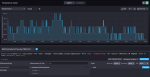
it works great however, the temperature values looks weird to me.

I think that i need to further read on this.

lhid34H.png


Cool , glad it worked OK. Easy to set up writing as well, if you go into the signalk appstore you should find one called signalk-to-influxdb, install that then the setup is in plugins.
You'll need to restart signalk for it to show up, latest version has a link at the top to do this.

Are you on the latest openplotter 1.2.0? Upgrade takes forever, like all afternoon but worth it. Latest sigK shows when upgrades are available, which is often. Those guys are forever upgrading the apps/main code and fixing any little bugs when the appear. Opensource is so much faster than commercial software in that respect.
 

Attachments

  • Capture d’écran 2019-01-20 à 21.56.27.png
    Capture d’écran 2019-01-20 à 21.56.27.png
    194.2 KB · Views: 0
Great! Thank you soo much.

it works great however, the temperature values looks weird to me.

I think that i need to further read on this.

No, that's right. Signalk only uses SI units so temperature is in Kelvin. To get to celsius subtract 273.15. Wgere are you getting the temperature from?

Also, in chronograf in the admin tab you can set retention policy so the database only saves a week or month or whatever so you don't end up filling up the card memory.

Great that someone else likes this stuff! :cool:

The signalk guys over on slack are very helpful if you really get stuck or think you've found a bug.
http://slack-invite.signalk.org/

Long live opensource! :cool:


RQth4f0.png
 
Great that someone else likes this stuff!

Are you kidding me? what's not to like? I can make it. Repair it on the go. Cheap and effective. Great for monitoring what otherwise would cost a mint. Hell Yeah!
About the Kelvins, can that be converted or do you have to calculate every time. I did work with some stuff just in Kelvin's but I rather have Centigrade.
 
I'll have a look at VHM and O-Charts for Open cpn. So far I'm happy with navionics for costal navigation and in the Solent. I'll keep it for the phone and Tablet. I really don't find navionics practical on the phone. Perhaps on a tablet. But I do like the graphics.

But you can't overlay AIS with Navionics.
 
Are you kidding me? what's not to like? I can make it. Repair it on the go. Cheap and effective. Great for monitoring what otherwise would cost a mint. Hell Yeah!
About the Kelvins, can that be converted or do you have to calculate every time. I did work with some stuff just in Kelvin's but I rather have Centigrade.

In the signalk dashboards you can set it to whatever unit you want with a mouseclick.

I made little ammeter box today from an ebay unit which is pretty accurate , just goes up to 999mA. Pi3 pulling about 260mA @ 13.7V, then up to just over 300mA with a youtube playing music though a piggybacked hifiberry amplifier (which takes 12v and feeds the Pi 5v). But...... turn off the monitor (through a hdmi>vga adaptor) and current goes down to under 150mA! Flippin car radio drew half an amp!. Monitor powered separately. Doesn't include powered usb hub for usb/serial, wifi dongle etc(Pi hub so no backfeeding to the Pi from this). But oh so cool, thought it was more, that's with logging, broadcasting gps, ais, loads of signalk over wifi and playing some blasts from the past!. :cool:

6DAwVjR.jpg


NfIZw4P.jpg
 
It's actually a cool set up. The power used is really not bad. Cool little box you did there :cool::encouragement:

I'd like to get everything on a small LED monitor that I can integrate on the instrument panel to display all the parameters on the boat. Yeah I'm still going to add digital meters as redundancy but I'd love to have it all on a monitor ant that is what I’m aiming for.
 
Top