Mr Googler
Well-Known Member
Right
go to “photos” on your iPad…find the photo you want to add to the forum (following so far?)
Click edit…(top right)
you can then open the rotate tool (circled in Red)
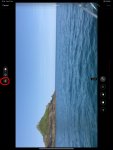
Then…..rotate the picture as needed with that button
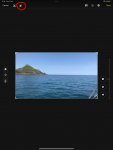
now….this is important….press done
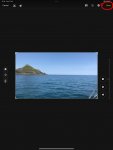
it will then be the right way up for you to upload on the forum
go to “photos” on your iPad…find the photo you want to add to the forum (following so far?)
Click edit…(top right)
you can then open the rotate tool (circled in Red)
Then…..rotate the picture as needed with that button
now….this is important….press done
it will then be the right way up for you to upload on the forum