Standard Horizon cp300 date problem

KAM

Well-Known Member
Joined
6 Jun 2005
Messages
1,356
Visit site
I've been using this plotter for many years without problems. Just anchored checked the tide and went to the pub. Whilst on my second pint I noticed the tide was rising instead of falling as predicted. On returning to the boat I checked the plotter and discovered the date was wrong on the celestial screen. Gps status screen was also wrong. Chart display indicated correct date. I could change the date on the celestial screen and get the correct tide prediction but date was not retained. Gps date was still incorrect. Correct time zone was set. A bit stuck. Any significance in the 25/11/05 date which it has defaulted to. Software is dated 10/09/2010.
 
Further investigation reveals there are two NMEA dates on the system. Correct date from the AIS receiver and incorrect on the plotter. With AIS on dates on the plotter and ST60 multi alternate between the two values. Just trying to find a way of killing the wrong date. Any suggestions appreciated.
 
Further investigation reveals there are two NMEA dates on the system. Correct date from the AIS receiver and incorrect on the plotter. With AIS on dates on the plotter and ST60 multi alternate between the two values. Just trying to find a way of killing the wrong date. Any suggestions appreciated.
Is it a CP300 (external GPS) or CP300i (internal GPS). If the former, disconnecting the GPS might be the answer.
 
Its the i model with internal GPS. Just wondering if its possible to open it up and disable it. Doesn't appear to be any setting to ignore the internal gps but its clearly picking up the external date.
 
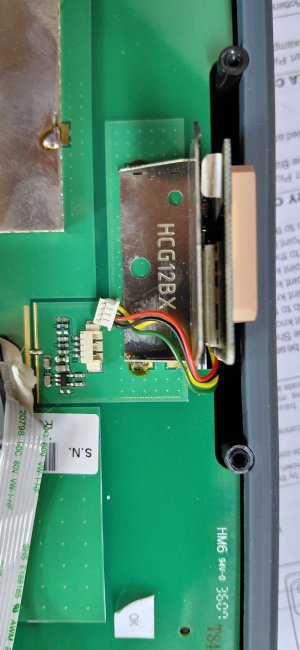
It was just a plug in gps module. Unplugged it. Everything now working as normal. Looks like it may be possible to buy a replacement module very cheaply. I was really starting to miss the tide features on the plotter.
 
If you have found your way inside, is there a small button cell that needs replacing? A flat battery can cause settings storage errors if it keeps reverting to the initial date in the software.
Found the battery. It does look flat but just wondering if it will have any effect if its a date rollover issue. The date its defaulting to seems to be the 19.6 years for a rollover date fault. It will be interesting to see if it works.
 
Last edited:
There's also a setting to disable the internal GPS, as described on page 98 of the PDF manual
Looks as if my plotter software is an earlier version. There's nothing in the manual about deactivating the gps and the instructions in the pdf manual, which are different, don't work. Thanks for the info though as than would have been an easy option.
 
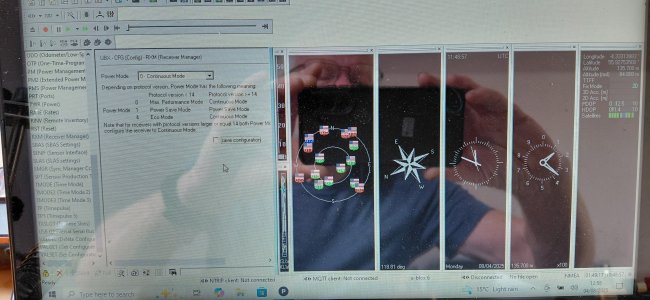
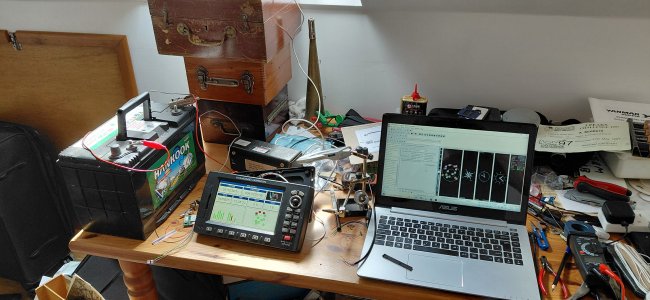
Success. Bought a new gps module on Amazon for £5. Ublox the chip manufacturer have an extremely complex free software download. Its possible to reprogram the baud rate to 4800 and store it permanently in the gps module. Wires can just be soldered. Good to have the correct date and tide predictions working again.
 

Attachments

  • 20250804_125810.jpg
    20250804_125810.jpg
    1.8 MB · Views: 15
  • 20250804_125822.jpg
    20250804_125822.jpg
    1.3 MB · Views: 15
Found the battery. It does look flat but just wondering if it will have any effect if its a date rollover issue. The date its defaulting to seems to be the 19.6 years for a rollover date fault. It will be interesting to see if it works.
No

You will need a firmware update.
 
Top