
Route from markers, Navionics.

Gixer

Well-Known Member
Joined
29 Nov 2015
Messages
1,117
Visit site
I’m embarrassed I have to ask this, but I can’t work it out and all the tutorials I've found talk about route waypoints.

What I want to do is create a route from a load of markers I have programmed in. I have worked out how to create a manual route but it only allows me to use two points on the chart (From and to). How do you use multiple markers or points?
I must be missing something as I’ve done this on other software easily.
Any ideas?
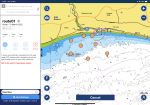
0BD17364-2E42-4484-8012-31759210343A.png
 
Is this online, if so click route, manual then click on chart to start then next point then next and so on til finished. Each click will move finish onwards. It should produce a magenta(?) line between each.
 
Thanks for the response trevbouy. I’m using the app on a tablet.
It works fine by touching the screen as you mentioned below. What I really want to do is create the route from the preregistered markers. The reason for this is I’m starting racing and when they give the course I want to be able to plot it on the chartplotter. e.g. 1 to port, 3 to port, 5 to starboard, etc.

I wouldn’t mind if on the chart it told you the names of the marks but it doesn’t do that.
 
I’m embarrassed I have to ask this, but I can’t work it out and all the tutorials I've found talk about route waypoints.

What I want to do is create a route from a load of markers I have programmed in. I have worked out how to create a manual route but it only allows me to use two points on the chart (From and to). How do you use multiple markers or points?
I must be missing something as I’ve done this on other software easily.
Any ideas?
View attachment 131671
I’m embarrassed I have to ask this, but I can’t work it out and all the tutorials I've found talk about route waypoints.

What I want to do is create a route from a load of markers I have programmed in. I have worked out how to create a manual route but it only allows me to use two points on the chart (From and to). How do you use multiple markers or points?
I must be missing something as I’ve done this on other software easily.
Any ideas?
View attachment 131671
 
Thanks for the guernseyman, thats the way I’ve been going it but it’s a ball ache. I was hoping there’s an easier way with Navionics.
I guess not.
 
That's the worst video I've ever seen on using Navionics,

I use a Ipad Mini and it's a doddle on that compared to his messing. Mind you I am subscribed so I've no interruptions.
 
Thank goodness I can create a bunch of waypoints and add them to a route using the Garmin g3 charts.

So the Garmin G3 charts allow me to create a route from multiple preloaded waypoints/markers?

I'm looking a buying a chartplotter ATM and the Garmin range looks hard to beat for spec's, price including the pre-loaded charts.....
 
So the Garmin G3 charts allow me to create a route from multiple preloaded waypoints/markers?

I'm looking a buying a chartplotter ATM and the Garmin range looks hard to beat for spec's, price including the pre-loaded charts.....
You can do this with navionics charts on a B&G plotter as well
 
Top