
Rasberry PI. question...

You may have misunderstood me: I was talking about OpenCPN. There's no ARM OpenCPN binary for windows (even though, as you say, windows for pi does exist) so you'd have to port it yourself which would not be a task for the faint hearted, particularly given that Windows-on-pi is a minority passtime

Don't think I misunderstood. I think we are in complete agreement if you look at the last sentence in the first paragraph in my post.

I said "you'd need to write minor things such as your version of OpenCPN...:D:D" and also mentioned becoming a developer and doing it all yourself. I wasn't exactly proposing it as a serious option.
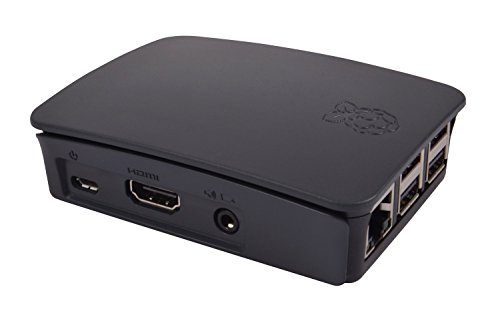
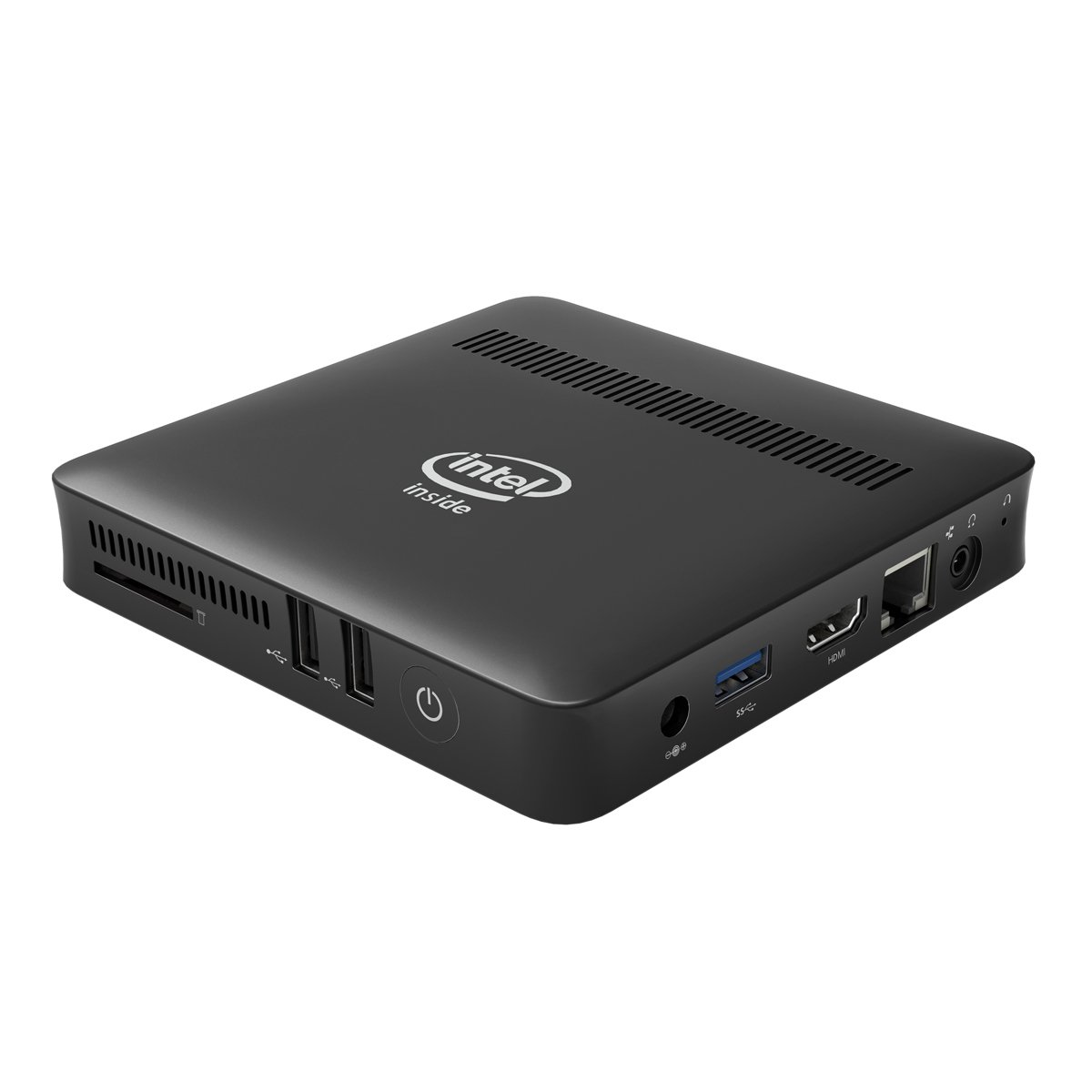
 
The Kodlix mini PC I linked to above at ca £95 includes a windows licence, 32gb memory, case, power supply and dual display outputs. Probably costs a bit more than a Pi but more powerful with an Intel quad-core processor. It also has more powerful graphics chips. As I'm sure you're aware non-essential Windows updates can be disabled if internet bandwidth is limited.
Looks like a nice piece of kit - whats the power draw? My Pi3 stays on 24/7 seems to average about 0.3A with peripherals. One bonus is you can have a complete spare in a metal case for about 40 quid to swap over should something nasty happen.
 
I think I am attracted to the complete in a box with some appearence of " this is not made from bits that clip together, also more mainstream. No disrespect to rasberrys, but I think I am getting fed up of things that look homemade and are held together with string....

Yes I have the second screen on the bulkhead, and a smaller one for under the sprayhood (it will be dry).

I know dsc can talk to and listen to more than one device but I like the idea of separate sets of equipment on individual fuses,

Updates would bo turned off, no interest in internet on board other than for entertainment.
plenty of power available.

VMH charts cover the area that I want in one set, ireland/south coast uk northern france Isles of scilly etc.
on download they are cheaper without the media. I am not welded to them but they are the ones with the best coverage that I have seen so far.

Nothing cast in stone yet, if my old radar comes back to life radar will be left out of the equation, but if it must be replaced I like the idea of putting the display onto a large screen so it will be a bit more thought.


Thanks again for the very cogent and informative replies.
 
I think I am attracted to the complete in a box with some appearence of " this is not made from bits that clip together, also more mainstream. No disrespect to rasberrys, but I think I am getting fed up of things that look homemade and are held together with string....
Probably makes sense in your case, though not actually much difference in appearance..

For monitor I use a samsung 19" straight off the 12v. Fine so far, though it's very rarely turned on - usually use a tablet or laptop VNC into the Pi. Handy having all that side set up already.
31Wx6CkqcJL.jpg


51GxLOMXGuL._SL1200_.jpg
 
Pandos

If you're taking the route of a mini PC than you could look at an Intel NUC... I went that route because they work off anything from about 10v to 19v, run Windows, being Intel the drivers are easy to keep up to date and typical power consumption is similar to the Pi.

Being frugal on power I run it with a small screen from Tomtop. This appears to be better resolution than most of the mini screens on eBay.
https://m.tomtop.com/p-s981eu.html

For Windows operating system and other software, check out Softwaregeeks.

For radar... If you're wanting perhaps to overlay on OpenCPN then just get a Simrad 3G radome... Again, very low power, immediate switch on and uses the BR24 plugin within OpenCPN. It will probably even bolt directly to your existing radome mount.

I do have this radome and it works on the PC but primarily view it on a plotter.
 
I went down the RPi3/OpenCPN/o-chart route last month and am very pleased with the result. The main reason to choose this approach is that there is so much more help/forums/videos for a product with 18 million+ units sold than for a relatively small number of mini-PCs.

For example, there were two tiny glitches that don't quite tally with the OpenCPN RPi documentation. Namely...

1) In the terminal window, I had to install dirmgr (with "sudo apt-get install dirmngr") before "sudo apt-key adv --keyserver keyserver.ubuntu.com --recv-keys C865EB40" would work

2) the command "sudo apt-get install opencpn*" to install all plugins doesn't work. To install the o-chart plugin individually you need to use "sudo apt-get install oesenc-pi" and NOT oesenc_pi

The AIS and GPS work effortlessly with my (£300) Standard Horizon Matrix AIS/GPS VHF radio.

I use the Official RPi 7" touch screen and case. To rotate screen... from menu, pick "Accessories" and then "Terminal".
1. In Terminal, type "sudo nano /boot/config.txt"
2. Add the line "lcd_rotate=2" to the top of the file.
3. Press CTRL+X.
4. Then Y.
5. Then Enter.
6. And reboot!

To change the mouse speed simply edit the /boot/cmdline.txt file: sudo nano /boot/cmdline.txt
And add the following text at the end of the single line:
usbhid.mousepoll=8
You should end up with something like this:

dwc_otg.lpm_enable=0 console=serial0,115200 console=tty1 root=/dev/mmcblk0p7 rootfstype=ext4 elevator=deadline fsck.repair=yes rootwait quiet splash plymouth.ignore-serial-consoles usbhid.mousepoll=8

You can change the number to anything from 0-8. The lower the number the smoother the mouse movement will be, but the higher the load on the CPU. That's it! Simply reboot your Raspberry Pi and say hello to a smooth, lag free mouse!

And so on.

Good luck
 
Top