opencpn and quilting charts

Ian_Edwards

Well-Known Member
Joined
9 Feb 2002
Messages
2,222
Location
Aberdeen Scotland
Visit site
I've had opencpn for some time, only played with it until now.

The Antares charts are so good, when trying to navigate bays and inlets that it seems a shame not to have them "online" and visible in the cockpit. But you can't display Antares charts on a Raymarine MFD, so I've been trying using opencpn in the cockpit..

The problem I'm having is how to integrate Antares charts with O-charts vector charts or visit my harbour raster charts.

I can see the Antares charts when I zoom in, but the background chart looses any usefully resolution. When I zoom out I just see the red marker square on a base chart, or a red box on the vector chart.

Is it possible to seamlessly quilt vector charts with Antares charts using opencpn?

or am I asking too much of a bit of free software?
 
Is it possible to seamlessly quilt vector charts with Antares charts using opencpn?

I think you can't mix raster and vector charts when quilting - it's one or the other - and the Antares charts are raster.

They should work with the VisitMyHarbour charts in that case, though.

Quilting and auto-zooming can be annoyingly fiddly, though - have you tried using ctrl + left-arrow and ctrl + right-arrow to adjust the scale?

I think it may help to use the Q key as a shortcut to to quickly enable and disable the quilting.
 
I've had opencpn for some time, only played with it until now.

The Antares charts are so good, when trying to navigate bays and inlets that it seems a shame not to have them "online" and visible in the cockpit. But you can't display Antares charts on a Raymarine MFD, so I've been trying using opencpn in the cockpit..

The problem I'm having is how to integrate Antares charts with O-charts vector charts or visit my harbour raster charts.

I can see the Antares charts when I zoom in, but the background chart looses any usefully resolution. When I zoom out I just see the red marker square on a base chart, or a red box on the vector chart.

Is it possible to seamlessly quilt vector charts with Antares charts using opencpn?

or am I asking too much of a bit of free software?

A few things:

- At the bottom of the openCPN screen there's one or more rounded rectangles that you select to choose the current chart. Antares is usually blue.
- To remove the top level Antares charts with the red box, delete files in the chart folder that start with "AC Selector", for example "AC Selector West Coast, edition 3.kap"
- In display settings, "enable chart quilting" and "preserve scale when switching charts"
- if you have several chart sources, for example if you've also imported google map images, then it's worth setting up chart groups.
 
- At the bottom of the openCPN screen there's one or more rounded rectangles that you select to choose the current chart. Antares is usually blue.
To add to this, the corners of the rectangles switch between square and rounded (well, more like a slight chamfer) as you enable and disable quilting.

The colour indicates chart type, as below:

gYp8hxo.png

Says the manual:

The current chart displays as a lighter shade of its color, or if quilting is active, the charts currently making up the quilt are displayed in lighter shade.​

More: https://opencpn.org/wiki/dokuwiki/doku.php?id=opencpn:opencpn_user_manual:chart_status_bar

It took me hours of messing around with OpenCPN to get it to make sense to me. Now it more-or-less does, but I wish I could make a better recommendation than to practice messing about with it loads.
 
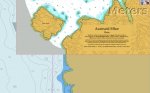
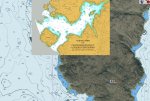
Here's a couple of examples of quilting - first is vector+raster, the other raster+raster.

Note: the screenshots are from a raspberry pi, however I couldn't get the quilting to work with the latest Windows version. [Edit: also works on my old Android phone]]
 

Attachments

  • ocn1.jpg
    ocn1.jpg
    92.7 KB · Views: 2
  • ocn2.jpg
    ocn2.jpg
    113.8 KB · Views: 2
Last edited:
Top