Night vision and the darkened wheelhouse

NorthUp

Well-Known Member
Joined
1 Sep 2008
Messages
1,504
Visit site
I have two PC type monitors in the wheelhouse for plotter and radar- but even with the 'night' palette and the screens fully dimmed down they are too bright for true night vision to be achieved.
My previous Raymarine plotter had the same issues.

Anybody found a solution, or is it just my eyes !


I'm considering a neutral density acetate sheet over the monitors, anybody tried this?
 
Switch them off, anything important they show on screen can also be seen with night vision. Apart from dark rocks etc.

If that is unthinkable, reducing the visible area of screen will help a lot.
If you have access to sticky tape, scissors and a cornflake box. you can make a screen cover with an aperture, so only the vital bit is showing.
The trouble with night settings is that even the supposedly dark areas of screen are actually quite bright.
 
I have two PC type monitors in the wheelhouse for plotter and radar- but even with the 'night' palette and the screens fully dimmed down they are too bright for true night vision to be achieved.
My previous Raymarine plotter had the same issues.

Anybody found a solution, or is it just my eyes !


I'm considering a neutral density acetate sheet over the monitors, anybody tried this?
Hi, I use Android tablets which have the same problem but the Marine Navigator app I use has a night-vision setting that completely changes the colour pallet which works really well. Are you using Windows 10 with those PC monitors? If so, maybe this? Windows 10 Night Vision Mode - The ATMs Workshop

www.solocoastalsailing.co.uk
 
Plum, very informative link , thank you.
The chartplotter is run with visitmyharbour charts on a netbook running win 7, probably not enough steam pressure to run win 10 though!
The radar is a Simrad setup, beyond me to access or tinker beyond user settings.
I hadn't thought of going for red filters on the screen, interesting..
 
We had a similar problem on warship bridges a few years ago - the neutral density acetate sheets you can buy does quite a good job. I can't remember what the final solution to this was, I think it involved revised software
 
We have no problem with our Raymarine kit. Both the previous C80 and the current E120.

With the backlight down to minimum its OK. I take it the OP is doing it correctly?

I have made a simple shield to keep the screen reflecting off the Pilothouse window.
 
There are privacy screens available which mzke the monitor only visible within a narrow angle. Means that to use the screen you need to be in a specific place and elsewhere in the cockpit the screen is dark.
 
There are privacy screens available which mzke the monitor only visible within a narrow angle. Means that to use the screen you need to be in a specific place and elsewhere in the cockpit the screen is dark.
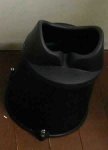
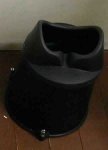
A good idea. In fact a plotter in the wheelhouse, or at a wheel steering position if there was room, would benefit from those viewing shrouds as seen on old-style radars, where you have to press your face onto a binocular-shaped orifice.
A shroud like that would mean the helmsman only consulted the screen when he had made a definite decision to do so, and the rest of the time his night vision wouldn't be under constant attack.
Obviously, other crew would have the opportunity to develop perfect night vision.
 

Attachments

  • IMG_4648.JPG
    IMG_4648.JPG
    29.9 KB · Views: 1
  • IMG_4648.JPG
    IMG_4648.JPG
    29.9 KB · Views: 3
I'm not sure whether this will be of use to you but I use Navionics on a tablet which is still too bright in night mode, however by going into the tablet's accessibility settings and choosing invert colours (or something similar to that, can't remember exactly) it's much darker and works very well at night. If your monitor has accessibility settings might work?
 
A good idea. In fact a plotter in the wheelhouse, or at a wheel steering position if there was room, would benefit from those viewing shrouds as seen on old-style radars, where you have to press your face onto a binocular-shaped orifice.
A shroud like that would mean the helmsman only consulted the screen when he had made a definite decision to do so, and the rest of the time his night vision wouldn't be under constant attack.
Obviously, other crew would have the opportunity to develop perfect night vision.
I'm afraid that masking the screen only solves part of the problem regarding night vision. I have had the same issues that even on it's lowest settings my tablet screen with Navionics was too bright on a dark night. I temporarily solved the problem by shutting it off or covering it with a towel; trouble is, once you look at it again to check what that flashing light might be it can take 10 min or more for full night vision to reestablish.
I like the red acetate suggestion and will give that a try.
 
I'm not sure whether this will be of use to you but I use Navionics on a tablet which is still too bright in night mode, however by going into the tablet's accessibility settings and choosing invert colours (or something similar to that, can't remember exactly) it's much darker and works very well at night. If your monitor has accessibility settings might work?
Clever that, thank you.
 
Top