Excellent New Drone for Boating - DJI Mini 2

You must be joking: the S8 indeed IS on the bleeding edge, by my standards.
Last year, after my S5 didn't survive an unplanned swim with it in my pocket, I fetched another identical one, dismissed by my sister in law.
Greatest mobile since the Nokia 6210.
And constantly upgraded by Lineage developers, BTW!
I've been on Android 10 (natively rooted) for months now... (y)
I'm estimating to use it for another 4 or 5 years at least.
Unimaginable nowadays, with non-replaceable batteries.
I had an S5 for years and it was great.
The S8 is better though.
IMO, the S9 wasn't much better than the S8.
The S10 had an extra camera or two.
But the S20 is supposed to be a bigger step.
So to recap, IMO.
The S8 was a big jump and the S20 will be in the future.
The big issue that you will have to come to terms with when/if you move on from the S5 is that you can't now get inside them quickly - they are all sealed.

BTW - I don't usually buy the lower spec models - the M10 or the A series ones.
I like the extra power that the S series seems to provide.

I also like wireless charging.
The S6 had an optional back panel for wireless charging (I can't remember if the S5 had that option)
But wireless charging is something that I've got used to now - the S8 has it.
Just chuck it on a stand and forget about it.
 
You must be joking: the S8 indeed IS on the bleeding edge, by my standards.
Last year, after my S5 didn't survive an unplanned swim with it in my pocket, I fetched another identical one, dismissed by my sister in law.
Greatest mobile since the Nokia 6210.
And constantly upgraded by Lineage developers, BTW!
I've been on Android 10 (natively rooted) for months now... (y)
I'm estimating to use it for another 4 or 5 years at least.
Unimaginable nowadays, with non-replaceable batteries.
Oh yes, Android 10 - thats another story.
Android (Google) have started to "lock down" the system.
Particularly memory - internal SDCARD and the microSD card when fitted.
The idea is that everything goes through the media library.
If an app wants access to (say) a photo, it has to get it from the media library.
No more accessing the files directly without permission - an app has to call the medial routines.
Apps that create their own data are given a sandbox within which they can work as before but other apps cannot access that data.
An app can ask for permission to access files but it has to go through a Google/Android permissions interface.
If you are a developer writing an app like a file explorer that needs access to everywhere, you can apply to them to get full access.

My problem was that I have over 50,000 photos that I compress and keep on my Android mobile devices.
I find having ALL my photos available really useful.
My compression and copy programs archive and synchronise so keeping my photos up to date is relatively easy and fast.
But when I loaded my files onto Android, the ?loody Gallery app see's the lot and everything gets so confused you can't find anything.
The solution was to put a .nomedia file in all the folders containing my 50,000 photos.
That way, Android's Media library won't load them and Gallery actually becomes useful again.
But because they aren't in the Media Library, neither can ANY other app see them either!!
So, I wrote my own app - a photo viewer.
My app uses the new way to access files on the device - using Google's permissions procedure.
That worked but it is a well known fact that reading data that way is slow and "boy was it slow"!!
I nearly gave up but in the end, I found a way of using the permissions procedure but "worming a hole" through the rubbish front end software and getting right into the core to get my files.
The result works really quite well and I use the app a lot.

Let me know if you want to do something similar and I will make the app available.

All this is from Android 10 onwards.
I think they are trying to make Android compete with iCrap - it doesn't need to it is better!!!
 
Let me know if you want to do something similar and I will make the app available.
Thanks M, your app does sound impressive, and I guess that some Android users could be interested.
Me, I'm not a smartphones fan, and I barely use a few of their many features.
Dealing with their small screens (and yes, I tried also 6"+ phones) never fails to annoy me, after a short while.
15" is the smaller size that I wouldn't call a PITA, so I concentrate everything worth storing on my notebook.
Even when I use the mobile to take some pics, if I want to keep them, I move them to the PC asap, and delete them from the smartphone...
You can see why the S5 is good enough for me, and probably will still be in the foreseeable future!
 
Even when I use the mobile to take some pics, if I want to keep them, I move them to the PC asap, and delete them from the smartphone...
You can see why the S5 is good enough for me, and probably will still be in the foreseeable future!
Yea - thats "kind of" what I do.
Take pics with either the phone, camera or drone.
Upload the full res to the PC and back up accordingly.
Then run my compression program to create a mirror of my photo folders but with all the photo's compressed.
Then sync to the tablet and phone.
The result is every photo that I have taken since digital cameras came out, on my PC in full res and on the phones compressed.
Essentially, keeping the main photos on the PC
 
Partly on the back of this thread I bought a DJI mini 2

my experience to date had been “sport drones “ or kids toys. My son has one which he flies well. They are fun to along about but pretty unstable.

With these drones the operator is the main controller. Want it to go higher then apply more power. Wind pushing you - tilt the other way. As such it requires a fair degree of skill ( which my 10 year old has mostly mastered)

A DJI mini 2 ( and probably all other DJI drones ) is not a drone for fun but for photography.

They are extremely easy to fly. You tell it to take off and it goes to a few metres and just stops waiting for instructions.

To climb you tell it to go up. Release the stick and it just sits there compensating for wind etc itself. Likewise forward, back , sideways, rotate. It does what asked and then just hovers.

Battery life is 25 mins ans range further than matters. The images are excellent.

It won’t avoid trees etc but does have a ground sensor that controls landing etc.

If like me you have only played with toy drones before and felt there is no way you are going the get a £500 version then give it a go. They are easy to fly and take great pics
 
Partly on the back of this thread I bought a DJI mini 2

my experience to date had been “sport drones “ or kids toys. My son has one which he flies well. They are fun to along about but pretty unstable.

With these drones the operator is the main controller. Want it to go higher then apply more power. Wind pushing you - tilt the other way. As such it requires a fair degree of skill ( which my 10 year old has mostly mastered)

A DJI mini 2 ( and probably all other DJI drones ) is not a drone for fun but for photography.

They are extremely easy to fly. You tell it to take off and it goes to a few metres and just stops waiting for instructions.

To climb you tell it to go up. Release the stick and it just sits there compensating for wind etc itself. Likewise forward, back , sideways, rotate. It does what asked and then just hovers.

Battery life is 25 mins ans range further than matters. The images are excellent.

It won’t avoid trees etc but does have a ground sensor that controls landing etc.

If like me you have only played with toy drones before and felt there is no way you are going the get a £500 version then give it a go. They are easy to fly and take great pics

Out of interest, have you used it from the boat at all? Just wondering how easy it would be retrieve it while underway as it has no ‘home’ feature.
L
 
Out of interest, have you used it from the boat at all? Just wondering how easy it would be retrieve it while underway as it has no ‘home’ feature.
L

no sadly not as the boat is in the med.

You can reset the home position so whilst not solving the problem you can get it to auto return. You can then stop the auto land and take over manually.

unless the boat was moving to a daft degree I believe it would be relatively simply to land on the front sun pads - it will compensate for wind etc itself. Additionally If someone is there to catch it they turn of when turned upside down.
 
Partly on the back of this thread I bought a DJI mini 2

my experience to date had been “sport drones “ or kids toys. My son has one which he flies well. They are fun to along about but pretty unstable.

With these drones the operator is the main controller. Want it to go higher then apply more power. Wind pushing you - tilt the other way. As such it requires a fair degree of skill ( which my 10 year old has mostly mastered)

A DJI mini 2 ( and probably all other DJI drones ) is not a drone for fun but for photography.

They are extremely easy to fly. You tell it to take off and it goes to a few metres and just stops waiting for instructions.

To climb you tell it to go up. Release the stick and it just sits there compensating for wind etc itself. Likewise forward, back , sideways, rotate. It does what asked and then just hovers.

Battery life is 25 mins ans range further than matters. The images are excellent.

It won’t avoid trees etc but does have a ground sensor that controls landing etc.

If like me you have only played with toy drones before and felt there is no way you are going the get a £500 version then give it a go. They are easy to fly and take great pics
Over the last 2 or 3 weeks, I have got rid of my Mavic Pro and an old Phantom 3.
But I have kept my Mavic Mini 1.
Mainly because it is so small, I can just chuck it into a suitcase and go anywhere with it.
Unfortunately, the Mini 2's controller is quite a bit bigger so the whole package is more difficult to take away.
That said, the Mini 2's camera and range is way better - so it is swings and roundabouts - again, things always seem to be a compromise.

Back to the point.
I got rid of the Mavic Pro and Phantom and have replaced them both a Mavic Air 2.
Your comments about the ease of flying takes on a completely new view with the new Mavic Air 2.
The Mavic Air 2 doesn't use the more complicated DJI Go 4 app - it uses the same simple app that both the Mavic Minis use.
I have always been unable to use the DJI extended features because they always seemed to complicated.
Great if you fly these things all the time but the whole thing needed to be simpler.
Along came the DJI Fly app that we use on the Minis and the Air 2 and it is great.
Simple to fly - simple to set the camera up - simple to take good photos and videos.

About 18 months ago, I took the Mavic Pro out into our lagoon in Sant Carles with the idea of making a short video of one of my yachtie friends and his new spinnaker.
The plan was to use Active Track and let the drone do the work.
I simply couldn't get it to lock onto the boat and as a result, I missed the best part of the sailing and only captured a small amount of footage using manual flying.
I think this is probably an issue with lots of people - how many times have you heard people say that they prefer to fly manually.
Well, IMO, it is because the automatic flight modes are just too difficult to set up if you aren't doing it every day.

Now, I think the Mavic Air 2 might be different. The significance being the DJI Fly app rather than DJI Go 4 app.
I've only had the Mavic Air 2 for a few days but already spotlight mode (which isn't properly implemented on the Minis) is fantastic.
No special menus - just draw a box round what you want to film and the drone keeps your subject in the middle of the frame - all you do is fly the drone - perfectly smooth footage - really great.

So, my plan is to use the Mini for trips away where it will pack in my overnight bag and then use the Mavic Air 2 to do the more serious videos and photos.
"Kind of" like my approach to SLR cameras.
In the past I have never bought the professional range of SLR cameras - not the quality metal bodies - just the plastic (smaller sensor etc) cheaper versions.
For example Canon do camera bodies costing around £2500 that people will say you need for good photography.
In the past I've only been buying the Canon £800 plastic ones.
Still good quality but not the best.
So, having come full circle now with drones, I think that approach will be the future for drone photography as well.
i.e. - not the best - just the best "middle of the road".
And thats where I think that the Mavic Air 2 fits.
 
Out of interest, have you used it from the boat at all? Just wondering how easy it would be retrieve it while underway as it has no ‘home’ feature.
L
Note my post above about dumping my more expensive drones.

Over the last few weeks, I've been teaching myself to launch and recover the Mavic Mini from my hand.
No need for a landing/take off pad.
Just hold it in your hand - start it up (I use the sticks to start it) and it simply flies away from your hand.
Catching it is actually easier.
Just hold your hand out flat and land it on your hand.
So, when my new Mavic Air 2 arrived a couple of days ago, I trued the same with that.
And it is just as easy to launch and recover from your hand as the Mini is.

In the past, SWMBO has caught the Mavic Pro whilst I have flown it down to her.
In fact, it is much easier to do it on your own.
It is worth trying - watch some Youtube videos first - then have a go - it is really easy.
You only need to do it half a dozen times and your confidence builds up.

On the boat, I was getting IMU errors with the Mavic Pro.
I believe the drone uses the IMU to work out its stability.
I put it down to the boat moving (rocking) so I was launching from the foredeck and bathing platform.
And it was on one such occasion whilst taking off from the bathing platform that the drone hit the dinghy chocs and crashed into the sea.
And that was the end of Mavic Pro Number One!!!

So, teaching myself to launch and recover from my hand should make the whole process simpler.
If you haven't tried it, give is a go - you will be much happier flying from a boat then.

BTW
All DJI drones have a RTH (Return to Home) facility.
But you are correct if you meant that RTH isn't any use to us under way.
However, there is an option in the setup where you can set it to just "hover" if it looses contact with you.
You can then sail/motor back towards it until you can reconnect with it.
I think that the latest DJI Fly app lets you set set the RTH location whilst you are flying but that option is down in the menus and it only used to work in the automatic flight modes.
Another parameter to set if you want to fly it whilst under way - the distance limit - you need to remove the maximum distance that it can travel or it will just stop when it reaches that limit.
Just a setup parameter in one of the menus.

But the one thing that I have learned is that I love taking these aerial photos.
And some of the footage that I've captured has made it all worthwhile.
 
Last edited:
Catching the drone I suspect would be difficult as it has a sensor on the bottom. If you hover it and put you hand underneath it climbs clear of the obstruction. Depends how fast you move your hand I suppose!

I dont know the size of the remote on the original mini but the Mini 2 remote is not large - 2 packs of cigarettes size ? ( I have never smoked!). I would not want it much smaller and certainly not an issue to transport.

The Mini 2 does not have follow me - so you fly manually. It will do some "tricks" like circle an object and photograph it and some people have tried with moderate success to make this track a moving object but the routines are short and once the routine runs its course ( 30 seconds odd) it stops. This seem to be to protect the more expensive drones as they have this feature. The thing shoots in 4K video so its quality is excellent.
 
Catching the drone I suspect would be difficult as it has a sensor on the bottom. If you hover it and put you hand underneath it climbs clear of the obstruction. Depends how fast you move your hand I suppose!

I dont know the size of the remote on the original mini but the Mini 2 remote is not large - 2 packs of cigarettes size ? ( I have never smoked!). I would not want it much smaller and certainly not an issue to transport.

The Mini 2 does not have follow me - so you fly manually. It will do some "tricks" like circle an object and photograph it and some people have tried with moderate success to make this track a moving object but the routines are short and once the routine runs its course ( 30 seconds odd) it stops. This seem to be to protect the more expensive drones as they have this feature. The thing shoots in 4K video so its quality is excellent.
Three points there J

Catching
Originally, I thought exactly the same as you.
But it is REALLY easy.
Yes - the downward sensors do have an effect but if you hold your hand out flat and manually land it (left stick down) into your hand, the drone thinks that your hand IS the land.
As a result the downward sensors are disabled as it approaches your hand.
If you just hold your hand out without the stick down (for landing) you are correct - it will fly away from your hand.
As soon as it touches your hand simply hold it and continue to hold the down direction on the joystick until the drone shuts the motors off.
It is really simple - juts try it.
Another trick that makes this easier is to turn it round so that the drone is facing away from you.
The forward sensors are then facing away from you and left is left - right is right - forward is forward etc - making it much easier to position over your hand.

Controller
My new Mavic Air 2 has the same controller as your Mavic Mini 2.
I agree, it isn't that big but (I believe) that the "Fly More" package for the new Mavic Mini 2 comes with a soft carry bag (I think it is the same soft bag that they provide with the new Mavic Air 2).
The original Mini Fly More package came with a rather nice small carry case - the one that I can chuck into my overnight bag.
In fact, I like the old Mini bag so much that I've bought a similar concept bag for my new Mavic Air 2.
However, for flying, the new controller is way better than the old one.
Fitting a mobile phone into the old style controller is a real PIA - far too fiddly.
Also the flight modes on the Mini 2 controller are a nice bit switch in the middle on the front - the old controller uses a button on the screen to switch flight modes.
These are very small issues but when your mind is on the flying (and trying hard not to crash) - little things like this make a big difference.
So, overall, IMO the new Mini 2's controller is a good step forward.

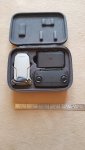
Here is a pic of my old Mavic Mini 1 in its carry case - see just how small it is!!
Complete with three batteries - and my spare phone fits in the top nicely as well.
20210301_101234.resized.jpg

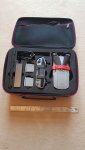
And this is the case that I bought for my new Macic Air 2.
See - the controller is the same as the new Mini 2.
Also this case allows for the joy sticks to be permanently attached to the controller.

20210301_101253.resized.rotated.jpg

Your final point - Automatic Flight Modes on the Mavic Mini 2
You are absolutely correct.
The only automatic flight modes are Quick Shots and as you say, people have managed to use these for crude "follow me" shooting.
As I said in my post last night, in the past, I wasn't able to use any automatic modes on my old Mavic Pro - everything that I did was manual.
So there is no difference there.
However the couple of flights that I've done with the new Mavic Air 2 may well change my approach on that.
Time will tell.
And, as you say, the Mini 2 has a much better camera than the Mini 1.
Another big plus for the Mini 2 is its range - I have had to rely on RTH a couple of times when flying the old Min 1.

Anyway, here's an example of the Mini 1's quality - the Mini 2, of course, has a better camera.
Manual flying.
Tip - this clip is hosted on Youtube so click the little cog icon and set the resolution up to see the best quality that was uploaded.
I think you will agree that quality is good enough for most home videos.
You will remember the location - it is about the only time that we managed any boating last year!!

 
I don't want to create thread drift, but I have been interested in buying a drone and the videos, examples on here are brilliant. I have a slight concern however and that is when I have done the various "standard" shots off my boat as per the examples on this thread, what then? What else will I use it for? That's a genuine question. I imagine that there are only so many overhead shots of my boat sailing, or overhead shots at anchor that would be interesting other than possibly for future reference i.e. good anchoring spots.
 
I don't want to create thread drift, but I have been interested in buying a drone and the videos, examples on here are brilliant. I have a slight concern however and that is when I have done the various "standard" shots off my boat as per the examples on this thread, what then? What else will I use it for? That's a genuine question. I imagine that there are only so many overhead shots of my boat sailing, or overhead shots at anchor that would be interesting other than possibly for future reference i.e. good anchoring spots.
It a good point but do you own a camera?
Have you got bored with using your camera.
Now days, I do use the phone more than my camera but I still wouldn't be without a device that takes photos.
It is the same for me for the drone.
For example, my son is building an extension to his house and it has been fun getting aerial photos during the build.
There are limits to where you can use it but I took the Mini out to Mauritius during a quick weeks holiday with SWMBO a few months before the Covid outbreak.
I always take a few photos when I am away on holiday so this was just a different way of doing it:-
Here's an example - bit of a dull and windy day when I took the pic though.

org_88f4c2064d20bc03_1579234680000e.resized.jpg

Those were the days - Holidays!!!
 
I agree with you !

I am building a house so find it useful when designing to have current aerial shots so that is one use. Then the boat etx

it is a £500 outlay but once done you will get a good % back on eBay so the cost is not so bad.
 
I've been out in the garden this afternoon with the Mavic Air 2.
The last time that I flew it, the Spotlight feature was so good that I thought I would try out the Auto Tracking and see if it is any better than the old Mavic Pro.
It still isn't that good but I think the software on the DJI Fly is a little more intuitive.

So, value for money at the moment, the Mini 2 has the edge.
 
Three points there J

Catching
Originally, I thought exactly the same as you.
But it is REALLY easy.
Yes - the downward sensors do have an effect but if you hold your hand out flat and manually land it (left stick down) into your hand, the drone thinks that your hand IS the land.
As a result the downward sensors are disabled as it approaches your hand.
If you just hold your hand out without the stick down (for landing) you are correct - it will fly away from your hand.
As soon as it touches your hand simply hold it and continue to hold the down direction on the joystick until the drone shuts the motors off.
It is really simple - juts try it.
Another trick that makes this easier is to turn it round so that the drone is facing away from you.
The forward sensors are then facing away from you and left is left - right is right - forward is forward etc - making it much easier to position over your hand.

Controller
My new Mavic Air 2 has the same controller as your Mavic Mini 2.
I agree, it isn't that big but (I believe) that the "Fly More" package for the new Mavic Mini 2 comes with a soft carry bag (I think it is the same soft bag that they provide with the new Mavic Air 2).
The original Mini Fly More package came with a rather nice small carry case - the one that I can chuck into my overnight bag.
In fact, I like the old Mini bag so much that I've bought a similar concept bag for my new Mavic Air 2.
However, for flying, the new controller is way better than the old one.
Fitting a mobile phone into the old style controller is a real PIA - far too fiddly.
Also the flight modes on the Mini 2 controller are a nice bit switch in the middle on the front - the old controller uses a button on the screen to switch flight modes.
These are very small issues but when your mind is on the flying (and trying hard not to crash) - little things like this make a big difference.
So, overall, IMO the new Mini 2's controller is a good step forward.

Here is a pic of my old Mavic Mini 1 in its carry case - see just how small it is!!
Complete with three batteries - and my spare phone fits in the top nicely as well.
View attachment 110288

And this is the case that I bought for my new Macic Air 2.
See - the controller is the same as the new Mini 2.
Also this case allows for the joy sticks to be permanently attached to the controller.

View attachment 110289

Your final point - Automatic Flight Modes on the Mavic Mini 2
You are absolutely correct.
The only automatic flight modes are Quick Shots and as you say, people have managed to use these for crude "follow me" shooting.
As I said in my post last night, in the past, I wasn't able to use any automatic modes on my old Mavic Pro - everything that I did was manual.
So there is no difference there.
However the couple of flights that I've done with the new Mavic Air 2 may well change my approach on that.
Time will tell.
And, as you say, the Mini 2 has a much better camera than the Mini 1.
Another big plus for the Mini 2 is its range - I have had to rely on RTH a couple of times when flying the old Min 1.

Anyway, here's an example of the Mini 1's quality - the Mini 2, of course, has a better camera.
Manual flying.
Tip - this clip is hosted on Youtube so click the little cog icon and set the resolution up to see the best quality that was uploaded.
I think you will agree that quality is good enough for most home videos.
You will remember the location - it is about the only time that we managed any boating last year!!


Nice boat Hurricane ??
 
no sadly not as the boat is in the med.

You can reset the home position so whilst not solving the problem you can get it to auto return. You can then stop the auto land and take over manually.

unless the boat was moving to a daft degree I believe it would be relatively simply to land on the front sun pads - it will compensate for wind etc itself. Additionally If someone is there to catch it they turn of when turned upside down.

Thamks. Very helpful.
 
I may have to bite the bullet and get a mini2 finally...

Mike, your thoughts on DJI FPV - Redefine Flying - DJI
curious if it's going to really make life easier or confusing!

cheers
Different market completely, Vas
There have been specialist clubs racing home made drones for a while.
I think that the DJI FPV is aimed at that market.

I had a set of DJI Goggles that I sold with my Mavic Pro.
They worked quite well but as a drone pilot wearing the Goggles, I always wanted to push a button on the screen which I couldn't of course because I couldn't see the mobile phone with the Goggles covering my eyes.
The DJI Goggles worked in a similar way to their new DJI FPV in that they connect directly to the drone using the Ocusync control system.
The DJI Goggles have a small trackpad on the side so it is possible to access some of the drone's controls - IF YOU CAN REMEMBER how it works.
The Goggles can also be set up to control the drone by moving your head.
It was all too complicated really - I usually gave them to someone else to view the flight whilst I was flying the drone.
Clever bit of kit but I'm not replacing them.
 
Top