
AngusMcDoon
Well-Known Member
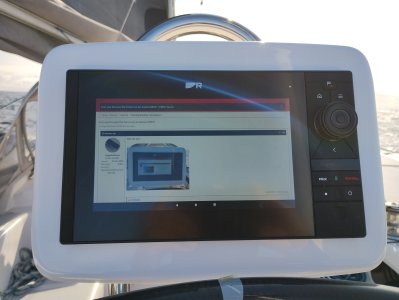
Well can you?
Last edited:



"Do you really have to?" is the way I'd rather put it.Well can you?


I'll be trying that next week
P.S. hang on, this is from @AngusMcDoon ... What electronic/software sorcery do I need to perform on my Axiom to do this? ..... if it came from this particular forumite it is almost certainly not something as simple as a browser supplied on the Raymarine App Store.
Just a bit of frivolity on the last day of my summer. Two hours away from my winter berth after being out for 4 months. Winter gales start tomorrow for as far as the forecast goes. Not the time of year to be heading to the Outer Hebrides as discussed in another thread.Are you bored today?

Open CPN will do that I often use that when walking.In more practical use, can you use Google earth with your position shown on it? Quite impressive if so
Will it? I thought you had to go through the rigmarole of taking satellite screenshots from GE then loading them in…?!!Open CPN will do that I often use that when walking.
It would be very useful to display Antares charts on the MFD if that were possible. Maybe using the Memory Map app. Anyone done that?
Will it? I thought you had to go through the rigmarole of taking satellite screenshots from GE then loading them in…?!!
In more practical use, can you use Google earth with your position shown on it? Quite impressive if so
I have the latest available free version of Open CPN on my phone and yes it does work. BUT it requires a data connection, in my case mobile data to load the GE images as it goes.Will it? I thought you had to go through the rigmarole of taking satellite screenshots from GE then loading them in…?!!