Android tablet as laptop remote desktop

GHA

Well-Known Member
Joined
26 Jun 2013
Messages
12,552
Location
Hopefully somewhere warm
Visit site
Maybe a bit more of a geeky forum question, but there are a few on here.....

The challenge is to have a laptop running Opencpn down below with gps & ais and a Sony Xperia z tablet running the show from the cockpit. Easy over the Internet using Pocketcloud but I'm hitting a brick wall getting the tablet to talk to the laptop locally, android won't see ad hoc networks.
Any suggestions?

Long term hopes are to have a raspberry pi with no keyboard or screen instead, anyone tried this?

Ta
 
The challenge is to have a laptop running Opencpn down below with gps & ais and a Sony Xperia z tablet running the show from the cockpit. Easy over the Internet using Pocketcloud but I'm hitting a brick wall getting the tablet to talk to the laptop locally, android won't see ad hoc networks.
Any suggestions?

How about using VNC? You need to install a server on the laptop (I use TightVNC on Linux, also available for Windows) and a VNC Viewer (https://play.google.com/store/apps/details?id=android.androidVNC) on the Android device. The viewer has to be able to see port 5901 on the machine with the server. If ad-hoc networks are an issue you could use a MiFi or something similar as a router.

Long term hopes are to have a raspberry pi with no keyboard or screen instead, anyone tried this?

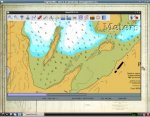
Here's a screenshot of Alisdair Gurney's excellent ARM port of OpenCPN (http://www.agurney.com/raspberry-pi/pi-chart) running on a BeagleBone Black over VNC. The client in this case is a Xubuntu desktop machine, but I don't see why it wouldn't work with an Android tablet. I'd try it if my tablet wasn't 100 miles away. VNC is also available for the Raspberry Pi.

tinyplotter.jpg

I'm using a BeagleBone partly because it has a faster processor than the Pi and 2GB of onboard storage, and also because I was given it. I have bought another two for other purposes since, though.
 
Last edited:
. If ad-hoc networks are an issue you could use a MiFi or something similar as a router..
That's the problem, the rest is OK, it's getting the tablet to talk to the laptop. There is an alfa r36 which could be used but it pulls about 0.5A, too much.
I think you can get androids to see ad hoc networks but it means rooting the tablet, which is OK but too big a download where I am over 3g.

Might have a look at bluetooth.
 
That's the problem, the rest is OK, it's getting the tablet to talk to the laptop. There is an alfa r36 which could be used but it pulls about 0.5A, too much.
I think you can get androids to see ad hoc networks but it means rooting the tablet, which is OK but too big a download where I am over 3g.

Can you run a DHCP server on the laptop and use it as the access point / server? I've done that on Linux but don't know how involved it would be on a Windows box.
 
Hi

Why not turn off the PC and run the Nav on the tablet? Saves 75% of the amperage.

I'm pretty sure my 10" Xoom can network to stream vids off my desktop shared external drive so some networking is taking place, I think that may be through File Manager HD

N
 
Hi

Why not turn off the PC and run the Nav on the tablet? Saves 75% of the amperage.
Opencpn won't run on android. (Yet :) )
And would be nice to get ais on there as well, which means some sort of comms between 2 machines, though the Pi may be easier when i get back into it.

Or...


Because it won't work!! Which means no rest 'til it does! ;)
 
Ooh, that looks interesting. I shall investigate ...

Well, it compiled OK with the cruisersforum instructions (except that it's "cd build" and not just "build") and it seems to be running OK. I can't see any real difference, though, because over VNC that's the limiting factor on the display, not the application. I'll try it on a monitor later ...
 
So many ways to skin this particular cat...

Cant add anything to your specific request, but I like the approach - especially the long term goal - so if you resolve it please let us know. You never know it might be the killer app that persuades me a tablet would be worthwhile :)

To try and do something similar, I first had two laptops running OCPN and sharing the data input streams using OCPNs inbuilt function. That was way too heavy on power though. I do have a router running onboard so my approach was to try and get the router to distribute GPS/AIS data wirelessly so I could just move the laptop around. Sucessfully did that using kPlex and plugging the serial/USB cables from GPS/AIS into the router. I'm now wondering if I can add a RADAR to the mix using one the plugins for OCPN receiving data via the router but thats still under investigation. My thought is to use the router as a hub for all data around the boat.
 
I have a Toshiba Netbook running Windows 7 Starter and use it with SeaPro.

I use this to turn the netbook's own wireless device into a router;
https://virtualrouter.codeplex.com/
I just connect my Android device to the virtual router as I would any other wireless router.

I also have TightVCN installed on the Netbook, this is a VCN server.
http://www.tightvnc.com/

My Android device has Remote Ripple installed which is a VCN client.
https://play.google.com/store/apps/...nk&utm_content=top-link&utm_campaign=rrviewer

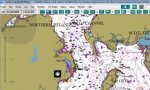
The result is viewing and control of my netbook from my Android phone. There is no additional hardware and the software used is free.
2014-03-25 11.00.45.jpg
 
Last edited:
Yippee robbie and John, both ways work, probably doing the same thing?
But only after Google came up with the need to update the driver of the internal wifi adaptor to allow hosted networks, but all good now. Well, clunky and slow but workable.
If it works on a win7 laptop then a Raspberry Pi should also work, with very low power draw.
So with a waterproof sony xperia 10" tablet in the cockpit there's now a choice between navionics or Opencpn with AIS and all the routing options on there.

Cheers all, forum definitely having a good day :cool: :cool:
 
Yippee robbie and John, both ways work, probably doing the same thing?
But only after Google came up with the need to update the driver of the internal wifi adaptor to allow hosted networks, but all good now. Well, clunky and slow but workable.
If it works on a win7 laptop then a Raspberry Pi should also work, with very low power draw.
So with a waterproof sony xperia 10" tablet in the cockpit there's now a choice between navionics or Opencpn with AIS and all the routing options on there.

Cheers all, forum definitely having a good day :cool: :cool:

My Netbook draws <12W. That's with the display backlight set quite high.
 
Top