Victron Cerbo -> VRM w/o internet or direct connection?

Karlsenkystfiske

Well-Known Member
Joined
27 Dec 2022
Messages
146
Visit site
I have the cerbo and a mac mini and a Iphone with the VRM app all connected to the same WIFI. Once I lose internet connection the VRM app no longer receives updates. Shouldnt it be possible for them to continue communication as thet are on the same network?
I am aware that I can direct connect any device to the cerbo, but that is kind of cumbersome :)
 
I take it that is working from a designated WiFi on board .... You should be able to toggle to local devices all depends what components are seeing what ... . .
 
The vrm portal will only work on the WiFi you set it up on so yes if you loose connection it won't see it apart from then local devices IE your cerbo going to Bluetooth... .The system won't automatically go onto another WiFi until the new password has been activated
 
It does not lose WIFI connection. It only loses internet connection. WIFI is on at all times. I find it strange that the data has to go by Victron sever before I get it. When all devices are on the same local network.
 
Ah ok right I had this in cerbo unit in campervan conversion.... .. Have you tried hard wiring to the WiFi server because if it still looses connection then you need send cerbo back to victron as there's known faults on the antenna. I ended up sending mine back and they changed the unit and from then on I had no issues
 
My understanding is that The data is on victrons server so both cerbo to send the data and your computer to view the data so need to be able to access this Via internet not local network
 
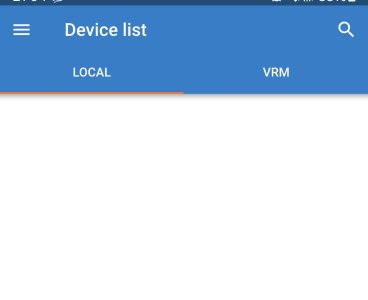
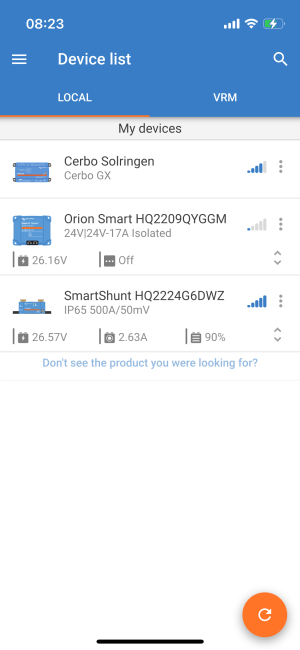
For the vrm to work it needs an Internet connection. If you use the VictronConnect App you have the choice to select local or VRM. Local is connected via Bluetooth to all of your devices without the need of an Internet connection.

Thanks,

Charris
 

Attachments

  • SmartSelect_20231119_210442.jpg
    SmartSelect_20231119_210442.jpg
    45.7 KB · Views: 4
It does not lose WIFI connection. It only loses internet connection. WIFI is on at all times. I find it strange that the data has to go by Victron sever before I get it. When all devices are on the same local network.
Like I say try hard wiring to the server if it's still dropping out there's fault with the cerbo
 
My understanding is that The data is on victrons server so both cerbo to send the data and your computer to view the data so need to be able to access this Via internet not local network
I find it strange that it is not able to do both?
For the vrm to work it needs an Internet connection. If you use the VictronConnect App you have the choice to select local or VRM. Local is connected via Bluetooth to all of your devices without the need of an Internet connection.

Thanks,

Charris
Yean I see it localy, but I dont think I can receive "VRM data" whitout browsing remote console menus?
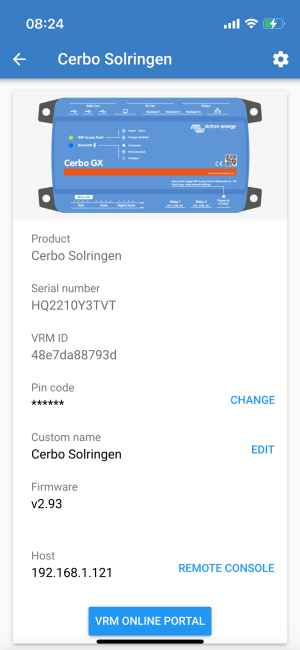
IMG_0930.PNGIMG_0929.PNG
 
When you say "server", do you mean the WIFI router? Or are you talking about the actual victron sever which the cerbo sends data through?
Yes the server which you have as all your devices set up to via WiFi you can put an ethernet cable from that to the cerbo .. Another thing to check is on the diagram someone has uploaded in the top right hand side there's a cog wheel .....Click on that and that will show all the information about your internet connection IE whether your connected or not and service provider etc . See how that goes
When you say "server", do you mean the WIFI router? Or are you talking about the actual victron sever which the cerbo sends data throug
 
Top