Two display can I share AIS and charts?

icarusbop

Well-Known Member
Joined
14 Jan 2013
Messages
124
Visit site
Hello:

I have two Raymarine MFD's on board my yacht, one is a C-80 and the other a C-70, they are both connected to the SeaTalk network.
Both units show all the transducer information (wind, compass, depth etc) fine.
Can I share one chart onto the two displays, or do I need two separate charts?

Also - the C-80 has AIS input to it, which is working fine, but the AIS targets don't show on the second display (C-70). I thought the AIS data would be transported over the SeaTalk network, but this does not seem to be the case - can anyone confirm this please?

Thanks
IcarusBop
 
They will need to be connected together with a raynet cable (a waterproof ethernet cable) . One display becomes the master and the other the slave. The master must be the one with the chart and the AIS connected to it.
 
They will need to be connected together with a raynet cable (a waterproof ethernet cable) . One display becomes the master and the other the slave. The master must be the one with the chart and the AIS connected to it.

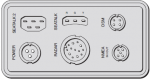
Hello and thanks - there is no connector for a 'Raynet' cable only seatalk, Seatalk2, nmea, dsm, radar...
C-70.PNG
 
Sorry. I am thinking of the more up to date equipment.
Try searching the Raymarine website - I am sure there will be instructions for older equipment and if not they will answer technical questions .
 
Must admit I had a vague idea that C-series plotters could be connected as master and slave, but this statement from Raymarine seems pretty conclusive:
http://www.raymarine.com/knowledgebase/index.cfm?view=4289

Can’t be done, needs a newer model of plotter.

AIS is not transported over Seatalk1, but you should be able to run a cable to the other display’s NMEA input and connect it in parallel to share the AIS receiver.

Pete
 
Hello:

Thanks to everyone for their responses, the Raymarine link says it can't be done with my kit - never mind.

I'll look in to connecting the second unit to the NMEA network as well, that should solve the AIS issue.

Regards:

IcarusBop
 
Hello:

Thanks to everyone for their responses, the Raymarine link says it can't be done with my kit - never mind.

I'll look in to connecting the second unit to the NMEA network as well, that should solve the AIS issue.

Regards:

IcarusBop

You'll need a second R08004 cable unless you already have one going spare. These are not so easy to get hold of these days although can be imported from the States.

Richard
 
You'll need a second R08004 cable unless you already have one going spare. These are not so easy to get hold of these days although can be imported from the States.

I wasn't able to find one when I connected AIS to my old C70. What I did instead was to use individual pin sockets (the kind you crimp onto the wires and then insert into a Deutsch or similar plug), put them on the pins in the plotter's socket, and then fill the socket with hot glue. Then applied heatshrink over the whole lot including the circular protrusion of the plotter.

When I later needed to remove the plotter due to the notorious C-Series Creeping Screen Death, I cut off the heatshrink and the block of solid glue slid out of the socket with the terminals embedded in it, having formed a custom-moulded plug. It later slipped back into the plotter, and a new piece of heatshrink held it in place.

The proper cable will be much easier, though :)

Pete
 
As said earlier you definitely cannot master/slave C series units. You need E-series or some other newer models for that.
 
Your Seatalk network is passing instrument data between the instruments and one or both plotters. It operates at 4,800 baud (bits per second).

AIS data, because of the high volume of it, only operates at the higher speed of 38,400 baud. Somehow that's getting to your C80 plotter, and I'll bet it's via the plotter's separate NMEA data input. As we know your C80 is 'hearing' that data, its port baud rate will have been set to 38,400 baud.

If you feed that same AIS data source into the C70's NMEA input, the C70 will read it.

If it doesn't, it's because the C70 has been set to expect a different baud rate on its NMEA port. You can set this from the Menu button -> System Setup -> System Integration -> NMEA Port Setting, and select the 38,400 baud option.

If (possible but from your description I doubt) the C70's NMEA input is already being used, you need to find out why. It's possible that it's getting its instrument data from the C80's NMEA output rather than from Seatalk, in which case setting the NMEA ports of both plotters to 38,400 baud should fix it.
 
Last edited:
Top