Raymarine Elements & AIS Receiver Quark QK-A028

Shibby84

New Member
Joined
14 Jun 2021
Messages
16
Visit site
Hi everyone,

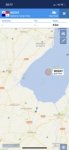
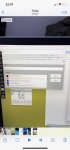
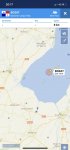
I have a raymarine element HV and have just brought a quark ais receiver which is connected by NMEA2000 (Quark QK-A028). Raymarine unit sees the device but I am not getting ais targets on my plotter. The quark box indicates it’s receiving ais targets but they are not showing. I have tried two different aerials and various bits but can get it to work. Any ideas?4F807843-C0A1-470B-B65C-81AABE7FE0F1.jpegCA9F1E7A-08C2-424D-ACC5-2368CE41A4CF.jpeg
 
That's a bit of a shame. I have an Element 9 which connects to an Em Trak AIS B100 transceiver. It was plug and play to set up. Could the Quark go back and be replaced with something else that is actually a transceiver rather than just a receiver.

However, before that have you tried connecting a laptop up to the Quark and seeing what is actually being received?
 
Last edited:
That's a bit of a shame. I have an Element 9 which connects to an Em Trak AIS B100 transceiver. It was plug and play to set up. Could the Quark go back and be replaced with something else? However, before that have you tried connecting a laptop up to the Quark and seeing what is actually being received?
Hi Pete, that’s a job I have planned for this weekend. Because the Quark takes power from the nmea I didn’t have my laptop with me to try it. I do hope it’s something simple.
 
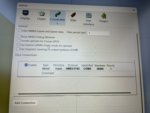
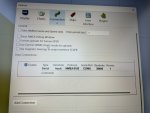
Okay, so been back down to the bit and plugged into my laptop. I managed to get gps data and the link up and running but no AIS data. I’m stuck now
 

Attachments

  • A42A99E5-082B-40F8-85BB-924907A871CF.jpg
    A42A99E5-082B-40F8-85BB-924907A871CF.jpg
    14.3 KB · Views: 7
  • F3ABDC19-0D2E-4685-B40E-CCA673DD8693.jpeg
    F3ABDC19-0D2E-4685-B40E-CCA673DD8693.jpeg
    19 KB · Views: 7
  • 67620A0E-52CC-4B45-BA0F-EB4481029858.jpeg
    67620A0E-52CC-4B45-BA0F-EB4481029858.jpeg
    20 KB · Views: 6
  • BE676C15-596B-4016-87B8-E19F324961D6.jpeg
    BE676C15-596B-4016-87B8-E19F324961D6.jpeg
    14 KB · Views: 6
  • A0E28E1B-0CA5-477D-94BE-DE7D7E22E993.jpg
    A0E28E1B-0CA5-477D-94BE-DE7D7E22E993.jpg
    15.2 KB · Views: 5
Those screenshots show up too small to be readable, @Shibby84.

I always use Imgur instead - if you use the forum markup below, a direct link to each image, not the gallery URL, then the images show up at full resolution on the page.

Code:
[img]i.imgur.com/abc123.jpg[/img]
 
I'm not familiar with the Quark product - are you saying that your laptop is getting GPS data from the Quark, but not AIS?
 
Those screenshots show up too small to be readable, @Shibby84.

I always use Imgur instead - if you use the forum markup below, a direct link to each image, not the gallery URL, then the images show up at full resolution on the page.

Code:
[img]i.imgur.com/abc123.jpg[/img]
Thank you for the heads up. Let’s try these
 

Attachments

  • D236728E-240F-4CD9-9D95-F40672AE7F66.jpeg
    D236728E-240F-4CD9-9D95-F40672AE7F66.jpeg
    127.5 KB · Views: 9
  • 22AC8072-30ED-408C-A0BA-F9363E1B523D.jpeg
    22AC8072-30ED-408C-A0BA-F9363E1B523D.jpeg
    130 KB · Views: 8
  • 53BCD3E4-81DA-4D72-8ACF-5BE7B11CA040.jpeg
    53BCD3E4-81DA-4D72-8ACF-5BE7B11CA040.jpeg
    261.4 KB · Views: 9
  • 352D1143-32E8-4B03-AD98-CA6F7864C568.jpeg
    352D1143-32E8-4B03-AD98-CA6F7864C568.jpeg
    199.9 KB · Views: 7
I'm not familiar with the Quark product - are you saying that your laptop is getting GPS data from the Quark, but not AIS?
Yes, correct. Same on my raymarine elements. I want it to interface with my plotter but tested the laptop link to see if it worked but didn’t. I tried two different aerials but still no luck
 
Surely this must mean it's a faulty unit and should be returned to the seller?

Receiving GPS data means that Quark's NMEA 0183 output to the laptop is working (assuming there's nowhere else your laptop could be getting it from). The only possible reason for no AIS on the NMEA 0183 is that the Quark isn't putting it there!

I hypothesise that a bad AIS chip or a poor soldering joint in that part of the Quark's circuit board could cause this.

I can't absolutely guarantee this diagnosis, but IMO you should talk to Quark now.
 
Surely this must mean it's a faulty unit and should be returned to the seller?

Receiving GPS data means that Quark's NMEA 0183 output to the laptop is working (assuming there's nowhere else your laptop could be getting it from). The only possible reason for no AIS on the NMEA 0183 is that the Quark isn't putting it there!

I hypothesise that a bad AIS chip or a poor soldering joint in that part of the Quark's circuit board could cause this.

I can't absolutely guarantee this diagnosis, but IMO you should talk to Quark now.
Agreed. I think I have tried all reasonable attempts to try and get this working and resolve the problem. Let’s see why they say in the morning.
 
I sent it back in the end but didn’t hear anything back from the shop if they found a fault. It’s a shame as it seemed a great unit and if I knew it was faulty would have brought another one.
 
Top