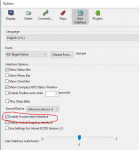
Opencpn 5.0 on Windows 10 Touch Screen with VMH Charts.

DJE

Well-Known Member
Joined
21 Jun 2004
Messages
7,742
Location
Fareham
www.casl.uk.com
I've just upgraded to Opencpn 5.0 on a Pipo X10 running Windows 10. I am using the Visit My Harbour raster versions of UK Admiralty and French SHOM charts. The previous version of OpenCPN had up and down arrow buttons on screen for switching to larger or smaller scale charts but the new version doesn't have them. Instead there are a row of buttons across the bottom which I am supposed to click to choose the chart that I want to use. These buttons work fine if I'm using a mouse but they don't seem to respond to touch screen input. Has anybody else notice this and do you have a fix for it?
 
Not to answer your question but on the new Android version of Ocpn, on the icon bar you can adjust settings / add remove icons. I think you touch and hold icon bar. Two of the icons you can add are the up down arrows.
PS Sorry, forgot to say, touch and hold is equiv to Rt click on mouse.
 
Last edited:
I use the oeSENC vector charts with V5 on a touchscreen WWindows 7 device.

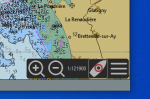
I don't like the chart bar and turn it off. For zooming I just use the + and - buttons bottom right.

1587474666074.png
 
Thanks for your thoughts. A little more experimentation and I've solved it. You have to double tap the chart bars if using a touch screen. All works fine now.
 
Top