Garmin plotter charts - detail?

Sticky Fingers

Well-Known Member
Joined
21 Feb 2004
Messages
7,475
Location
Home Saffron Walden, boat Swanwick.
Visit site
Had a good sail from Chichester down to the Hamble this weekend. On the way I spent some time exploring the chart on the Garmin plotter, I spotted something a bit worrying.

I happen to be very well aware of the existence of the submarine barrier between Horse Sand Fort and the mainland. Looking at my Admiralty charts it's as clear as it could be. However, it is not visible on the Garmin chart at all. What I can see is a little symbol in that area, which if I choose to position the cursor over it, then select it, and then click a button to display more info, tells me of the existence of the barrier but not where it is, or any other info that might assist with safe navigation.

Am I missing something here, why would such a hazard never be shown? What else is not shown? Or is this a RTFM problem...?
 
Does it show if you zoom in on the chart?
No. Only the litte symbol thing. And that only appears when the zoom is such that the barrier would not fit on the screen


Shows fine on my Garmin charts UK & Ire V 2015.5. Make sure you have the detail level on your chartplotter set to 'highest' or 'most'.

View attachment 71882

Telstarr, wow mine looks nothing like that, I also do not have the detailed soundings not the names on the buoys for example. It's very Mickey Mouse. I've ranted about it before on here..! I smell a rat. "Detail Level" ... is where? Is that a menu / setting?


My plotter was new last year, it's a GPSmap 820, manufacturer installed with Mar 2017 Garmin charts. Something not right.
 
My plotter was new last year, it's a GPSmap 820, manufacturer installed with Mar 2017 Garmin charts. Something not right.

I have an 820 plotter. Do you use the "Navigation chart" setting? You can also change a lot of chart appearance features by going to Menu > Chart Setup > Chart Appearance and then looking at "Detail" settings.
 
Yes I use that Navigation Chart. I'll have a play next time I'm down.

Garmin have agreed to swap the un-update-able obsolete chart they sold me a few months ago for a new one, at no cost (separate issue) so I guess I just plug that one in instead?

Or do you know if I then need to do some arcane setup?
 
Yes I use that Navigation Chart. I'll have a play next time I'm down.

Garmin have agreed to swap the un-update-able obsolete chart they sold me a few months ago for a new one, at no cost (separate issue) so I guess I just plug that one in instead?

Or do you know if I then need to do some arcane setup?

You don't need to set up a chart cartridge, just plug it in and switch on. But it's worth exploring all the plotter's menus and sub-menus, to see what it can do.
 
As PVB says, have a play in the menu/settings area of your 820. I'd be amazed if the level of detail I have on my old Garmin chart is not available to your plotter and chart, otherwise, what would be the point in it's existence.

With my old 556s, with the screen showing the chart, you hit the menu button and it gives you a list of options on the chart settings. It may well be different on yours though.

I was always puzzled as to why you kept writing in other threads that you found the Garmin charts mickey mouse as I've always found them to be good. Now I think we have the answer.... I'm sure the detail is there, you just need to find the right menu button. If you still have no joy, next time you have the plotter in front of you, call Garmin support in Southampton and they can walk you through it.
 
As PVB says, have a play in the menu/settings area of your 820. I'd be amazed if the level of detail I have on my old Garmin chart is not available to your plotter and chart, otherwise, what would be the point in it's existence.

With my old 556s, with the screen showing the chart, you hit the menu button and it gives you a list of options on the chart settings. It may well be different on yours though.

I was always puzzled as to why you kept writing in other threads that you found the Garmin charts mickey mouse as I've always found them to be good. Now I think we have the answer.... I'm sure the detail is there, you just need to find the right menu button. If you still have no joy, next time you have the plotter in front of you, call Garmin support in Southampton and they can walk you through it.

The light is maybe dawning. To be clear, I have never switched any feature off. So it must be defaulted to "show as little as possible" or maybe Clipper did it (why???).

Anyways, next couple of weeks I'll install the new chart and have a look into the settings..
 
I have found several areas on Garmin charts with lots of "+"s denoting less than 2m at LAT. But these are in deep water. Looking at the relevant BA Charts of these areas, I see "r"s denoting a rocky bottom. Obviously, when the information was being transferred from the BA chart, someone, in their wisdom, took the "r" to mean a "+".

They do say that these charts are not to be used for navigation. I can see why!
 
Are you sure you are looking at the chart on the card and not at the background lo-res World map?
 
It may be worth taking the chart card out and seeing if the display is any different, it sounds as though the card is not being read and all you are seeing is the default map, which shows little detail.
 
It may be worth taking the chart card out and seeing if the display is any different, it sounds as though the card is not being read and all you are seeing is the default map, which shows little detail.

Good idea thank you, as I now no longer have the chart card (gone back for a swap) will have to wait till I get the new one.
 
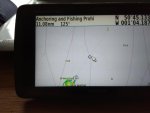
This is my 276cx, using HXEU70L, A & B. v2017.0

ygy1SYTgX64kmnHp9
IMG_20180703_110609381.jpg

Well blow me, I have the same problem as Scala.

On mine, I press the menu button while on the map page and a drop down had 'change map detail' about half way down. That brings up a slider which I have fully right for max detail. On the same drop down there is declutter, again that's switched off. Like Scala, if I didn't know of the barrier I might not have noticed it.

My respect for Garmin is now lower than I could have imagined.
 
Just to add something to this. I've been playing with Navionics trial, and decided I like it. For 42 of our lovely english squids I get Navionics HD on my tablet. Compared to whatever is wrong with my Garmin and also, it seems, with anoccasionalyachtsman's, the Navionics chart display and detail quality is outstanding.

The submarine barrier is clearly visible at all levels of zoom except "detail free".

Garmin, £350
Navionics HD, £42

Hum. Though, to add to the frustration, a Navionics chart for a plotter is £339. I smell a ratty shaped object, maybe a Marine ripoff.
 
Top