Garmin Echomap plus 95SV

Daydream believer

Well-Known Member
Joined
6 Oct 2012
Messages
23,576
Location
Southminster, essex
Visit site
I have decided to move into the modern age & purchase a new chart plotter to supplement my Yeoman plotter. . ( note supplement NOT replace)---My old Lorenz plotter , like this one, was mainly used for AIS reception. but that one was consigned to the bin because it constantly cut out.

I want to be able to set a route & then write down on paper the distances & bearings to each waypoint/destination. This is because I do not trust the things & prefer to know where I am going. With the bearings & distances to hand in advance, I can make mental adjustments for tides etc & get lost/run aground at will without total reliance on a chart plotter. Now with my Yeoman this is easy to do. With my old Garmin 152 GPS I could display a route & distances & bearings came up on a list, just by scrolling the page.
But I cannot find how to do that with the new plotter. I can get a list of waypoints - but that is no use. I want to know before I even start the journey.

The other problem that can be solved with my Yeoman, but not my new plotter, is distances. If I want to consider a passage through a narrow channel, but want to know how wide it is first. I can just stick the puck on 2 points on the chart & the distance & bearings come up instantly. Thus, I can see how wide the channel is. I could do similar with the Lorenze plotter. But I cannot do this with the Garmin. I can only guess from the scale at the bottom of the screen.
Can anyone with a Garmin 95 help me out please ------ & yes I have tried to RTFM In fact I feel like chucking the FM overboard :D
Thanks in advance
 
I have a 95SV Plus. Can't say i've tried what you want, but, from the manual ;

Measuring a Distance on the Chart
  1. From a chart, select a location.
  2. Select Measure Distance.
    A push pin appears on the screen at your present location. The distance and angle from the pin is listed in the corner.


TIP: To reset the pin and measure from the current location of the cursor, select SELECT

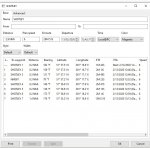
I cannot see an easy answer in the manual to the other question, might be able to if i was in front of the plotter. However, i think there is a better solution than doing this on the plotter. I have OpenCPN on a laptop and use that for route planning, you can plan your routes at home and take them to the boat. OpenCPN will display a list of all waypoints in a route and allow you to print them, should be just what you want and saves writing down details from the plotter, here's a screenshot i just took from one of my routes ;

Untitled.jpg

You can export the route as a gpx file and send it to your phone (assuming a smart phone) or tablet, running the Garmin active captain App'. The App will sync your waypoint and routes with the plotter, over wifi.
 
(Just edited what I put earlier)
Actually that was not quite right but it put me on the right track so thanks. I have to select the first point then "set reference" ( which you get after "measure distance") & the info is displayed in a box top left as range bearing and lat long To clear it one presses "stop measuring"So perhaps there is a slight change in software.
So thanks for that problem solved (y)

re CPN I do not understand open CPN. I down loaded it but there is no map for the UK waters. So I do not have a clue how to put the waypoints into it. Plus carrying a laptop on a boat seems a real pain. Your list is what i want but I am surprised that a modern chart plotter just cannot display it. Seems silly that one has to use another medium to get the info
But thanks for trying anyway I am half way there
 
Last edited:
(Just edited what I put earlier)
Actually that was not quite right but it put me on the right track so thanks. I have to select the first point then "set reference" ( which you get after "measure distance") & the info is displayed in a box top left as range bearing and lat long To clear it one presses "stop measuring"So perhaps there is a slight change in software.
So thanks for that problem solved (y)

re CPN I do not understand open CPN. I down loaded it but there is no map for the UK waters. So I do not have a clue how to put the waypoints into it. Plus carrying a laptop on a boat seems a real pain. Your list is what i want but I am surprised that a modern chart plotter just cannot display it. Seems silly that one has to use another medium to get the info
But thanks for trying anyway I am half way there

Just looked on my phone, with the Garmin Active Captain App', this will do what you want with the distance and bearing to waypoints. If you don't have the app', it's free and it will use your Garmin charts. Just register with Garmin, then when you download the app' log into your account. This will allow you to download the Garmin charts. You can connect the phone to the plotter by wifi and it will sync your waypoints and routes.

Start the app, go to "Charts"
Tap the menu (three lines, top right of screen)
Tap "User data"
Tap "Routes"
Select your route

At the bottom of the screen there will be a list of waypoints, showing distances and bearings.

The app is well worth having, it's free and works stand alone, and it allows you to update the plotter via wifi.

I'll go have a look and see what options there are on the plotter. BRB
 
Last edited:
This can be done from the plotter too.

From the chart screen, tap "Nav Info"
Tap "Routes and auto guidance"
Tap the route you want info for
Tap "Edit route"
Tap "Edit turns"
Tap "Use turns list"

You'll see the list of waypoints, with distances and bearings.
 
This can be done from the plotter too.

From the chart screen, tap "Nav Info"
Tap "Routes and auto guidance"
Tap the route you want info for
Tap "Edit route"
Tap "Edit turns"
Tap "Use turns list"

You'll see the list of waypoints, with distances and bearings.
I thought for a minute that that had solved it --- But no!! :(
Just out of interest i wanted to check the distances for a route from Le Havre to Cherbourg.
It does not give the distance for waypoint to waypoint but the range & bearing from where i am sitting right now for each waypoint. Which is not the distance between waypoints.
So no that is not the answer. I really want the info for route planning, as well as just before I leave on a trip, so i have entered all the routes down to the CIs
Actually, I have done the trip so many times I do not need a chart, but I would still like to know it can be done. No use having a plotter & not knowing how it works

I did play with active captain but because it does not work on my Ipad I stopped. I tend not to use a phone on a boat. My I phone gets used as a phone & that is it. I then gets put in a locker so I get some peace when I am sailing!!!!
. I have not found a way to use Active Captain on a laptop which seems odd. Homeport is not very stable & has bad reviews

Still going to keep my Yeoman though !!
 
Last edited:
I was just thinking how much easier it seems...

to just do it on a chart...

But to be honest I tend to keep track of things these days just with a glance at the Navionics on my phone.

I assume once you set up a route like that, it's always available for the next time, and you can call up the reciprocal of it for a return journey. Like I can on my handheld non-chartplotter GPS?
 
I was just thinking how much easier it seems...

to just do it on a chart...

But to be honest I tend to keep track of things these days just with a glance at the Navionics on my phone.

I assume once you set up a route like that, it's always available for the next time, and you can call up the reciprocal of it for a return journey. Like I can on my handheld non-chartplotter GPS?
It is that is why i like my yeoman. I can look on a chart- So long as I have not run off the sheet that is set up on it!!,
Before I set off I like to write down the course. I want to know before i get there, where I am going next. Having had a chart plotter that used to crash 3-6 times on a voyage I want to know where I need to go. Sometimes I get caught in F8 & simply going below to look at a chart is not possible.
I never have a phone on deck & come from a pre GPS era so conventional nav methods are hard to forget.
 
Active Captain will not work on a laptop.

OpenCPN will, but you need to buy charts, not much money. You don't need to take the laptop onboard, plan the route, print the waypoint info you want, send to your phone. When you get to the boat sync the route with the plotter. It isn't hard, does everything you want and you have the app on the phone as a backup "plotter" and it will keep the plotter and charts updated, all for free.
 
Looking again, this is really simple. Put the app' on your phone, sync the phone with the plotter, then follow the steps in post #4. The app' will then displsy Total distance, distance between waypoints and bearing. You'll have everything you need in your hand and can sit at the chart table, in the warm and do whatever you want with it. The app' should work on your iPhone and your iPad, as well as Android devices, but no PC support.
 
Active captain does not work on my Ipad. The program is not compatible & refuses to load, :confused:
But I have it on my Iphone. It means I have to sit on deck in the cold ( plotter is sighted aft of the tiller facing forward) & insert the route, Down load to my phone then i can do as you suggested earlier & get the list off my phone. A faff but it does solve it . Should be possible on a chart plotter but !!!!!!!
I will probably go & buy another base station for the plotter, which is what I did for the Lorenz. I had the one down below on a 1.200 wandering lead so i could lay in my bunk & use it. Then take the plotter on deck.
 
Active captain does not work on my Ipad. The program is not compatible & refuses to load, :confused:
But I have it on my Iphone. It means I have to sit on deck in the cold ( plotter is sighted aft of the tiller facing forward) & insert the route, Down load to my phone then i can do as you suggested earlier & get the list off my phone. A faff but it does solve it . Should be possible on a chart plotter but !!!!!!!
I will probably go & buy another base station for the plotter, which is what I did for the Lorenz. I had the one down below on a 1.200 wandering lead so i could lay in my bunk & use it. Then take the plotter on deck.

Perhaps the iPad is an older model, or one without GPS ?

As you know, the plotter can be removed from the bail mount/cradle, so you could indeed fit a second cradle down below and just connect to a power supply. I've got a brand new mount here that's spare, not sure if i have the power cable, but could check if you decide to go that route.
 
Top