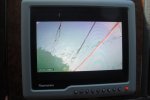
Bow anchor camera question

West Coast

Well-Known Member
Joined
23 Aug 2009
Messages
1,201
Location
Clyde
Visit site
Hi all,

A couple of near-miss experiences this year has got me thinking about a bow anchor camera, with a display at the wheel. I know there are dedicated waterproof marine cameras for this, but these are very expensive and more than I need.

Apologies as application is a 44' sailboat but have seen more of these on mobos so thought worth posting the question here as there is likely more experience!

I have been looking at a wifi camera which would talk to my ipad, but this has limitations as the ipad dayscreen view is limited.

I have a Simrad EVO3 9" cockpit display which will take a direct video (RCA I think) input. So - am thinking, could I set up a low cost digital camera on a temporary clamp with wifi output, connect this to a wifi receiver of some kind with RCA video output and connect this in turn to the EVO3 display?

Thanks!
 
I have a bow mounted camera that then transmits wirelessly to the upper helm and displays on the plotter. I don’t think using iPads ets is viable. My setup cost I guess £100. Waterproof cameras are £20 ish on eBay. Wire would have been cheaper but running the cable was an issue ( I have had the boat in bits and it was still an issue )
 
I have a bow mounted camera that then transmits wirelessly to the upper helm and displays on the plotter. I don’t think using iPads ets is viable. My setup cost I guess £100. Waterproof cameras are £20 ish on eBay. Wire would have been cheaper but running the cable was an issue ( I have had the boat in bits and it was still an issue )

This sounds exactly what I am looking to do - can you advise what is the bit of kit you bought to receive the wifi and to output the video signal for the plotter?
 
Not sure what you mean by a bow anchor camera but I experimented with cameras to give me a view ahead when my guardwire-sweeping genoa blocked the view when close-hauled. I used cheapo CCTV cameras wired to the video input on a Raymarine E120. It all worked but the problem was that because the cameras have a 65 deg field of view, anything apart from very close appeared too small even on a 12" screen to be of any use. A boat dangerously close would only be a small dot, easily missed. Plan B, I had the genoa recut to lift the foot.

I now use the cameras to give me a view of the chain locker and over the bow when lowering and raising anchor from the wheel, or when picking up a buoy. In that role they're very useful.
 
Not sure what you mean by a bow anchor camera but I experimented with cameras to give me a view ahead when my guardwire-sweeping genoa blocked the view when close-hauled. I used cheapo CCTV cameras wired to the video input on a Raymarine E120. It all worked but the problem was that because the cameras have a 65 deg field of view, anything apart from very close appeared too small even on a 12" screen to be of any use. A boat dangerously close would only be a small dot, easily missed. Plan B, I had the genoa recut to lift the foot.

I now use the cameras to give me a view of the chain locker and over the bow when lowering and raising anchor from the wheel, or when picking up a buoy. In that role they're very useful.

It for lowering and raising the anchor, when short handed. I’m just needing help to identify the right piece of kit which will accept a Wi-fi signal from the camera and give a video output which I can feed into my plotter.

Just realising that my original post implied near misses with other boats while underway! This is not the case, the near misses were from the anchor while trying to retrieve in very windy conditions!
 
Last edited:
Can't help with the wifi bit, I wired mine. Is your plotter digital or an old-style analogue E120 like mine? For analogue you need TVL (TV lines) cameras not digital, mine were Zosi, about £13 on eBay though they seem to be £25 now.

ZOSI CCTV Cameras 1080P 3000TVL Home Security Dome Night Vision TVI camera | eBay

Edit Ignore the shape and mounting style, I mounted them on a piece of ply and hung it on the pulpit on wire coat hanger offcuts, pointed where needed.
 
Last edited:
Apologies - i'm not very sure what Im looking at here - might you be able to suggest a link? Thanks

Can I suggest you PM Hurricane of this parish who has fitted an anchor cam to his boat and is very knowledgeable about all things electronic. Also this subject has been discussed before on here. Try searching the forum on anchor camera or AnCam
 
This is a copy of my reply to West Coast's PM to me.

I think the short answer to your question is that I haven't done exactly what you are asking.
But I do have an anchor camera - we call it "Ancam"
I am not one for expensive marine electronics, especially when the marine suppliers just use cheap components anyway.
My docking cameras for example, cost about £70 each inc VAT 12 years ago when Raymarine wanted £560 each plus VAT.
My cameras are dome type that don't look out pf place.
The Raymarine ones on that time looked like cameras and were made of corrosive material - mine are plastic and still look good.
Sorry, I digress but I think I've made my point.

I'm afraid that all my cameras are wired back to their displays.
My docking cameras are RGB and connect directly to my Raymarine Nav displays.
A single button press on the Raymarine kit displays the appropriate docking camera.

IMG_5279.resized.JPG


My Ancam is digital (an IP Camera) that connects with wires to my on-board PC.
The PC then displays the image on the Raymarine kit.
The problem with IP cameras is that they "stream" the image so there can be a delay between the camera viewing the image and it being displayed.
In my case, my Ancam delay is about half a second - doesn't sound very long but it is noticeable.

None of this really helps you.
I think you have summed up the solution - you need a wireless video camera that connects to your iPad or Simrad display.
I'm not a great fan of anything Apple for the same reasons mentioned above - I don't like getting ripped off.
But, you already have an iPad and a Simrad.
In your position, I would concentrate on fitting a camera to your Simrad nav.
Why has it got to be wireless?
Is that just a convenience to make it easy to install (not running wires through the boat) or is there another reason.
Remember, you have to power the camera anyway so why not wire it all up properly.
For example a cheap camera connected to your Simrad kit would be easy to turn on whenever you wanted it.
When you need Ancam - YOU NEED IT
No faffing around with wireless connections.
Even mine is a bit of a faff - but I have set keypresses on a keyboard that instantly brings it up on the display.

The camera itself could be a really cheap unit you buy off Ebay - around £20 to £30.
If/when you find one, buy a couple more and keep them as spares.
My Ancam is just that - an Ebay cheepie but I'm still using the first one - after 5 years.
It was a bit corroded at the beginning of last season so I rubbed it down and gave it a coat of white paint - looked great again.

My cheap Ancam

DSC06690_Small.JPG


DSC06463.resized.JPG

Some people on here mount their Ancams directly over the top on the anchor roller.
I found that offsetting it provided a better fixing and gives a better perspective of the situation.

So, to recap, I can't really help but maybe some of my comments might help.

Ancam has also been a bit of fun when the dolphins are about, you ca see them playing in the bow.
I will see I can dig out some pics.
 
This is a copy of my reply to West Coast's PM to me.

I think the short answer to your question is that I haven't done exactly what you are asking.
But I do have an anchor camera - we call it "Ancam"
I am not one for expensive marine electronics, especially when the marine suppliers just use cheap components anyway.
My docking cameras for example, cost about £70 each inc VAT 12 years ago when Raymarine wanted £560 each plus VAT.
My cameras are dome type that don't look out pf place.
The Raymarine ones on that time looked like cameras and were made of corrosive material - mine are plastic and still look good.
Sorry, I digress but I think I've made my point.

I'm afraid that all my cameras are wired back to their displays.
My docking cameras are RGB and connect directly to my Raymarine Nav displays.
A single button press on the Raymarine kit displays the appropriate docking camera.

View attachment 97046


My Ancam is digital (an IP Camera) that connects with wires to my on-board PC.
The PC then displays the image on the Raymarine kit.
The problem with IP cameras is that they "stream" the image so there can be a delay between the camera viewing the image and it being displayed.
In my case, my Ancam delay is about half a second - doesn't sound very long but it is noticeable.

None of this really helps you.
I think you have summed up the solution - you need a wireless video camera that connects to your iPad or Simrad display.
I'm not a great fan of anything Apple for the same reasons mentioned above - I don't like getting ripped off.
But, you already have an iPad and a Simrad.
In your position, I would concentrate on fitting a camera to your Simrad nav.
Why has it got to be wireless?
Is that just a convenience to make it easy to install (not running wires through the boat) or is there another reason.
Remember, you have to power the camera anyway so why not wire it all up properly.
For example a cheap camera connected to your Simrad kit would be easy to turn on whenever you wanted it.
When you need Ancam - YOU NEED IT
No faffing around with wireless connections.
Even mine is a bit of a faff - but I have set keypresses on a keyboard that instantly brings it up on the display.

The camera itself could be a really cheap unit you buy off Ebay - around £20 to £30.
If/when you find one, buy a couple more and keep them as spares.
My Ancam is just that - an Ebay cheepie but I'm still using the first one - after 5 years.
It was a bit corroded at the beginning of last season so I rubbed it down and gave it a coat of white paint - looked great again.

My cheap Ancam

View attachment 97047


View attachment 97049

Some people on here mount their Ancams directly over the top on the anchor roller.
I found that offsetting it provided a better fixing and gives a better perspective of the situation.

So, to recap, I can't really help but maybe some of my comments might help.

Ancam has also been a bit of fun when the dolphins are about, you ca see them playing in the bow.
I will see I can dig out some pics.
That was a very interesting read because I'd done something very similar and expected to see reasons why I could have done it better. It's reassuring to find not so! My 3 cameras are placed when anchoring rather than being permanently mounted and can look down the chain as yours or into the chain locker to ensure all well with chain paying out or recovering. Also useful for picking up buoys - as it disappears from view under the bow it turns up on the screen.

Not that it's relevant to the OP's question but by way of a bit of fun I wired one of the Zosi cameras into a waterproof box (4" drain coupling with a screw hatch), put 30m of wire on it cable tied to 3mm braid and sent it down shackled to the anchor so I could see it laying, setting and breaking out real-time on the plotter. It all actually worked and was a fascinating sight but I couldn't recommend the seamanship aspects of having all that wire and cordage in the water! Novelty value only.

Version B was a dashcam and battery pack (much cheaper than Go Pro) ina 6" drain coupling which goes down and is then recovered via a continuous line rigged as a tripping line. The process can still be seen but not real time, but there's less cordage in the water. More feasible.
 
Hurricane - thanks, that is all really helpful, appreciate the comprehensive answer.

You ask why Im looking at wireless - I have limited room on my pushpit and being a raggie, I have flappy sails and ropes in that area which will tangle with a permanent camera. Also the area can be very wet from waves and slashes so not sure that even a waterproof camera would last long. I get your point that having it immediately available is important, I would have to remember to clamp it in position whenever I anchor.
 
Top